 AFI
AFI
Temporary Login Without Password
Temporary Login Without Password creates self-expiring login links so you can grant a developer or support agent access without sharing a password. Advanced Form Integration captures temporary login usage and routes the data to any of 200+ destinations.
What you’ll need
- The Temporary Login Without Password plugin installed and activated.
- At least one temporary login created under Users → Temporary Logins.
- The Advanced Form Integration plugin installed and activated.
When the trigger fires
AFI registers a single Temporary Login Used trigger for Temporary Login Without Password. It fires when someone successfully signs in through a temporary login link.
Data captured
| Field | Field key | Format |
|---|---|---|
| Temporary User ID | user_id |
Numeric ID |
| Temporary User Email | user_email |
Email address |
| Temporary Username | user_login |
Text |
| Display Name | display_name |
Text |
| Total Login Count | login_count |
Numeric, total logins for that temporary account |
| Login Time | login_time |
YYYY-MM-DD HH:MM:SS, site time |
Create the integration
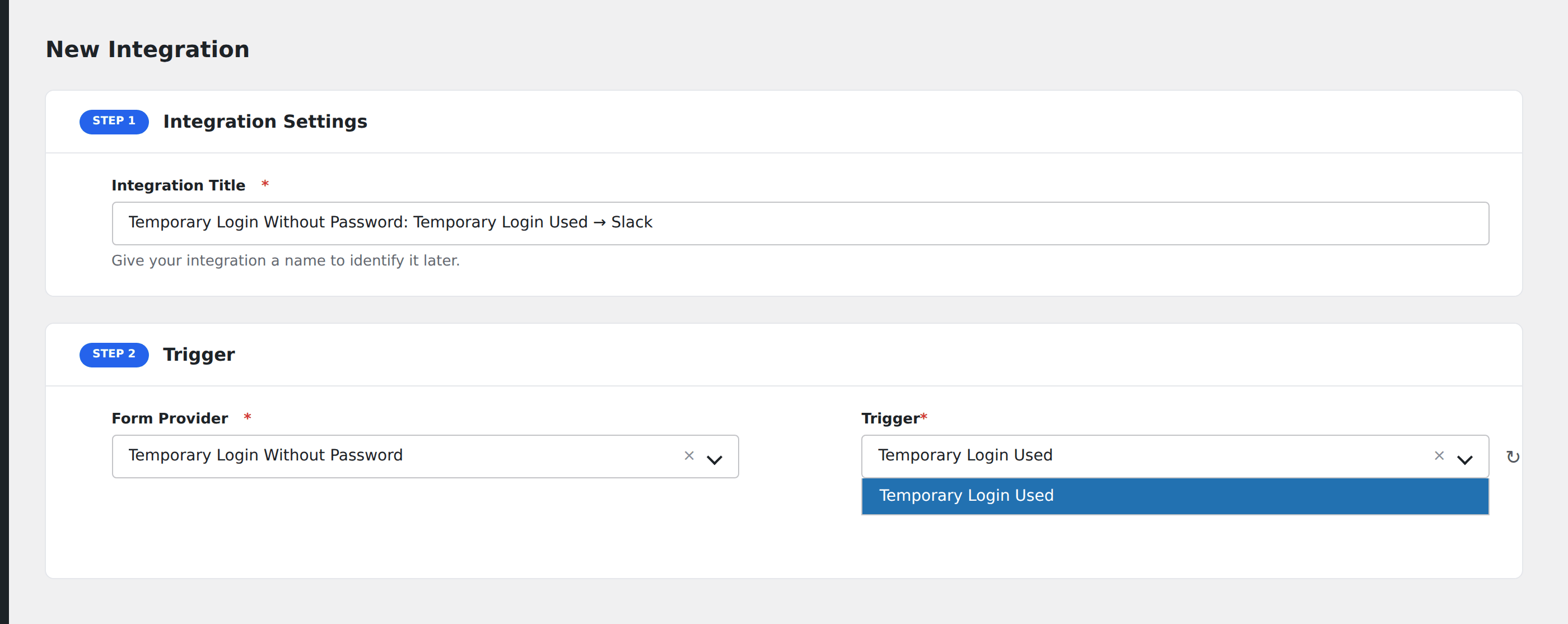
- Go to WP Admin → AFI → Add New.
- Enter an Integration Title, e.g.
Temporary Login Without Password: Temporary Login Used → Slack. - In Trigger → Form/Data Provider, select Temporary Login Without Password.
- In Form/Task Name, choose Temporary Login Used.
- In Action → Platform, pick the destination and complete the field mapping.
- Optional: configure Conditional Logic so only matching events are sent.
- Click Save Integration.
How AFI listens for temporary logins
AFI hooks wtlwp_after_login_success from public/class-wp-temporary-login-without-password-public.php. It fires only on the successful-login branch, after the pre-check filter allowed the login and after the plugin has set the auth cookie and incremented its own _wtlwp_login_count user meta. AFI reads that counter back so you can see how many times a given temporary account has been used in total. Registration is guarded by defined( 'WTLWP_PLUGIN_VERSION' ).
This is an audit trail, not a lead source
Use it to post into a private Slack or Discord channel, append to an access log spreadsheet, or open a ticket. Total Login Count makes it easy to spot a link being reused far more than expected.
Troubleshooting
Expired links do not fire
Correct. The plugin rejects an expired or disabled link before the success branch, so nothing dispatches. That is itself a useful signal: no event means no access was granted.
Login Count stays at 1
The counter is per temporary account. Creating a new link for the same person starts a new account with its own counter.