 AFI
AFI
Fluent Support
Fluent Support is a self-hosted WordPress helpdesk plugin from the WPManageNinja team. Advanced Form Integration creates a new Fluent Support ticket for every form submission, useful for routing contact-form inquiries directly into your support queue.
What you’ll need
- The Fluent Support plugin installed and activated on the same WordPress site.
- The Advanced Form Integration plugin installed and activated.
Create the integration
- Go to AFI → Add New.
- Configure the trigger.
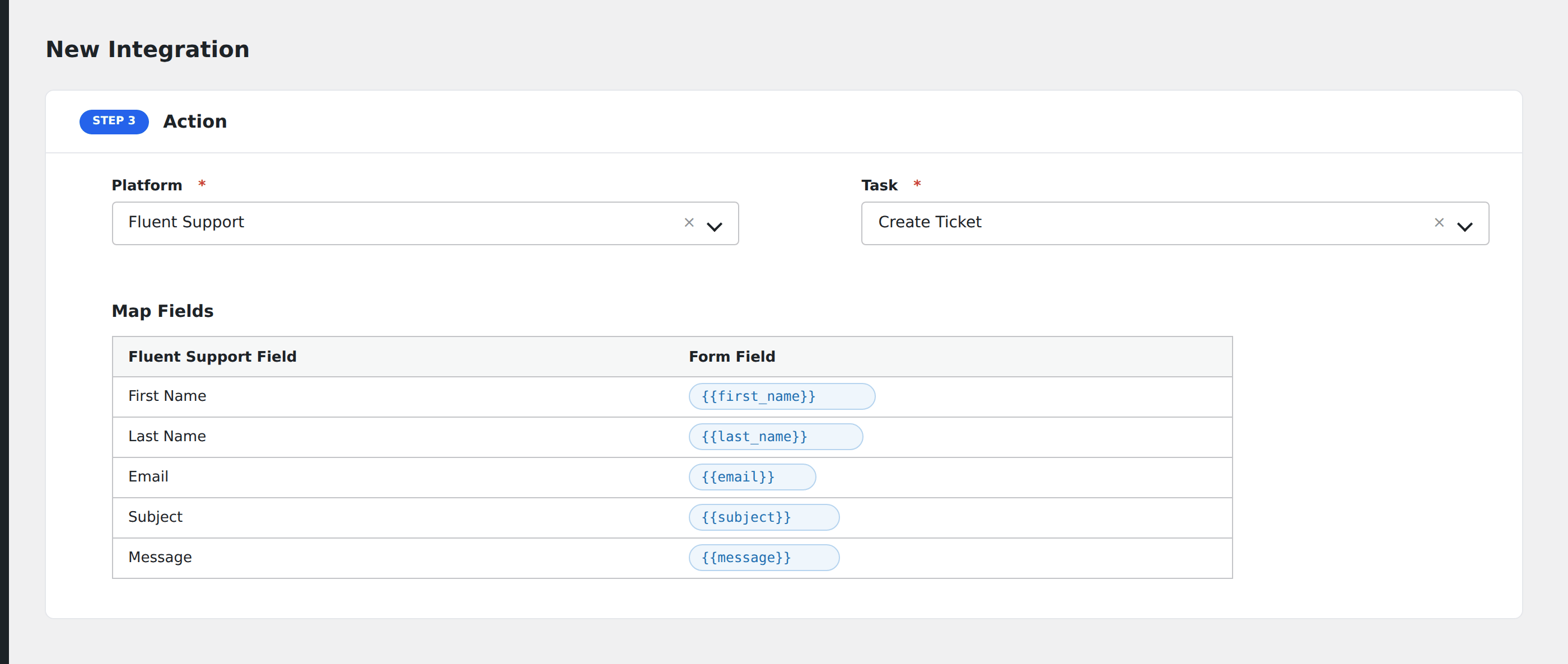
- In Action → Platform, select Fluent Support.
- In Task, choose Create Ticket.
- Pick the Mailbox (Department).
- Map the form fields:
- Subject, Description (required).
- Customer Email, Customer Name (required).
- Priority: Low / Medium / High / Urgent.
- Source: Email / Web / API / etc.
- Optional: configure Conditional Logic.
- Click Save Integration.
Conditional logic example
Goal: route bug reports to a “Bugs” mailbox, billing questions to “Billing”.
Create two integrations on the same form, each pointing at a different Fluent Support mailbox. Add the matching Equal To condition on each.