 AFI
AFI
Depicter
Depicter is a visual slider, popup, and story builder for WordPress with its own built-in lead-capture forms. Advanced Form Integration captures lead form submissions and routes the data to any of 200+ destinations.
What you’ll need
- The Depicter plugin installed and activated.
- At least one Depicter document containing a form or optin element, published on your site.
- The Advanced Form Integration plugin installed and activated.
When the trigger fires
AFI registers a single Lead/Form Submitted (site-wide) trigger for Depicter. It fires when a visitor submits any Depicter lead form and every field has saved successfully.
Data captured
| Field | Field key | Format |
|---|---|---|
| Lead ID | lead_id |
Numeric ID |
| Source ID | source_id |
Numeric ID of the Depicter document the form lives in |
| Content ID | content_id |
Numeric ID of the post or page the form was shown on |
email |
Email address, best effort | |
| All Submitted Fields | all_fields_json |
JSON object serialised as a string, jSON, for fields not listed above |
Create the integration
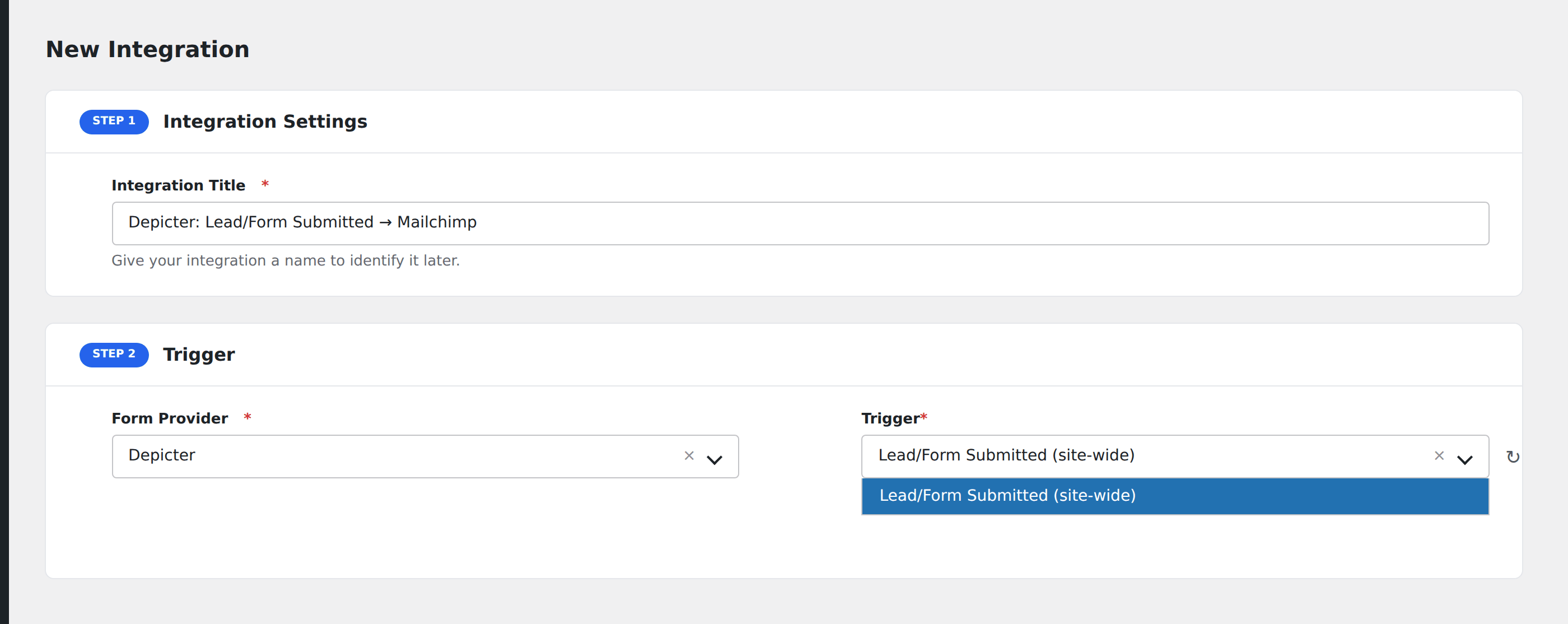
- Go to WP Admin → AFI → Add New.
- Enter an Integration Title, e.g.
Depicter: Lead/Form Submitted → Mailchimp. - In Trigger → Form/Data Provider, select Depicter.
- In Form/Task Name, choose Lead/Form Submitted (site-wide).
- In Action → Platform, pick the destination and complete the field mapping.
- Optional: configure Conditional Logic so only matching events are sent.
- Click Save Integration.
How AFI listens for leads
AFI hooks depicter/lead/created, fired from LeadService::add() in app/src/Services/LeadService.php only after the lead row and every one of its submitted fields have committed through LeadRepository and LeadFieldRepository. Validation and reCAPTCHA failures return early in LeadsAjaxController::submit() before LeadService::add() is reached, so a rejected submission never dispatches. The hook itself passes only IDs, so AFI re-reads the field values through Depicter::leadFieldRepository().
One trigger for the whole site
Depicter forms are widgets you drop into Elementor, Divi, Beaver Builder, Gutenberg, and other builders. There is no single enumerable list of forms to pick from, so AFI registers one site-wide trigger instead of a form picker. Source ID and Content ID are exposed as mappable fields, so if you run several lead forms you can split them apart with Conditional Logic.
Mapping custom fields
Depicter lets you name form inputs freely, so AFI cannot know your field names in advance. Everything the visitor submitted arrives in All Submitted Fields (JSON) as a name-to-value object. Map that into a text column, or if your destination parses JSON, straight into structured fields. Email is pulled out separately on a best-effort basis when an input is literally named email.
Troubleshooting
Email is empty but the JSON has the address
Rename the input to email in the Depicter form editor. The dedicated Email field matches on that exact name; anything else stays inside the JSON payload.
Nothing fires on submit
Check that the submission actually reached Depicter’s own lead list under Depicter → Leads. If the lead is not stored there, the hook never ran, which usually points at a reCAPTCHA or validation failure rather than at AFI.