 AFI
AFI
Zoho Desk
Zoho Desk is Zoho’s customer-service help desk, used for ticket tracking, agent collaboration, and SLAs. Advanced Form Integration sends form submissions to Zoho Desk as new tickets or contacts.
What you’ll need
- An active Zoho Desk account.
- A Zoho OAuth Self Client. See Connect via OAuth.
- The Advanced Form Integration plugin installed and activated.
Connect via OAuth
- Visit the Zoho API Console and create a Self Client.
- Note the Client ID and Client Secret.
- In WordPress, go to AFI → Settings → Zoho Desk.
- Pick the data center matching your Zoho account.
- Click Authorize and grant
Desk.tickets.CREATEandDesk.contacts.CREATEscopes. - After redirect, the connection is saved.
Create the integration
- Go to AFI → Add New.
- Configure the trigger.
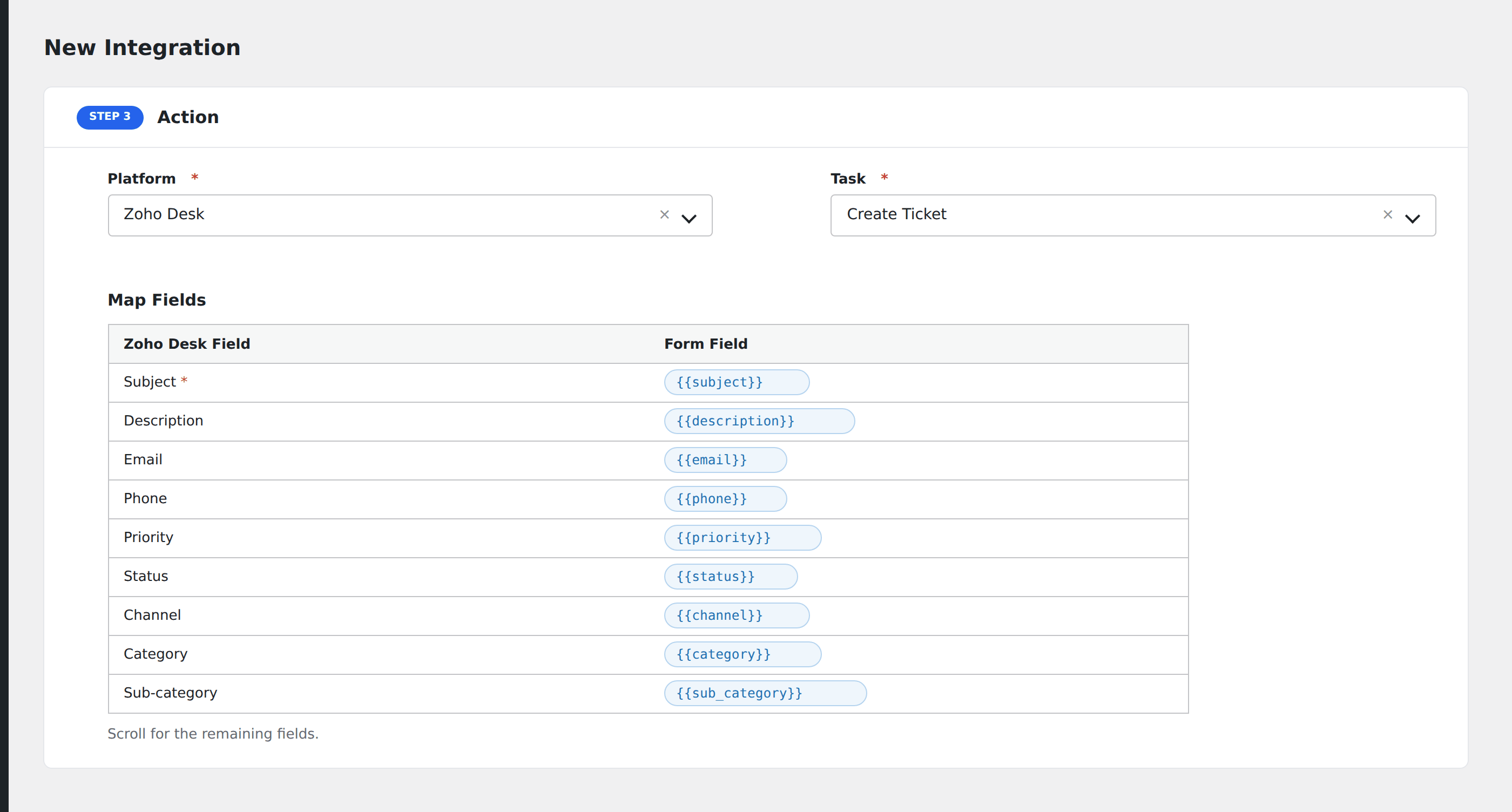
- In Action → Platform, select Zoho Desk.
- In Task, choose Create Ticket or Create Contact.
- Pick the Department.
- Map the form fields:
- For tickets: Subject (required), Description, Email, Phone, Priority, Status, Channel, Category, Sub-category.
- For contacts: First Name, Last Name, Email, Phone.
- Custom fields by API name.
- Optional: configure Conditional Logic.
- Click Save Integration.
Tasks supported
Create Ticket
Creates a new help-desk ticket in the chosen department. Use this for “Contact us” or “Report a problem” forms. The form data lands directly in your support queue.
Create Contact
Creates a new customer contact in Zoho Desk. Useful when you onboard customers and want them to exist in Desk before they ever submit a ticket.
Conditional logic example
Set the ticket’s Priority to “High” only when the form’s severity field equals “Production down”. All other submissions stay at the default priority.
Troubleshooting
Department dropdown empty
After authorizing, AFI fetches departments from your Zoho Desk account. If the dropdown is empty, your authorized user may lack access to any department. Check user roles in Zoho Desk admin.
Custom field not populating
Zoho Desk custom fields are matched by their API name, not the display label. Find the API name under Setup → Customization → Layouts and Fields.