Sender

Estimated reading: 2 minutes

Overview

The AFI plugin allows you to connect your WordPress forms with Sender.net, a reliable email marketing platform. When a user submits a form on your website, their contact information can be automatically subscribed to a selected Sender group.

Perfect for email marketing automation, lead capture, and growing your subscriber list.


โœ… Supported Feature

  • Subscribe to Group


๐Ÿ”ง How To Setup

Step 1: Get Your API Access Token

To connect your Sender account:

  1. Log in to your Sender.net account.

  2. Go to Settings โ†’ API access tokens.

  3. Create a new token and copy it.


Step 2: Connect Sender in AFI

  1. Go to AFI โ†’ Settings โ†’ Sender

  2. Paste your API Token into the field

  3. Click Save Changes

Your Sender account is now connected to AFI.


Step 3: Create a New Integration

  1. Go to AFI โ†’ Add New

  2. Give your integration a title like โ€œSubscribe to Sender Groupโ€

๐Ÿ”น Trigger

  • Form Provider: Select the form plugin youโ€™re using (e.g., WPForms, Gravity Forms)

  • Form Name: Choose the form to connect with Sender


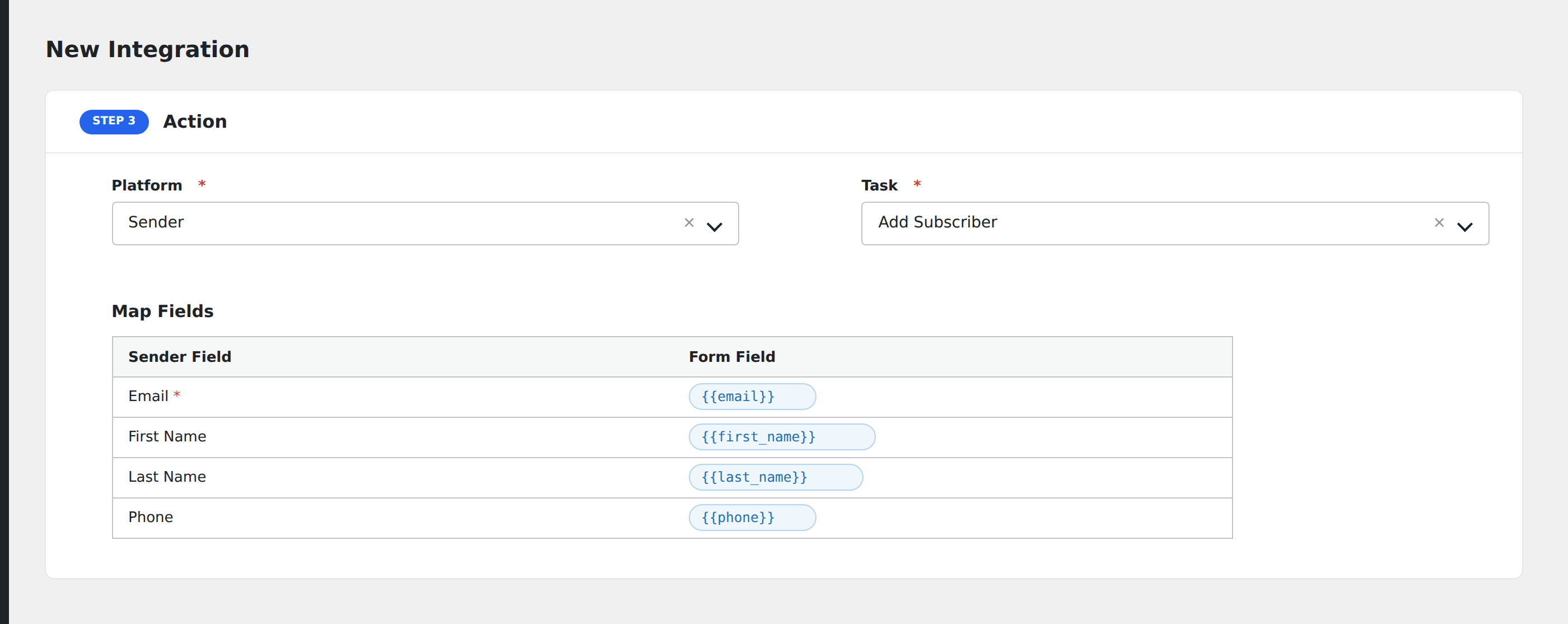
Step 4: Configure the Action

  • Platform: Choose Sender

  • Task: Select Subscribe to Group


Step 5: Map Fields

Once the task is selected, you’ll see:

  • Sender Account
    Select the connected API credentials

  • Group
    Choose the group (list) where the subscriber will be added

  • Field Mapping
    After loading the fields, map each form input to Sender fields such as:

    • Email

    • Name

    • Phone (add country code, e.g., +1)

    • Any custom fields you’ve created in your Sender account

Each field on the left (from Sender) can be linked to a form field using the dropdown on the right.


Step 6: Save Integration

Click Save Integration.

๐ŸŽ‰ Now when someone submits your form, their data will be sent to Sender and subscribed to your selected group.


๐Ÿ” Troubleshooting

If your integration isnโ€™t working, check the following:

๐Ÿ”น API Token Not Working

  • Make sure the token is copied correctly from your Sender account

  • Tokens may expire or get revoked โ€” regenerate if needed

๐Ÿ”น Groups Not Loading

  • Check if your Sender account has any groups created

  • Try clicking the Group dropdown again to refresh the list

๐Ÿ”น Fields Not Loading

  • Ensure a valid Sender account is selected

  • Use the Get Fields button if available

๐Ÿ”น Contact Not Subscribed

  • Make sure required fields like Email are mapped and not empty

  • Go to AFI โ†’ Log to view the request and response from Sender

  • Verify that the group ID is valid and selected

๐Ÿ”น Custom Field Issues

  • Confirm that custom fields exist in Sender and match the names you’re mapping