 AFI
AFI
FluentSMTP
FluentSMTP is a free WordPress SMTP and email-routing plugin from the WPManageNinja team. Advanced Form Integration captures FluentSMTP send events (both successful sends and failures) and routes the data to any of 200+ destinations. Useful for piping bounce alerts to Slack, archiving every outbound email, or detecting deliverability issues early.
What you’ll need
- The FluentSMTP plugin installed and configured with at least one mail provider.
- The Advanced Form Integration plugin installed and activated.
Email event data captured
| Field | Format |
|---|---|
| To | Recipient email |
| From | Sender email |
| Subject | Email subject line |
| Body (plain) | Plain-text body, truncated to 5KB |
| Headers | Comma-separated header lines |
| Attachments | Comma-separated attachment names |
| Status | sent / failed |
| Provider | The mail provider used (e.g. sendgrid, mailgun, ses) |
| Error message | Present when status = failed |
| Timestamp | YYYY-MM-DD HH:MM:SS |
Create the integration
- Go to WP Admin → AFI → Add New.
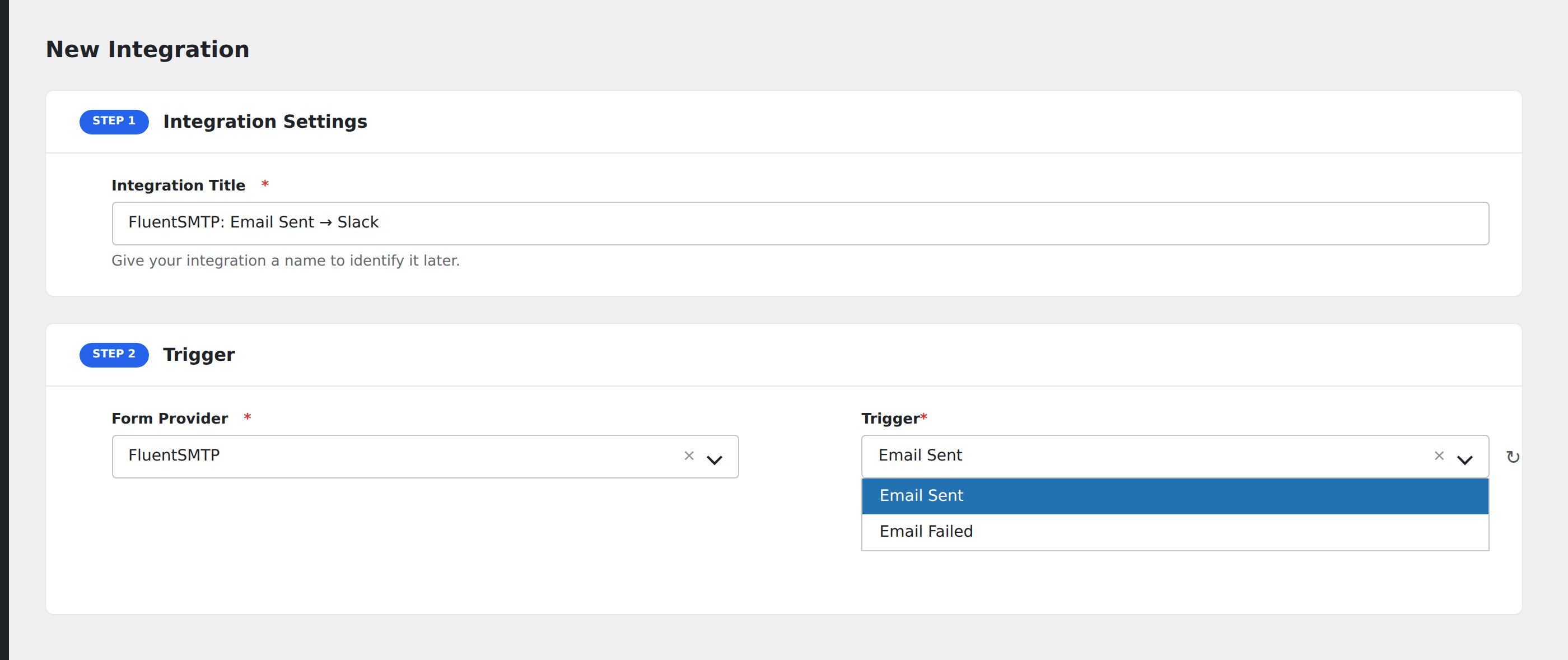
- Enter an Integration Title, e.g.
Email failure → Slack alert. - In Trigger → Form/Data Provider, select FluentSMTP.
- In Form/Task Name, choose Email Sent or Email Failed.
- In Action → Platform, pick the destination and complete the field mapping.
- Optional: configure Conditional Logic.
- Click Save Integration.
Useful patterns
- Failed-email Slack alert: ping the team in real time when an outbound email fails.
- Outbound email archive: log every outbound email to a Google Sheet for audit and compliance.
- CRM activity log: record outbound emails as activities on the matching contact.
Conditional logic example
Goal: alert Slack only on failures of important emails (password resets, order confirmations), not for every transactional email.
Create a Slack integration on the Email Failed event. Open the Conditional Logic panel, add conditions on the subject field with Contains for the keywords you care about (password, order, confirm), set Must Match Condition to Any.
Troubleshooting
Email body looks empty
For long emails, AFI truncates the body at 5KB to avoid bloating destination payloads. The truncation marker ... shows in the captured value if this happens.
Attachment names show but files don’t transfer
AFI captures attachment metadata only: file names and sizes. The actual file data isn’t transmitted. To forward attachments, use a destination that supports retrieving them by URL (the FluentSMTP log table stores attachment paths).