 AFI
AFI
Caldera Forms
Caldera Forms is a free WordPress form builder with a grid-based layout system. Advanced Form Integration captures every Caldera Forms submission and routes the data to any of 200+ destinations.
What you’ll need
- The Caldera Forms plugin installed and activated.
- The Advanced Form Integration plugin installed and activated.
- A Caldera form built and published.
Supported form fields
| Field type | Supported | Output format / notes |
|---|---|---|
| Text / Single line | Yes | Same as input |
| Yes | Same as input | |
| Textarea | Yes | Same as input |
| Number | Yes | Same as input |
| Phone | Yes | Same as input |
| URL | Yes | Same as input |
| Date / Time | Yes | YYYY-MM-DD, HH:MM |
| Dropdown | Yes | The selected option |
| Radio | Yes | The selected option |
| Checkbox | Yes | Comma-separated selected values |
| Hidden | Yes | Same as the hidden value |
| File upload | Yes | Comma-separated public URL(s) |
| HTML | Not sent | Display-only field, never routed |
Create the integration
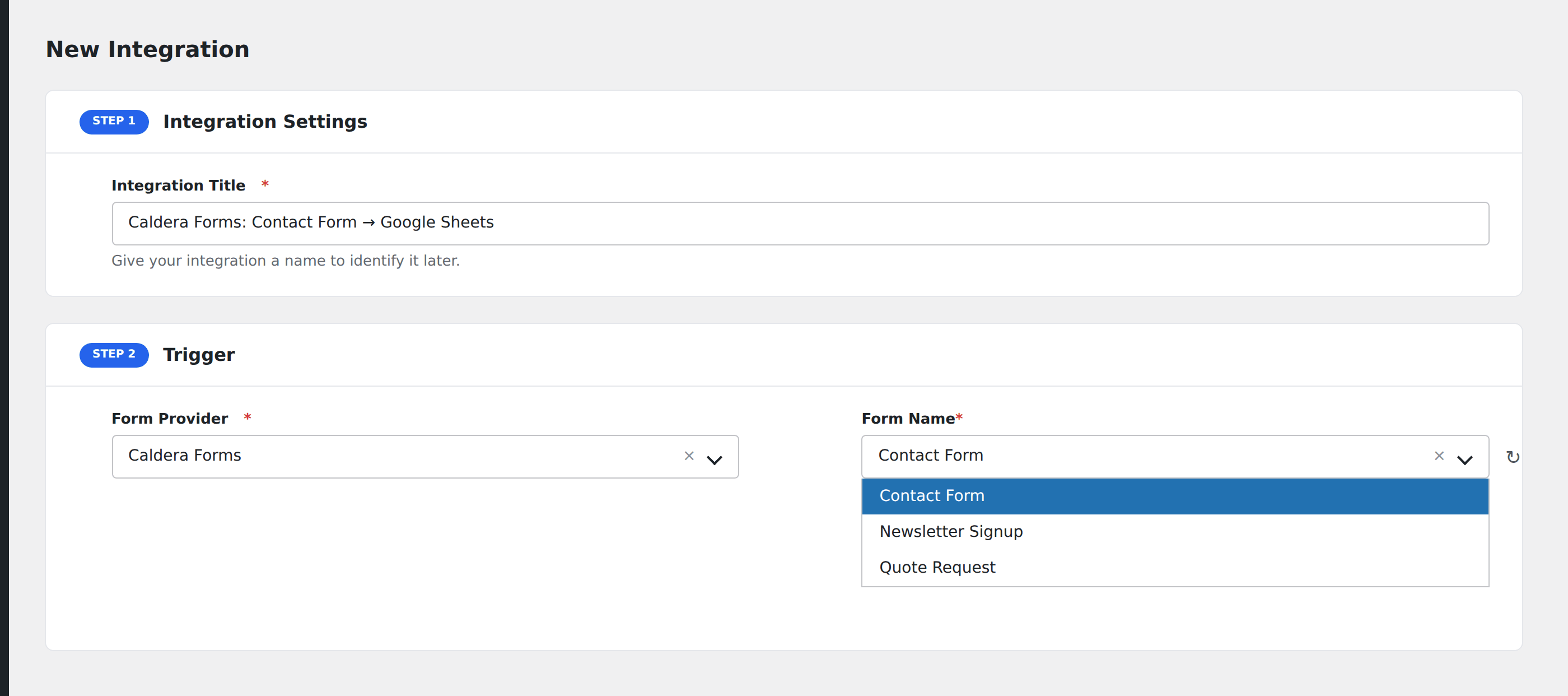
- Go to WP Admin → AFI → Add New.
- Enter an Integration Title.
- In Trigger → Form/Data Provider, select Caldera Forms.
- In Form/Task Name, choose the form to listen on.
- In Action → Platform, pick the destination and complete the field mapping.
- Optional: configure Conditional Logic.
- Click Save Integration.
Conditional logic example
Goal: route product inquiries to the sales CRM, while support requests go to a separate helpdesk integration.
Create two integrations on the same form. On the sales CRM integration, add a condition with the inquiry-type field, Equal To, value Sales. On the helpdesk integration, use Equal To, value Support.
Troubleshooting
Form not appearing in the Form/Task Name dropdown
Caldera Forms saves form definitions as JSON files in the database. Re-save the form in Caldera Forms → Forms to refresh, then reload the AFI integration screen.
Caldera is no longer actively maintained
Caldera Forms development slowed considerably after the original developer departed. AFI continues to support it, but for new sites, consider switching to a more actively maintained form builder.