 AFI
AFI
Iterable
Iterable is a cross-channel marketing-automation platform popular with B2C brands for lifecycle email, SMS, push, and in-app messaging. Advanced Form Integration sends form submissions to Iterable as new users.
What you’ll need
- An active Iterable account.
- An Iterable API key with
Server-sideaccess type (Integrations → API Keys → New API Key). - The Advanced Form Integration plugin installed and activated.
Connect Iterable to AFI
- In WordPress, go to AFI → Settings → Iterable.
- Paste the API key and click Save Changes.
Create the integration
- Go to AFI → Add New.
- Configure the trigger.
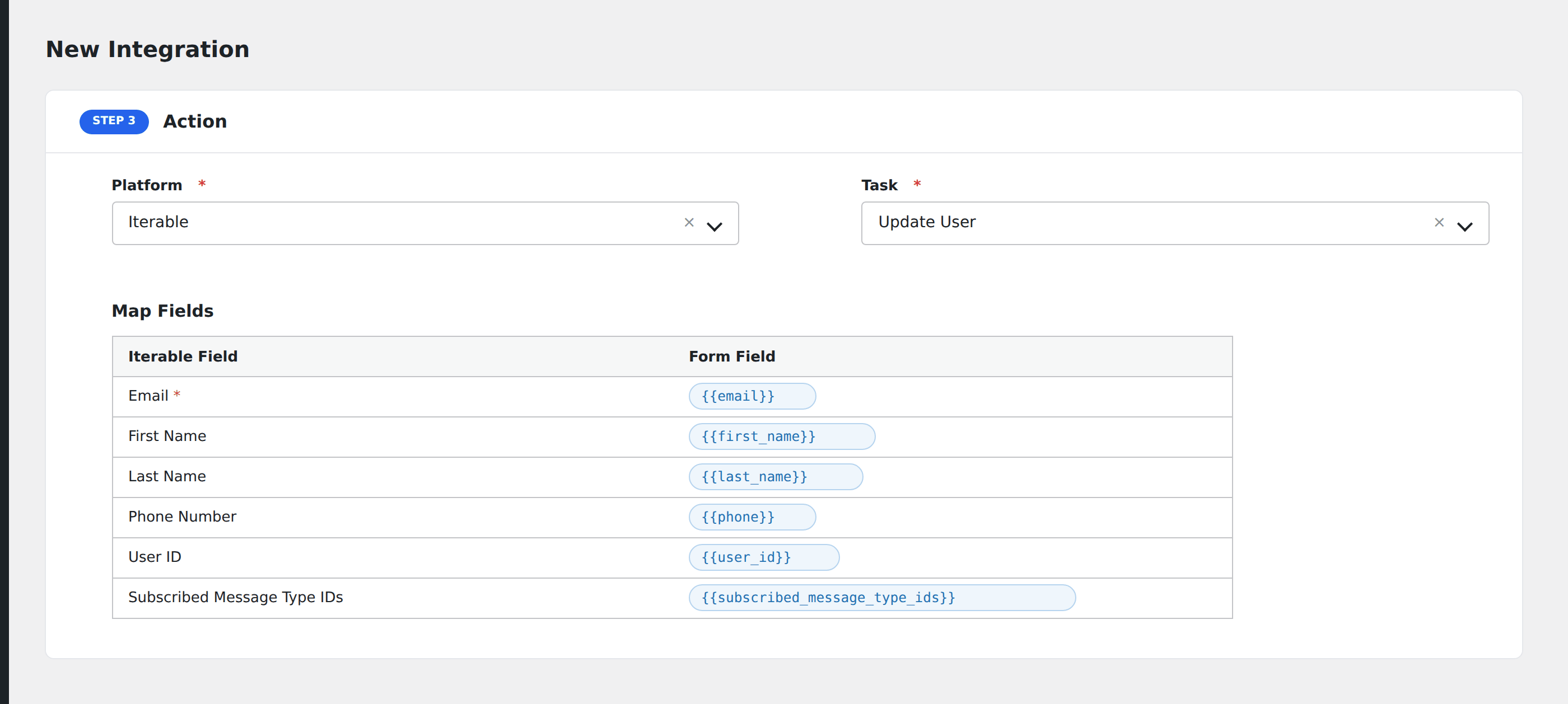
- In Action → Platform, select Iterable.
- In Task, choose Update User.
- Map the form fields:
- Email (required), First Name, Last Name, Phone Number.
- User ID (Iterable’s external identifier, if your app uses one).
- Subscribed Message Type IDs for opt-in management.
- Custom user data fields by name (Iterable’s user-data is schemaless; any field maps).
- Optional: configure Conditional Logic.
- Click Save Integration.
Conditional logic example
Subscribe the user to your “Promotional” message type only when the form’s marketing_consent checkbox is checked. Submitters without consent are still upserted but skip the subscription.