 AFI
AFI
MemberPress
MemberPress is a leading WordPress membership plugin used to gate content, courses, and downloads. Advanced Form Integration captures MemberPress membership events (new signups, renewals, expirations, cancellations) and routes the data to any of 200+ destinations.
What you’ll need
- The MemberPress plugin installed and activated.
- At least one membership configured.
- The Advanced Form Integration plugin installed and activated.
Membership event data captured
| Field | Format |
|---|---|
| Member name | First and last separately |
| Member email | Same as input |
| Username | Same as input |
| Membership name | The membership level |
| Membership ID | Numeric MemberPress ID |
| Subscription ID | Numeric |
| Status | active / pending / cancelled / expired / failed |
| Event type | signup, renewal, cancellation, expiration, upgrade, failed_payment |
| Amount | Numeric, in your default currency |
| Currency | 3-letter code |
| Payment gateway | The gateway used |
| Trial | 1 if trial period, empty otherwise |
| Expires at | YYYY-MM-DD or empty for lifetime |
Custom MemberPress fields you’ve added to the registration form also appear in the field-mapping dropdown.
Create the integration
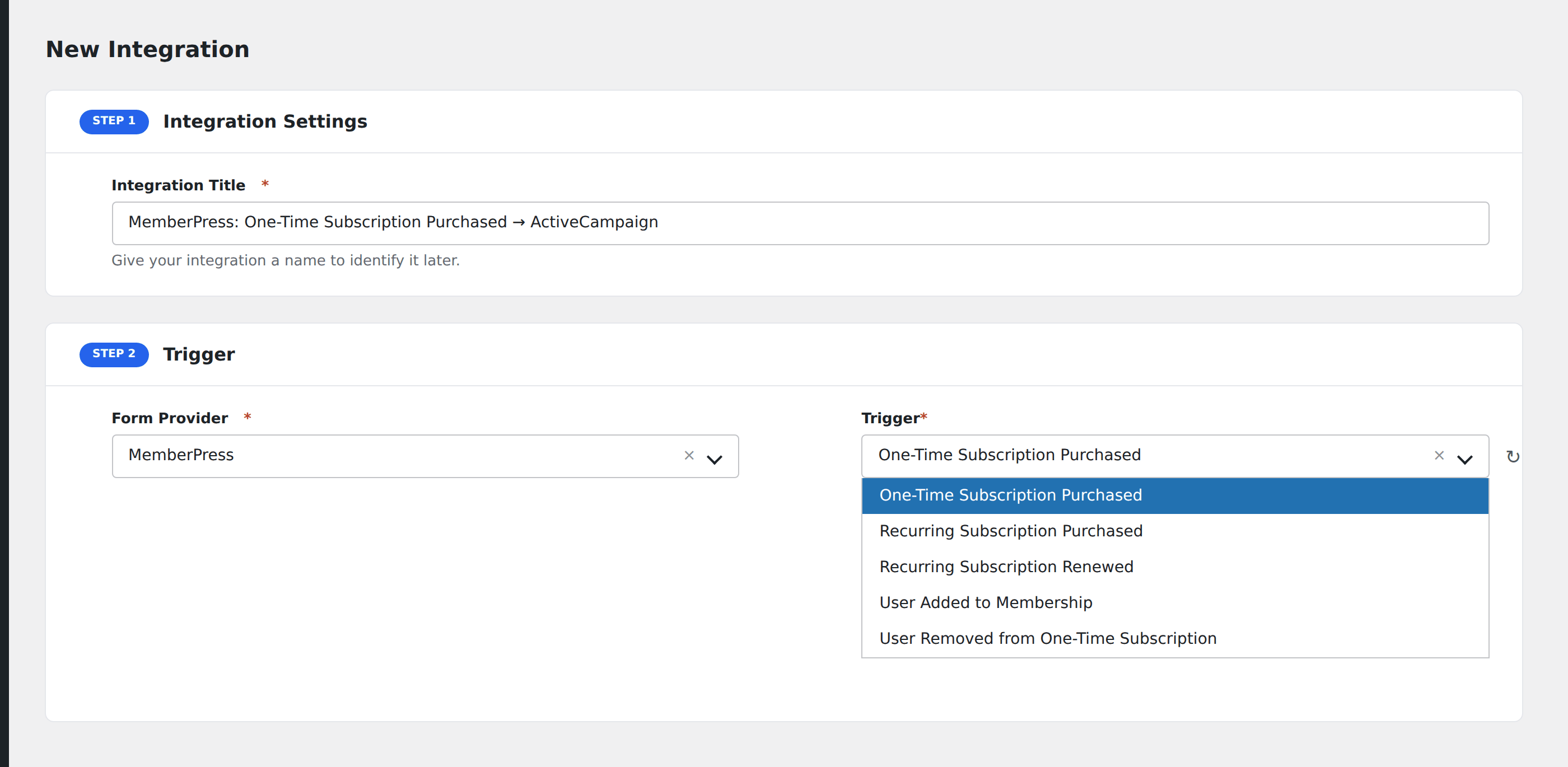
- Go to WP Admin → AFI → Add New.
- Enter an Integration Title, e.g.
MemberPress signup → ActiveCampaign. - In Trigger → Form/Data Provider, select MemberPress.
- In Form/Task Name, choose the event (Signup, Renewal, Cancellation, etc.).
- In Action → Platform, pick the destination and complete the field mapping.
- Optional: configure Conditional Logic.
- Click Save Integration.
Conditional logic example
Goal: when a member’s status changes to failed (failed payment), notify the customer success team’s Slack channel for immediate outreach.
Create a Slack integration on the Failed Payment event. The condition is implicit. The event itself only fires for failures.
Troubleshooting
Trial expirations and conversions
When a trial converts to paid, MemberPress fires the Renewal event, not a separate “trial converted” event. Distinguish trial vs. converted by checking the trial flag on the prior event.
Custom registration field not visible
Custom fields are exposed only after the first signup with that field populated. Submit a test signup to surface them.