 AFI
AFI
WP Recipe Maker
WP Recipe Maker adds structured recipe cards to WordPress food blogs, with ratings, nutrition data, and recipe schema. Advanced Form Integration captures first-time recipe ratings and routes the data to any of 200+ destinations.
What you’ll need
- The WP Recipe Maker plugin installed and activated.
- User ratings enabled in WP Recipe Maker → Settings → Ratings.
- The Advanced Form Integration plugin installed and activated.
When the trigger fires
AFI registers a single Recipe Rated (First Time) trigger for WP Recipe Maker. It fires when a visitor rates a recipe they have not rated before.
Data captured
| Field | Field key | Format |
|---|---|---|
| Recipe ID | recipe_id |
Numeric ID |
| Recipe Title | recipe_title |
Text |
| Recipe URL | recipe_url |
Absolute URL |
| Rating | rating |
Numeric, 0 to 5 |
| User ID | user_id |
Numeric ID, 0 for guests |
| User Email | user_email |
Email address, empty for guests |
Create the integration
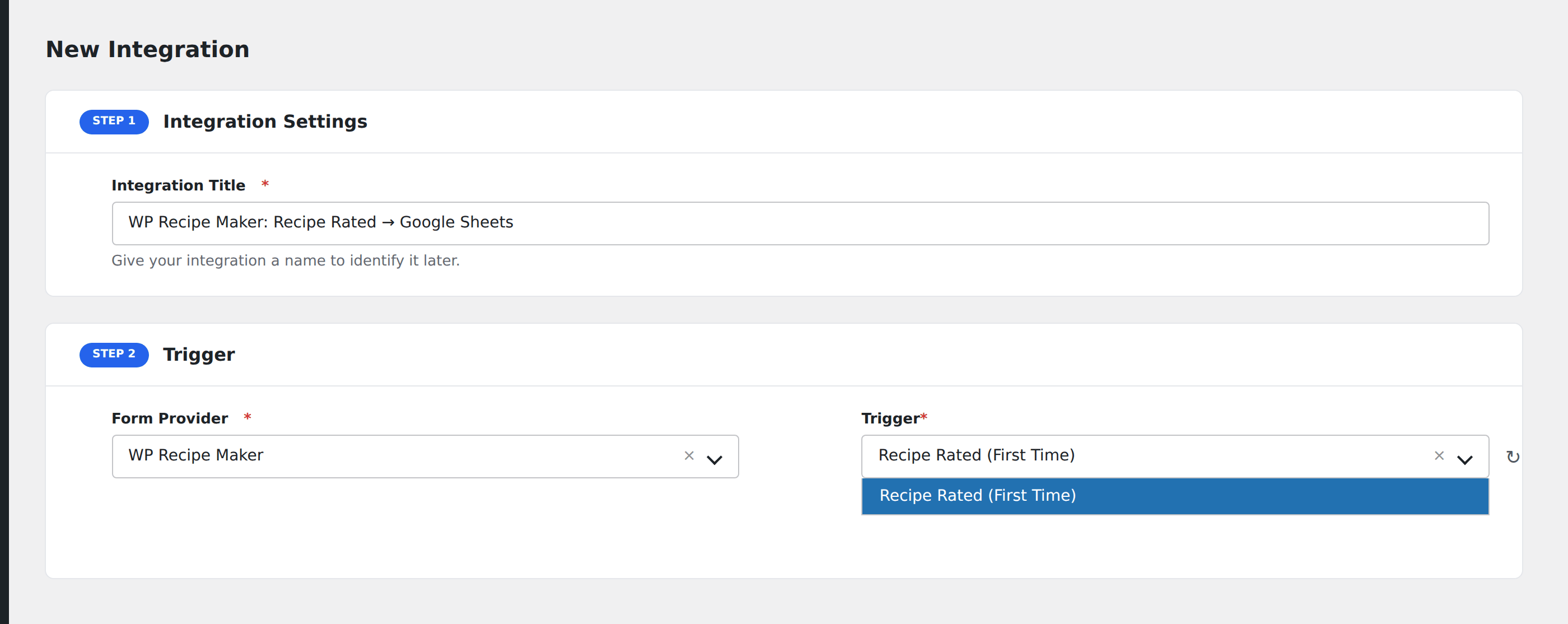
- Go to WP Admin → AFI → Add New.
- Enter an Integration Title, e.g.
WP Recipe Maker: Recipe Rated → Google Sheets. - In Trigger → Form/Data Provider, select WP Recipe Maker.
- In Form/Task Name, choose Recipe Rated (First Time).
- In Action → Platform, pick the destination and complete the field mapping.
- Optional: configure Conditional Logic so only matching events are sent.
- Click Save Integration.
How AFI listens for ratings
AFI hooks wprm_rating_first_time from includes/public/class-wprm-rating-database.php, which the plugin’s own code comment introduces as a hook for gamification plugins, confirming it as a deliberate third-party extension point. It fires only when no existing rating from this user or IP was found for this recipe. Re-rating later deletes and replaces the stored row without re-firing, so you naturally get one event per reader per recipe. Registration is guarded by defined( 'WPRM_VERSION' ).
Guests are the common case
Recipe ratings usually come from anonymous readers, so User ID is 0 and User Email is empty unless the rater happened to be logged in. Use Recipe ID and Recipe Title as your primary keys for analytics.
Troubleshooting
Comment ratings do not fire separately
A rating left through the comment form is stored in the same rating table and reaches the same hook, provided it is that reader’s first rating for the recipe.
Nothing fires when re-rating
That is intentional. Only the first rating from a given user or IP dispatches.