 AFI
AFI
SendFox
SendFox is an affordable email marketing tool for creators and podcasters. Advanced Form Integration subscribes contacts to your SendFox lists from WordPress form submissions.
What you’ll need
- An active SendFox account.
- Your SendFox API credentials (see below).
- The Advanced Form Integration plugin installed and activated.
Get your SendFox access token
- Sign in to your SendFox account.
- Go to Account → OAuth.
- Click Create New Token and copy the Personal Access Token.
- In WordPress, go to AFI → Settings → SendFox.
- Click Add Account, paste the access token, and give the account a name.
- Click Save.
SendFox uses the access token as a Bearer token.
Create the integration
- Go to AFI → Add New.
- Give the integration a name, for example
Form to SendFox. - Under Trigger, pick the form plugin and the specific form.
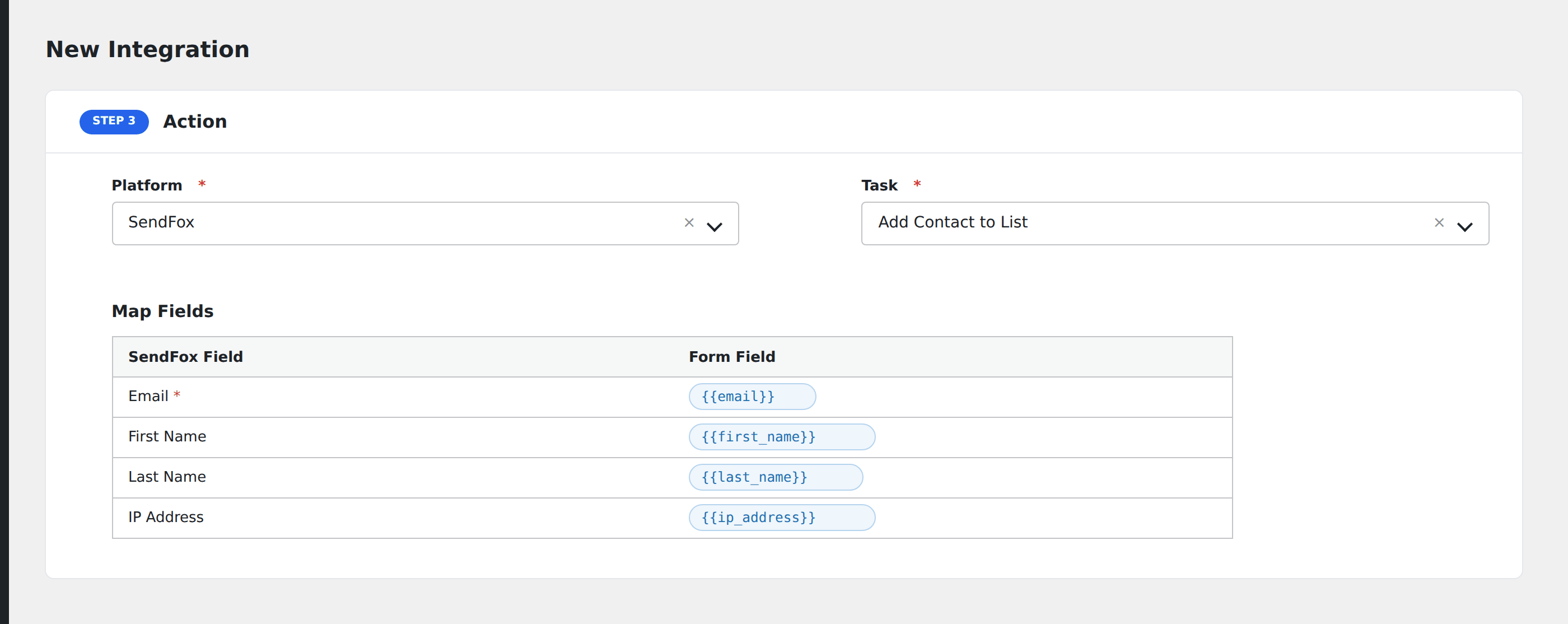
- Under Action → Platform, select SendFox (free) or SendFox [PRO].
- In Task, choose Subscribe To List.
- Pick the saved account.
- Map your form fields onto the fields listed below.
- Optional: open Conditional Logic to limit which submissions are sent.
- Click Save Integration.
Tasks supported
Subscribe To List (Free + Pro)
Subscribes a contact to your SendFox account. The access token is sent as a Bearer token.
| Field | Field key | Required | Notes |
|---|---|---|---|
email |
Yes | ||
| First Name | first_name |
No | |
| Last Name | last_name |
No |
Pro features
The Pro integration extends the free version with custom field mapping and create-or-update logic. Pro uses the same SendFox connection and access token.
Custom fields
SendFox Pro dynamically fetches all custom contact fields you have created in your SendFox account (via the contact-fields API endpoint). These appear automatically in the field-mapping table when you select the SendFox [PRO] action. You do not need to configure them manually; any field you have defined in SendFox → Contacts → Custom Fields will be available for mapping.
| Field | Field key | Required | Notes |
|---|---|---|---|
email |
Yes | ||
| First Name | first_name |
No | |
| Last Name | last_name |
No | |
| Custom fields | fetched from SendFox | No | All custom fields defined in your SendFox account. Birthday fields require YYYY-MM-DD format. |
Create or update contact
Pro automatically checks whether a contact with the same email already exists in SendFox. If it does, AFI updates the existing contact (via PATCH /contacts/{id}) instead of creating a duplicate. If no match is found, a new contact is created (via POST /contacts). This means re-submissions update the existing profile rather than failing or creating duplicates.
Feature comparison
| Feature | Free | Pro |
|---|---|---|
| Subscribe to list | ✅ | ✅ |
| Standard fields (email, first name, last name) | ✅ | ✅ |
| Custom field mapping | No | ✅ |
| Create or update (dedupe by email) | No | ✅ |
Conditional logic example
Only send data to SendFox when specific conditions are met. For example, add a condition on a form field to control which submissions are forwarded.
Troubleshooting
Nothing arrives in SendFox
Open AFI → Log and find the most recent entry. AFI stores the request URL, body, and raw response.
API credentials rejected
Verify your credentials in your SendFox account settings. If they were regenerated, update them in AFI → Settings → SendFox.
Custom fields not appearing in the mapping table
Make sure you are using the SendFox [PRO] action, not the free SendFox action. The free version does not fetch custom fields. Also verify that the custom fields have actually been created in your SendFox account under Contacts → Custom Fields.