 AFI
AFI
Paid Memberships Pro
Paid Memberships Pro (PMPro) is a free WordPress membership plugin from Stranger Studios. Advanced Form Integration captures PMPro events (new member signups, level changes, renewals, expirations, cancellations) and routes the data to any of 200+ destinations.
What you’ll need
- The Paid Memberships Pro plugin installed and activated.
- At least one membership level configured.
- The Advanced Form Integration plugin installed and activated.
Membership event data captured
| Field | Format |
|---|---|
| Member name | First and last separately |
| Member email | Same as input |
| Username | Same as input |
| Member ID | Numeric WordPress user ID |
| Level name | The membership level |
| Level ID | Numeric PMPro level ID |
| Status | active / cancelled / expired / inactive |
| Event type | new, renewal, change, cancellation, expiration |
| Amount | Numeric, in your default currency |
| Currency | 3-letter code |
| Cycle | monthly, yearly, one-time, etc. |
| Start date | YYYY-MM-DD |
| End date | YYYY-MM-DD or empty for indefinite |
| Discount code | If used, the code applied |
PMPro custom register-helper fields also appear in the field-mapping dropdown.
Create the integration
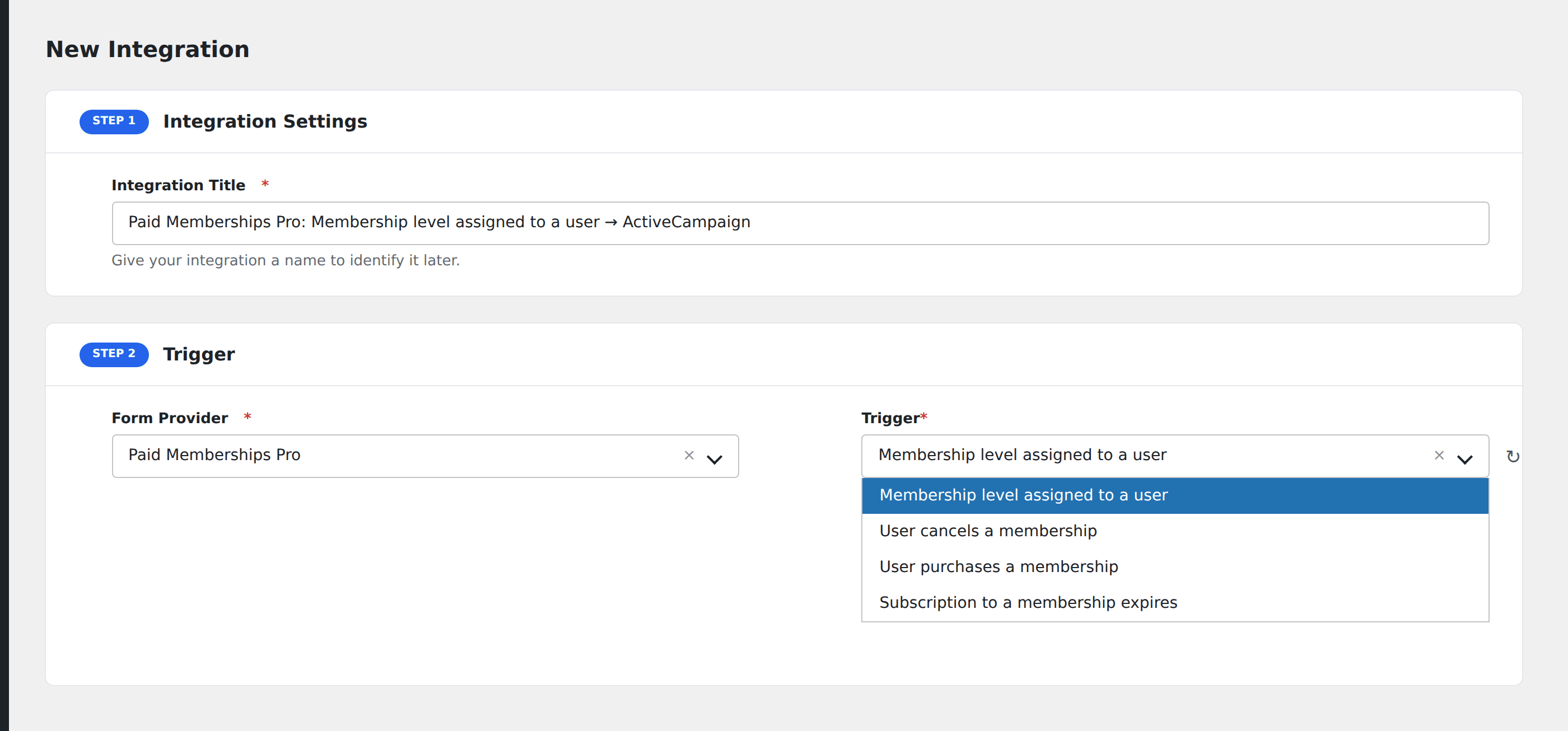
- Go to WP Admin → AFI → Add New.
- Enter an Integration Title, e.g.
PMPro signup → CRM. - In Trigger → Form/Data Provider, select Paid Memberships Pro.
- In Form/Task Name, choose the event.
- In Action → Platform, pick the destination and complete the field mapping.
- Optional: configure Conditional Logic.
- Click Save Integration.
Conditional logic example
Goal: route new signups to different CRM segments based on the membership level. Premium goes to “Enterprise sales”, Free goes to “Marketing nurture”.
Create two integrations on the New Member event. On the Enterprise integration, add a condition with the level name field, Equal To, value Premium. On the Marketing integration, use Equal To, value Free.
Troubleshooting
Level changes vs. renewals
PMPro fires Change when a member moves between levels (upgrade/downgrade) and Renewal when their existing level renews. Listen for both if you need to capture all subscription updates.
Discount-code field empty
The discount code is captured only when the member used one at signup. Members signing up at full price will have this field empty.