 AFI
AFI
Awesome Support
Awesome Support is a WordPress helpdesk and ticketing plugin. Advanced Form Integration captures Awesome Support events (new tickets, replies, status changes) and routes the data to any of 200+ destinations.
What you’ll need
- The Awesome Support plugin (free or Pro) installed and activated.
- The Advanced Form Integration plugin installed and activated.
Ticket event data captured
| Field | Format |
|---|---|
| Event type | ticket_created, ticket_replied, ticket_closed |
| Customer name | Same as input |
| Customer email | Same as input |
| Customer ID | Numeric WordPress user ID |
| Ticket subject | The ticket title |
| Ticket ID | Numeric Awesome Support ticket ID |
| Department | The assigned department |
| Priority | low, medium, high, urgent |
| Agent name | The assigned support agent |
| Status | new / open / closed / etc. |
| Created at | YYYY-MM-DD HH:MM:SS |
Create the integration
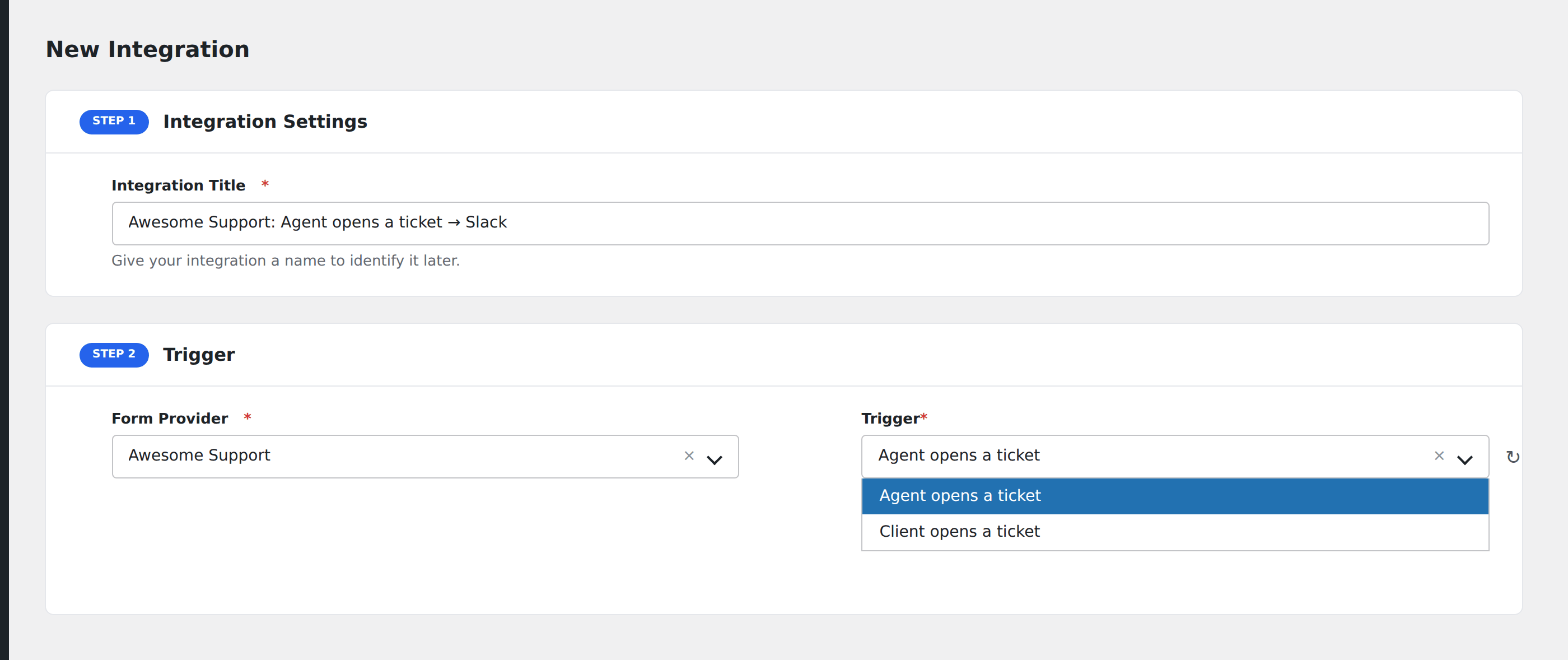
- Go to WP Admin → AFI → Add New.
- Enter an Integration Title, e.g.
New ticket → Slack. - In Trigger → Form/Data Provider, select Awesome Support.
- In Form/Task Name, choose the event.
- In Action → Platform, pick the destination and complete the field mapping.
- Optional: configure Conditional Logic.
- Click Save Integration.
Conditional logic example
Goal: ping the on-call engineer’s Slack DM only when an urgent ticket is created.
Create a Slack integration on the Ticket Created event. Open the Conditional Logic panel, add a condition with the priority field, Equal To, value urgent.