AFI
AFI
Vtiger CRM
Vtiger CRM is a CRM platform with both cloud and self-hosted versions. Advanced Form Integration sends form submissions to Vtiger as new contacts, leads, organizations, or opportunities.
What you’ll need
- An active Vtiger CRM account.
- A Vtiger Access Key (My Preferences → User Advanced Options).
- The Advanced Form Integration plugin installed and activated.
Connect Vtiger to AFI
- In WordPress, go to AFI → Settings → Vtiger CRM.
- Enter:
- Vtiger URL: your Vtiger install URL.
- Username: the Vtiger user.
- Access Key: paste from My Preferences.
- Click Save Changes.
Create the integration
- Go to AFI → Add New.
- Configure the trigger.
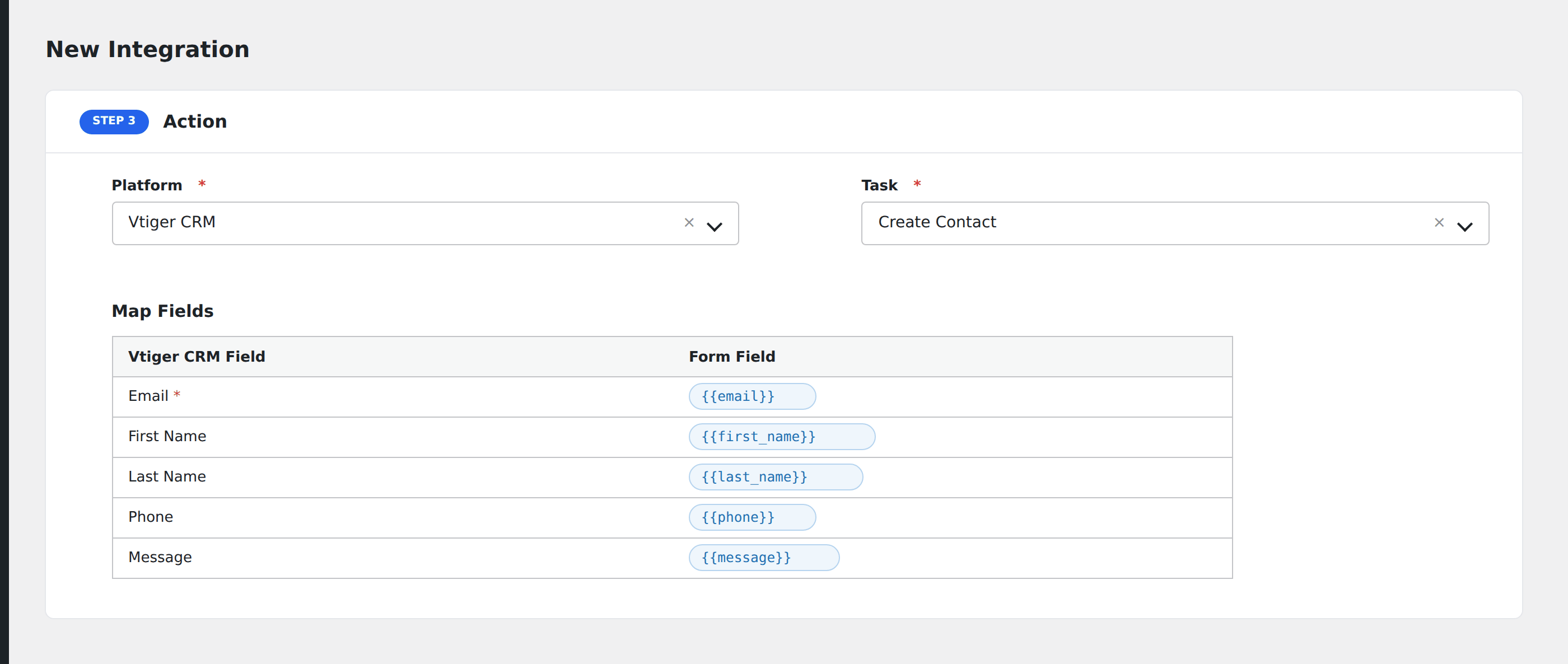
- In Action → Platform, select Vtiger CRM.
- In Task, choose Create Contact, Create Lead, Create Organisation, or Create Opportunity.
- Map the form fields to Vtiger properties.
- Optional: configure Conditional Logic.
- Click Save Integration.