 AFI
AFI
Restrict Content Pro
Restrict Content Pro (RCP) is a membership plugin for WordPress. Connect it to Advanced Form Integration (AFI) and membership events can update your other tools automatically. Log every new membership in Google Sheets, tag members in Mailchimp based on their plan, or update a CRM record when someone cancels.
What You’ll Need
- The Restrict Content Pro plugin installed and active, with at least one membership level.
- Advanced Form Integration (free version) installed and active. This trigger works without AFI Pro.
- An account on the receiving platform, for example Google Sheets or Mailchimp.
How to Create the Integration
- In your WordPress dashboard, go to AFI > Add New.
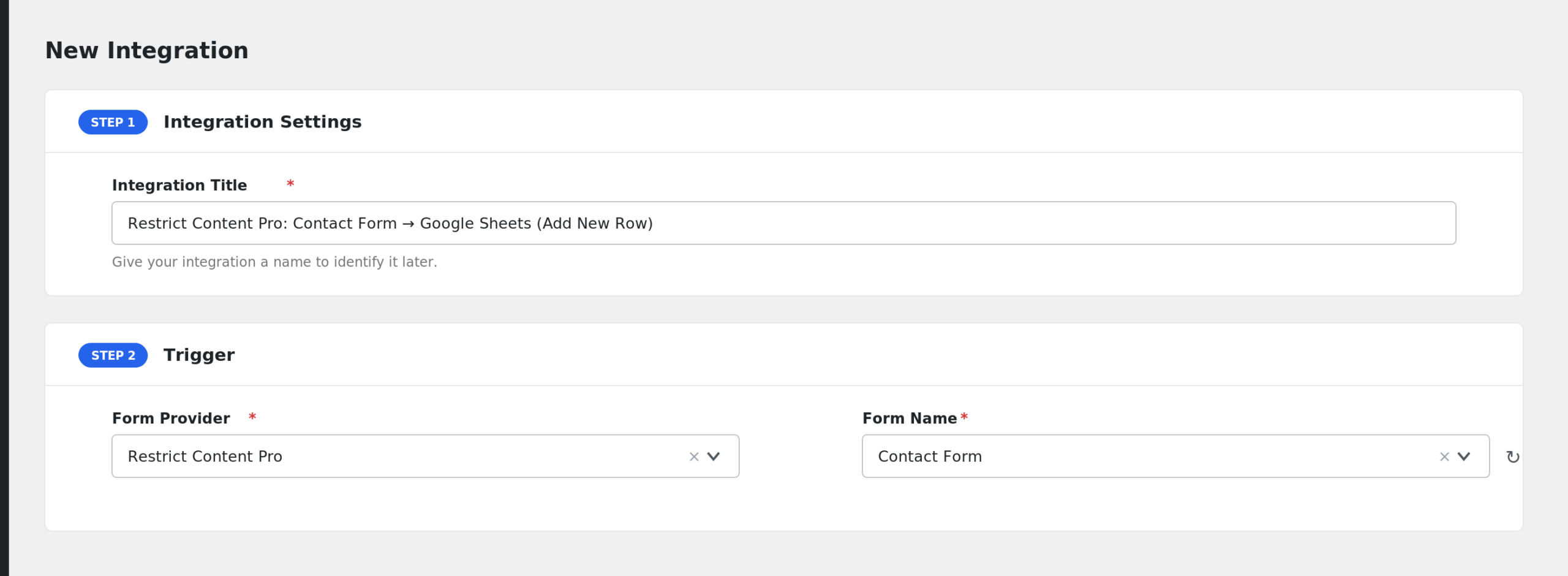
- AFI fills in a default Integration Title. Rename it to something recognizable, like “RCP Purchases to Sheets”.
- In the Trigger section, open the Form Provider dropdown and select Restrict Content Pro. The RCP plugin must be active or it will not appear.
- In the Form/Task Name dropdown, choose the membership event you want to watch: Membership Purchased, Membership Cancelled, or Free Membership Activated.
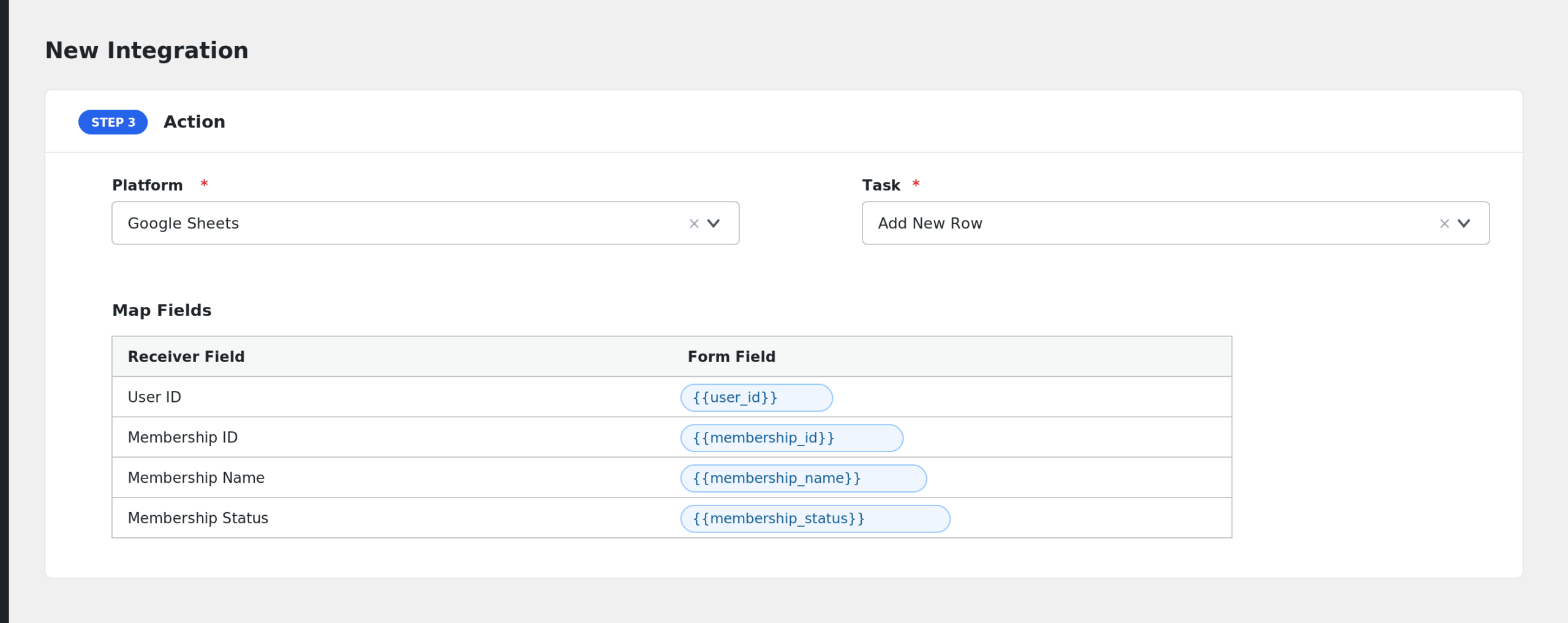
- In the Action section, choose your receiving platform and task, for example Google Sheets > Add Row.
- Map the RCP fields (User ID, Membership Name, and so on) to the receiver’s fields.
- Click Save Integration.
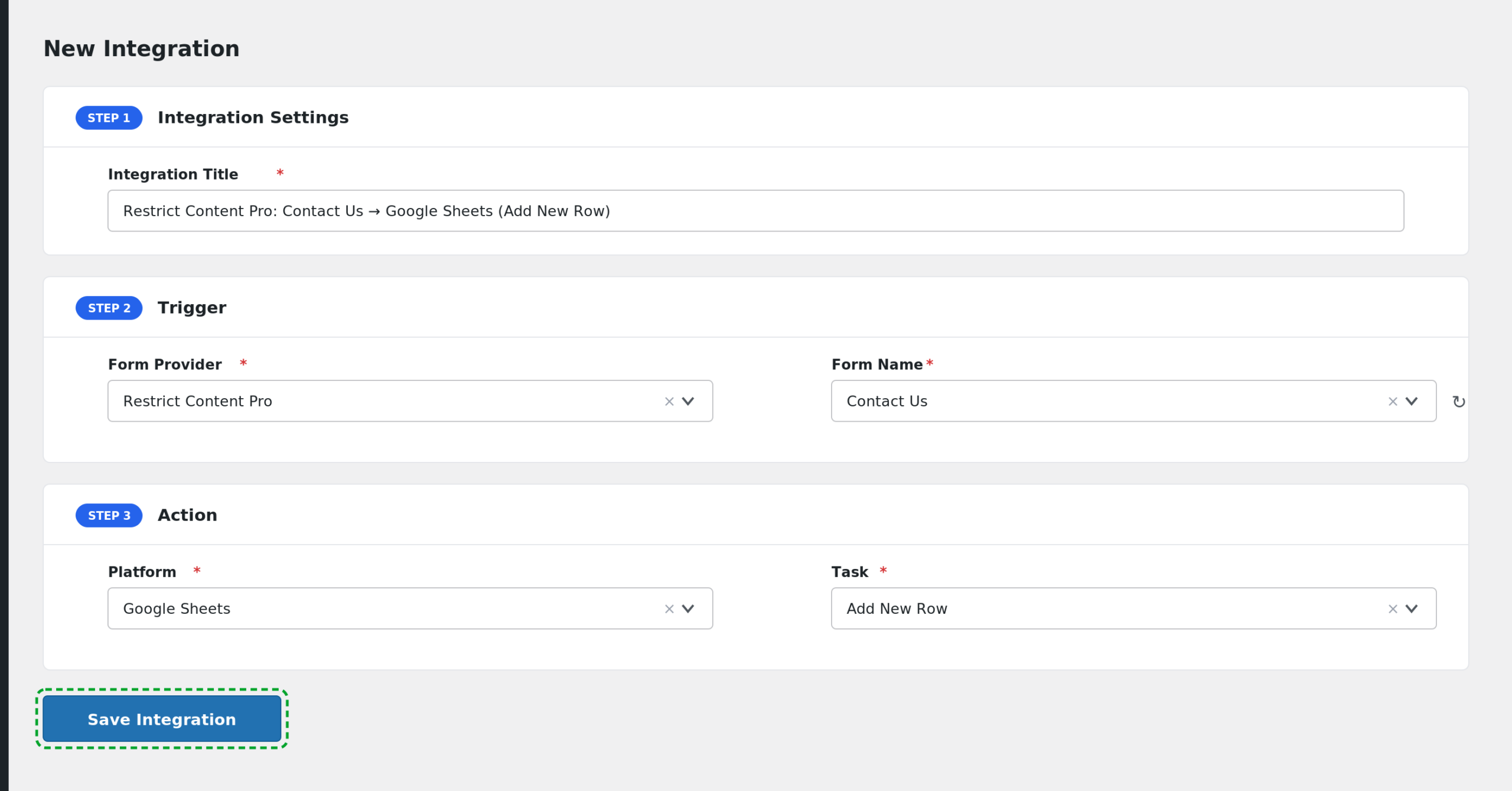
Run a test signup (a sandbox payment or a free level) and confirm the data arrives on the receiving platform.
Available Events
- Membership Purchased: fires when a paid membership becomes active. Free memberships are ignored by this event.
- Membership Cancelled: fires when a membership’s status changes to cancelled.
- Free Membership Activated: fires when a free membership becomes active. Paid memberships are ignored by this event.
Create a separate integration for each event you want to handle.
Fields You Can Send
All three events send the same four fields:
| Field | Description |
|---|---|
| User ID | The WordPress user ID of the member. |
| Membership ID | The ID of the membership record in RCP. |
| Membership Name | The membership level, for example Gold or Monthly. |
| Membership Status | Purchased, Cancelled, or Free Activated, depending on the event. |
The payload is intentionally small. If your receiver needs an email address, you can often look it up on the receiving side using the User ID, or use a receiver action that accepts a WordPress user ID.
Conditional Logic Example
You may only care about one membership level. To sync only Gold members:
- Enable Conditional Logic on the integration.
- Set the rule to: Membership Name equals Gold.
Purchases of other levels are ignored by this integration.
Troubleshooting
Restrict Content Pro is not in the Form Provider dropdown
Confirm the Restrict Content Pro plugin is active under Plugins, then reload the AFI Add New screen.
The integration is not firing
Each event has a guard. Membership Purchased skips free levels, and Free Membership Activated skips paid ones. Make sure you picked the event that matches your test. Then check AFI > Log for a captured record. Pending payments do not fire the purchase event until the membership actually activates.
Cancellations are not coming through
The cancel event fires when the membership status transitions to cancelled inside RCP. An expired membership is a different status and does not fire this event.
I need the member’s email but there is no email field
This trigger sends User ID, Membership ID, Membership Name, and Membership Status only. Map User ID and enrich the record on the receiving platform, or use a receiver that can resolve WordPress user details from the ID.