 AFI
AFI
Advanced Coupons for WooCommerce
Advanced Coupons is a popular WooCommerce coupon and loyalty plugin. Advanced Form Integration captures Advanced Coupons events (coupon redemptions and loyalty point awards) and routes the data to any of 200+ destinations. AFI’s
What you’ll need
- WooCommerce installed and activated.
- The Advanced Coupons plugin installed and activated (free or Premium).
- The Advanced Form Integration plugin installed and activated.
Event data captured
For coupon redemptions:
| Field | Format |
|---|---|
| Coupon code | The code redeemed |
| Customer name | First and last separately |
| Customer email | Same as input |
| Order total | Numeric, in your default currency |
| Discount amount | Numeric |
| Order ID | WooCommerce order ID |
| Date | YYYY-MM-DD HH:MM:SS |
For loyalty point awards (if Premium is active):
| Field | Format |
|---|---|
| Customer email | Same as input |
| Points awarded | Numeric |
| Reason | The action that earned points |
| Total balance | Numeric, current point balance |
Create the integration
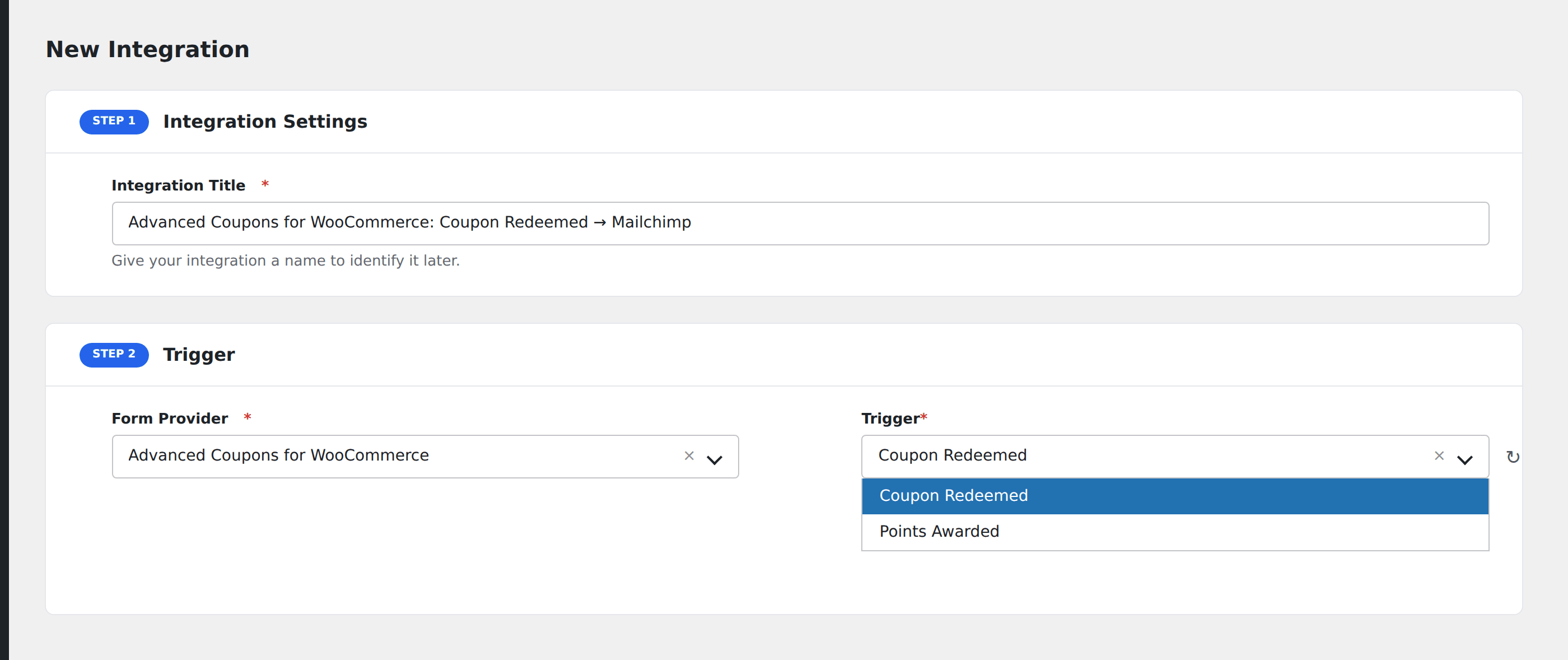
- Go to WP Admin → AFI → Add New.
- Enter an Integration Title, e.g.
Coupon redeemed → Mailchimp tag. - In Trigger → Form/Data Provider, select Advanced Coupons for WooCommerce.
- In Form/Task Name, choose the event you want to listen to (Coupon Redeemed, Points Awarded).
- In Action → Platform, pick the destination and complete the field mapping.
- Optional: configure Conditional Logic.
- Click Save Integration.
Conditional logic example
Goal: when a customer redeems the WELCOME10 coupon, tag them in Mailchimp as a “first-time buyer” for follow-up nurturing.
Create the Mailchimp integration. Open the Conditional Logic panel, add a condition with the coupon code field, Equal To, value WELCOME10. In the Mailchimp action panel, set the Tag field to first-time-buyer.
Troubleshooting
Loyalty events not firing
Loyalty points are an Advanced Coupons Premium feature. The free plugin only fires coupon-redemption events. Confirm Premium is active and a license key is entered if you expect loyalty events.
Customer email shows blank
Guest checkout coupons may not have an email associated until the order completes. Test with a logged-in customer or after the order finalizes.