 AFI
AFI
Trello
Trello is the popular Kanban-style project management tool from Atlassian. Advanced Form Integration creates a new Trello card for every form submission, useful for routing contact-form inquiries, support tickets, or sales leads into your team’s Trello board.
What you’ll need
- An active Trello account.
- A Trello API key and token.
- The Advanced Form Integration plugin installed and activated.
Get your Trello API key and token
- Go to https://trello.com/power-ups/admin.
- Click New to create a new Power-Up workspace (or use an existing one).
- Open the workspace’s API key tab. Copy the API Key.
- Below the API key, click Token to generate a token. Authorize and copy the token.
The token grants access to all boards your account can see. Treat it like a password.
Connect Trello to AFI
- In WordPress, go to AFI → Settings → Trello.
- Paste the API Key and Token and click Save Changes.
Create the integration
- Go to AFI → Add New.
- Configure the trigger.
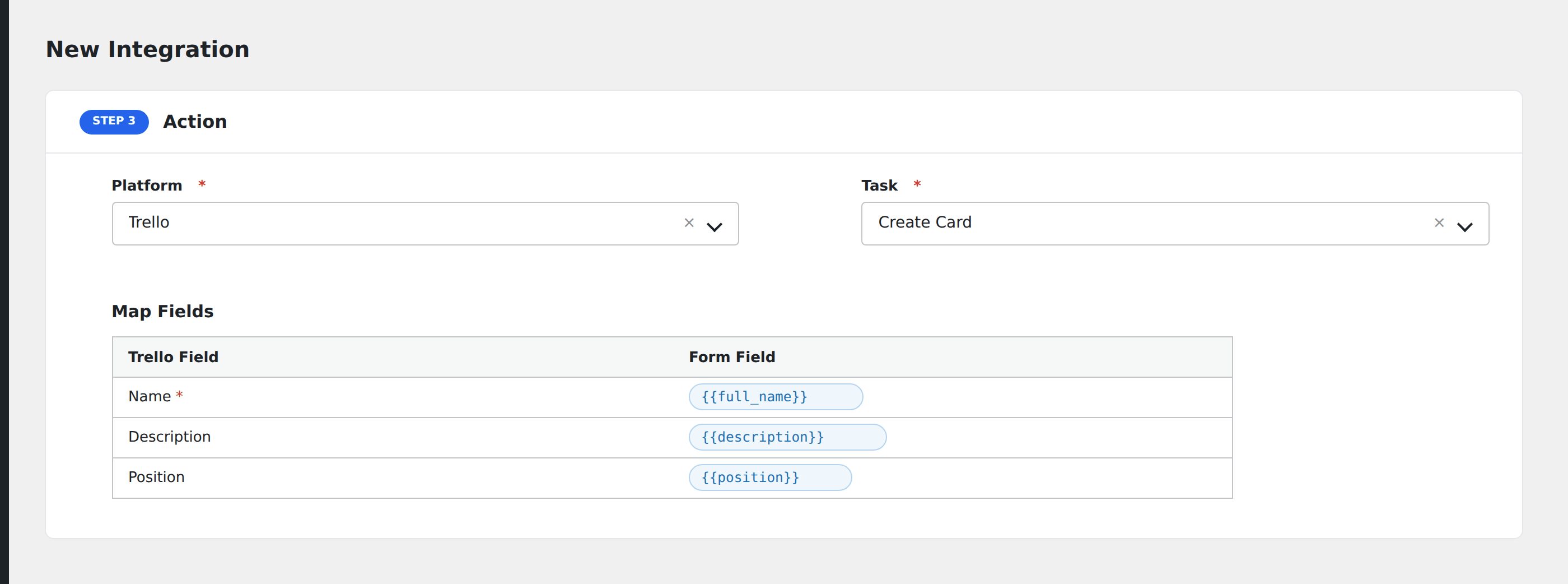
- In Action → Platform, select Trello.
- In Task, choose Create Card.
- Pick the Board and List from the dropdowns.
- Map the form fields to card fields:
- Name (required): the card title.
- Description: card body, supports markdown.
- Due date:
YYYY-MM-DD. - Labels: comma-separated label names.
- Optional: configure Conditional Logic.
- Click Save Integration.
Tasks supported
Create Card
Adds a new card to the chosen list on the chosen board. The card lands at the bottom of the list by default.
Conditional logic example
Goal: route bug reports to a “Bugs” Trello board, and feature requests to a “Roadmap” board.
Create two integrations on the same form, each pointing at a different Trello board. Add the matching Equal To condition on each based on the report-type field.
Troubleshooting
Card not created
Common Trello API errors:
invalid tokenorunauthorized: re-generate the token from Trello’s Power-Ups admin.model not found: wrong board or list ID. Re-pick in AFI to refresh.invalid value for idLabels: label names don’t exist on the board. Either create them in Trello first or use exact matching label names.