 AFI
AFI
SureCart
SureCart is a modern WordPress e-commerce plugin from Brainstorm Force (the makers of Astra and Spectra). Advanced Form Integration captures SureCart events (new orders, customers, subscription renewals) and routes the data to any of 200+ destinations.
What you’ll need
- The SureCart plugin installed and activated.
- At least one product or subscription configured.
- The Advanced Form Integration plugin installed and activated.
Order data captured
| Field | Format |
|---|---|
| Customer name | First and last separately |
| Customer email | Same as input |
| Customer phone | Same as input |
| Billing address | Each sub-field separately |
| Shipping address | Each sub-field separately |
| Order ID | SureCart order ID |
| Order total | Numeric, in your default currency |
| Currency | 3-letter code |
| Items | Comma-separated product names |
| Order status | paid / pending / refunded / void |
Create the integration
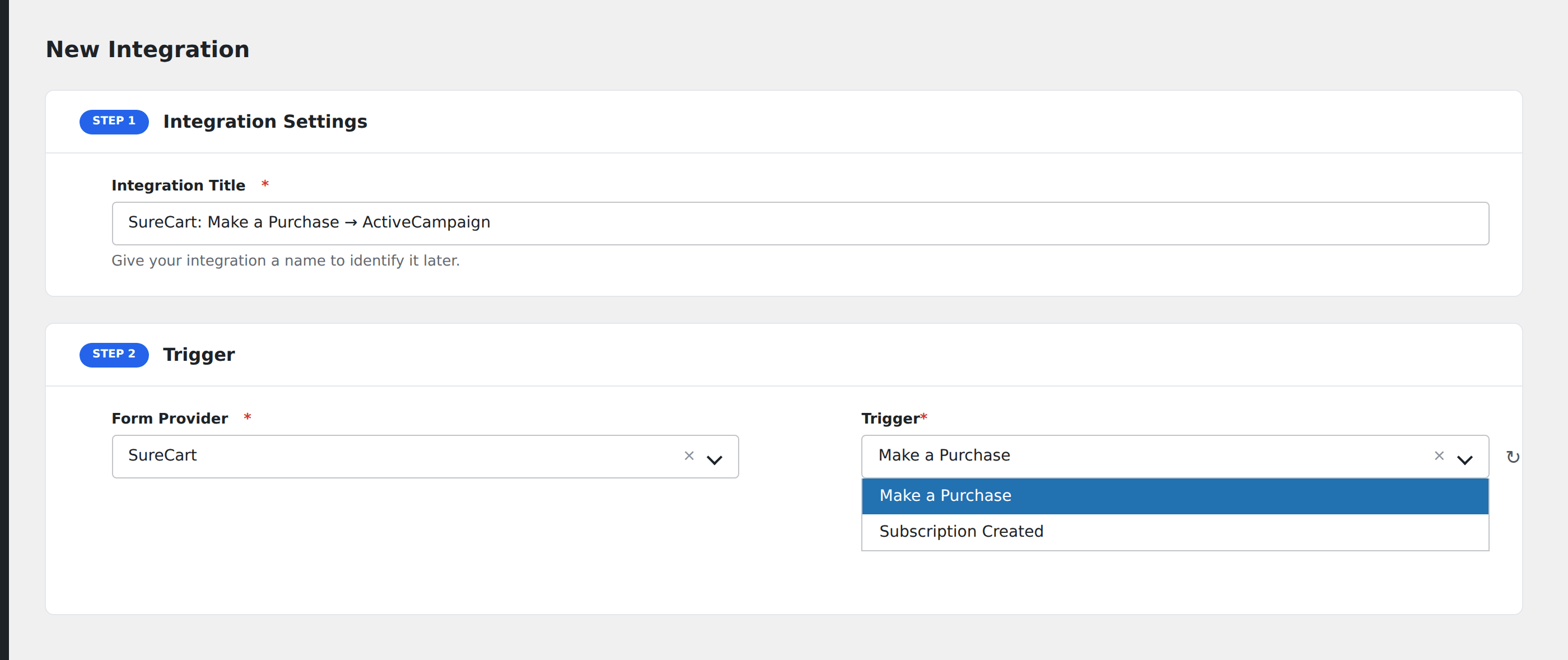
- Go to WP Admin → AFI → Add New.
- Enter an Integration Title, e.g.
SureCart purchase → ActiveCampaign. - In Trigger → Form/Data Provider, select SureCart.
- In Form/Task Name, choose the event (Order Created, Order Paid, etc.).
- In Action → Platform, pick the destination and complete the field mapping.
- Optional: configure Conditional Logic.
- Click Save Integration.
Conditional logic example
Goal: when a SureCart order’s total is over $200, ping the operations team’s Slack channel for white-glove fulfillment.
Create a Slack integration on the Order Paid event. Open the Conditional Logic panel, add a condition with the order total field, Greater Than, value 200.