 AFI
AFI
Webba Booking
Webba Appointment Booking is a popular WordPress appointment-booking plugin for service providers. Advanced Form Integration creates Webba booking entries from your form submissions.
What you’ll need
- Webba Appointment Booking installed and active on the same WordPress site.
- At least one service configured in Webba.
- The Advanced Form Integration plugin installed and activated.
Create the integration
- Go to AFI → Add New.
- Configure the trigger.
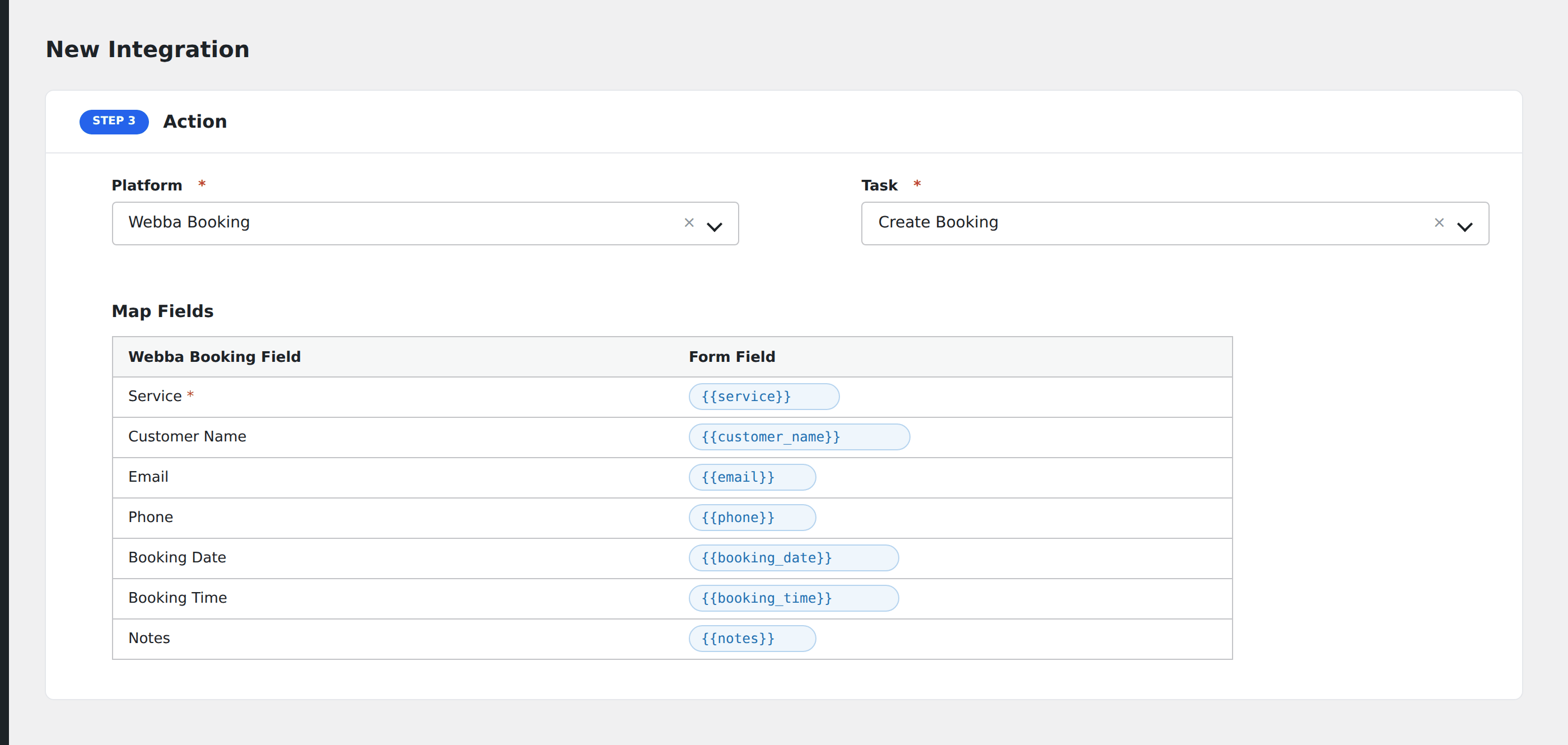
- In Action → Platform, select Webba Booking.
- In Task, choose Create Booking.
- Map the form fields:
- Service: pick the Webba service this booking is for.
- Customer Name, Email, Phone.
- Booking Date and Booking Time (date picker / time picker fields from your form).
- Notes for any free-form customer comments.
- Optional: configure Conditional Logic.
- Click Save Integration.
Conditional logic example
Create the booking for the “Express service” only when the form’s service_choice field equals “express”. Standard service bookings go through a separate integration mapping to a different Webba service.
Troubleshooting
Time slot conflict
Webba enforces availability per service. If the requested slot is unavailable, the booking creation fails: handle by collecting alternate time preferences in the form and using conditional logic to route them.