 AFI
AFI
WP User Frontend
WP User Frontend (WPUF) from weDevs lets visitors submit posts, listings, and profiles from the front end of your WordPress site. Advanced Form Integration captures front-end post submissions and routes the data to any of 200+ destinations. AFI’s WP User Frontend integration runs on the free version of AFI, with the field limit noted below.
What you’ll need
- The WP User Frontend plugin installed and activated.
- At least one post form built under User Frontend → Post Forms.
- The Advanced Form Integration plugin installed and activated.
When the trigger fires
AFI lists every WP User Frontend form separately in Form/Task Name, so each integration listens on one specific form. It fires when a new post is created through that front-end form.
Data captured
WPUF forms are a real custom post type, so AFI lists each of your post forms individually in Form/Task Name. The mapping dropdown is then built with the plugin’s own wpuf_get_form_fields() helper, which returns each field’s storage key and label, so what you see matches your form builder exactly. One identifier is always present:
| Field | Field key | Format |
|---|---|---|
| Post ID | post_id |
Numeric ID of the post WPUF created |
Free plan limit: The basic AFI plugin supports email fields only. Every other field on your WPUF form needs an AFI Professional licence.
Create the integration
- Go to WP Admin → AFI → Add New.
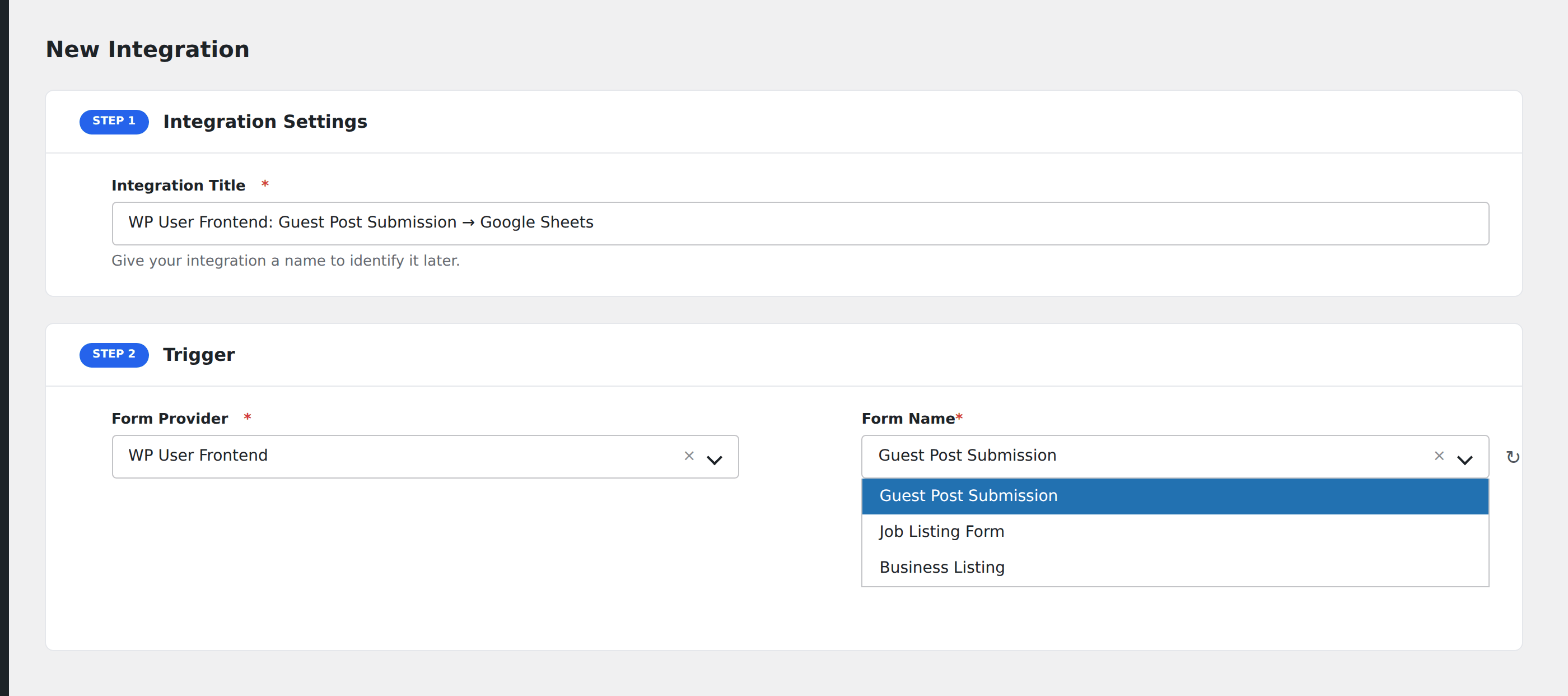
- Enter an Integration Title, e.g.
WP User Frontend: Guest Post Submission → Google Sheets. - In Trigger → Form/Data Provider, select WP User Frontend.
- In Form/Task Name, choose the form you want to listen on.
- In Action → Platform, pick the destination and complete the field mapping.
- Optional: configure Conditional Logic so only matching events are sent.
- Click Save Integration.
How AFI listens for submissions
AFI hooks wpuf_add_post_after_insert, which fires right after wp_insert_post() plus all meta, taxonomy, and attachment handling completes for a new post. AFI deliberately avoids wpuf_draft_post_after_insert, which only fires when someone clicks Save Draft mid-form and would dispatch incomplete submissions.
Native post fields are resolved properly
Four WPUF field names map onto native post columns rather than post meta: post_title, post_content, post_excerpt, and featured_image. AFI reads those from the post object directly, and resolves featured_image to a usable attachment URL rather than an ID.
Why only email fields are free
WPUF has a real email input type but no dedicated first or last name type. Every text field is just a site-chosen meta key, indistinguishable from an arbitrary field by type alone, so email is the only reliable signal AFI can gate on.
Troubleshooting
Most fields are missing from the mapping dropdown
On the free AFI tier only fields with the Email input type are listed. Upgrade to route the full form.
Draft submissions do not fire
Correct. Only a completed new-post insert dispatches.
Featured image arrives empty
The post has no thumbnail set. AFI returns the attachment URL only when get_post_thumbnail_id() resolves.