 AFI
AFI
Asana
Asana is a popular project-management platform used by 150,000+ companies. Advanced Form Integration creates a new Asana task for every form submission, useful for routing contact-form inquiries, support tickets, or sales leads directly into your team’s workflow.
What you’ll need
- An active Asana account.
- A Personal Access Token (PAT).
- The Advanced Form Integration plugin installed and activated.
Get your Asana Personal Access Token
- Log in to Asana.
- Click your profile avatar (top right) → My Settings.
- Open the Apps tab.
- Scroll down and click Manage Developer Apps.
- Click + Create new token.
- Name it (e.g. Advanced Form Integration) and click Create token.
- Copy the token shown. You won’t see it again.
Connect Asana to AFI
- In WordPress, go to AFI → Settings → Asana.
- Paste the Personal Access Token and click Save Changes.
Create the integration
- Go to AFI → Add New.
- Configure the trigger.
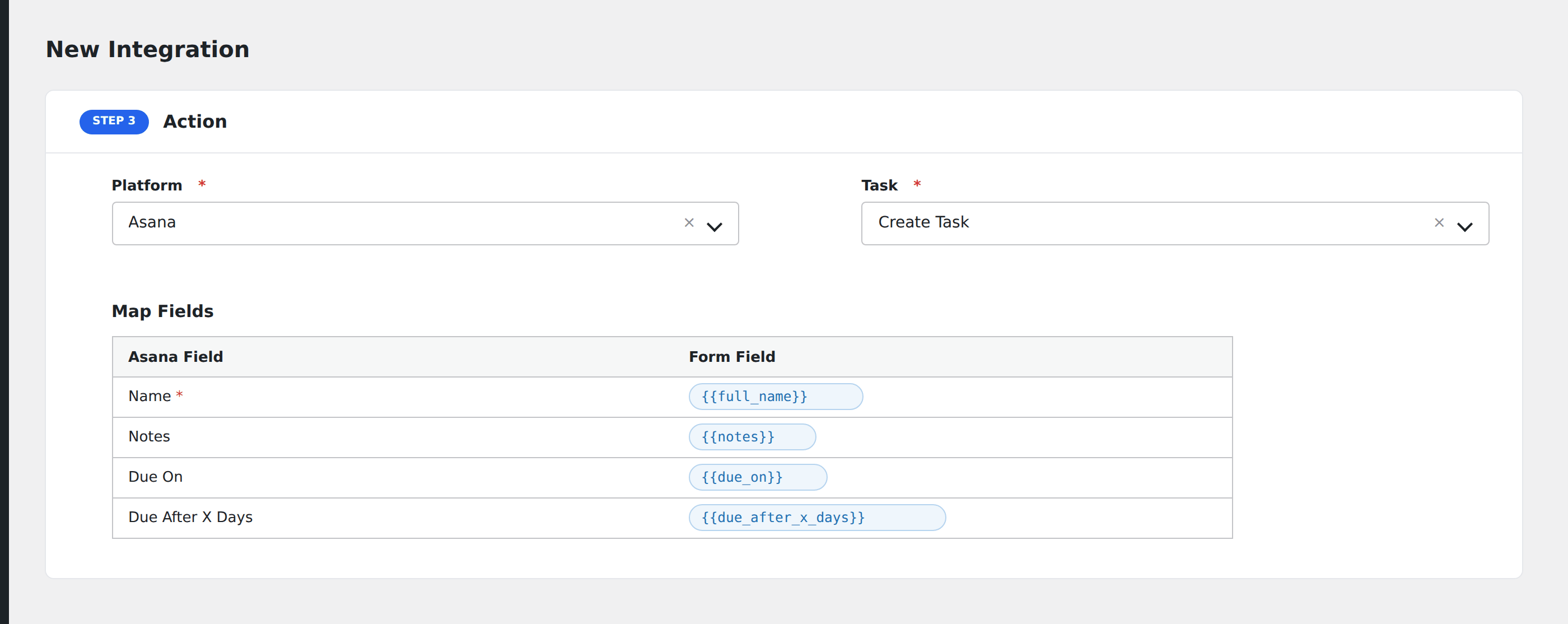
- In Action → Platform, select Asana.
- In Task, choose Create Task.
- Pick the Workspace and Project from the dropdowns.
- Map the form fields to Asana task fields:
- Name (required): the task title.
- Notes: task description / body.
- Assignee: Asana user ID or email.
- Due date:
YYYY-MM-DD.
- Optional: configure Conditional Logic.
- Click Save Integration.
Tasks supported
Create Task
Adds a new task to the chosen Asana project. The task starts unassigned unless you map an assignee. Custom fields defined on the project also appear in the mapping dropdown.
Conditional logic example
Goal: when a support form’s Priority is Urgent, create the Asana task in the on-call team’s project; otherwise, create it in the standard support backlog.
Create two integrations on the same form, each pointing at a different Asana project. Add the matching Equal To condition on each.
Troubleshooting
Task not created
Common Asana API errors:
Not Found: project: wrong project ID, or the token’s user doesn’t have access. Re-pick the project in AFI.Bad Request: name is required: the task name field wasn’t mapped or was empty.Forbidden: token is invalid. Re-create from Asana developer console.
Custom field not appearing
Custom fields must be added to the project (not the workspace) and must be visible to the token’s user. Re-pick the project to refresh the field list.