 AFI
AFI
Mailcoach
Mailcoach is a self-hosted email-marketing platform from Spatie, popular as a privacy-friendly alternative to SaaS tools. Advanced Form Integration sends form submissions to your Mailcoach instance as new subscribers on a chosen mailing list.
What you’ll need
- A running Mailcoach instance.
- Your Mailcoach API Domain (e.g.,
mail.yoursite.com). - A Mailcoach Personal Access Token (API Settings).
- The Advanced Form Integration plugin installed and activated.
Get your Mailcoach API credentials
- Log in to your Mailcoach instance.
- Go to API Settings.
- Note your API Domain (the host of your Mailcoach install).
- Generate or copy your Personal Access Token.
Connect Mailcoach to AFI
- In WordPress, go to AFI → Settings.
- Enable Mailcoach and click Save Changes.
- Open the Mailcoach tab.
- Enter the API Domain and API Token.
- Click Save Changes.
Create the integration
- Go to AFI → Add New.
- Configure the trigger.
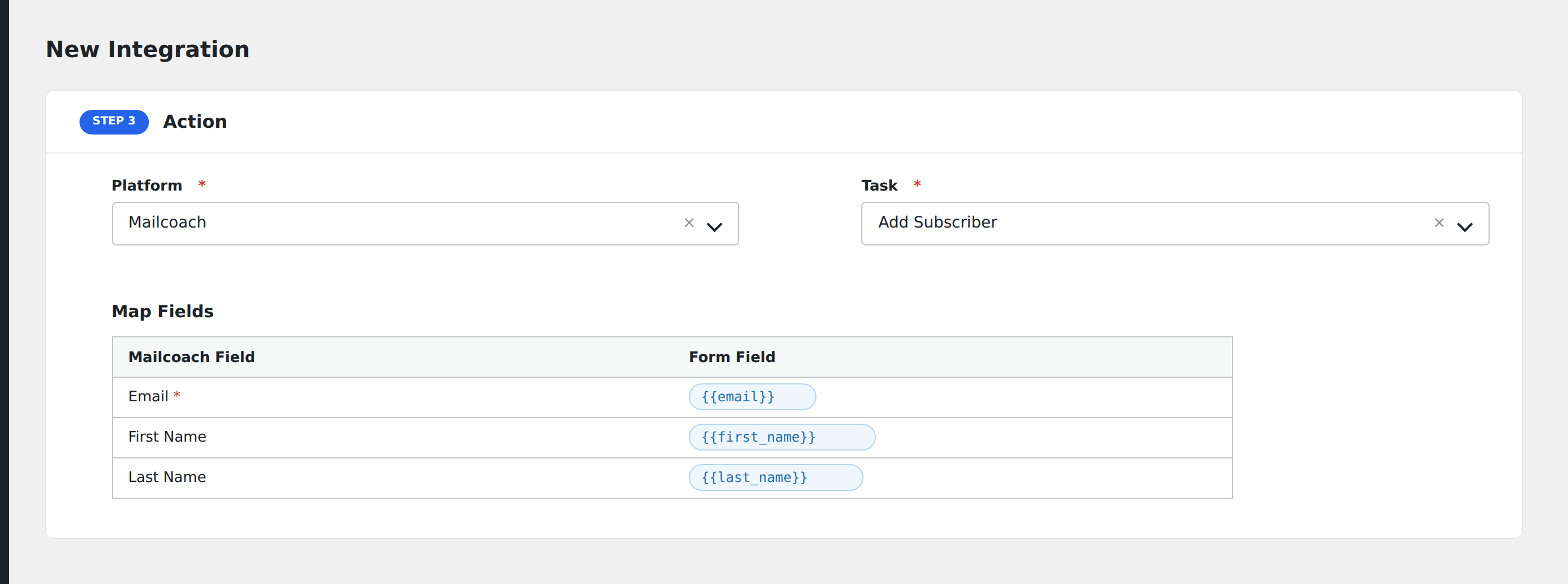
- In Action → Platform, select Mailcoach.
- In Task, choose Add Subscriber.
- Pick the Mailing List: AFI loads your lists from Mailcoach.
- Map the form fields:
- email (required), first_name, last_name.
- Optional: configure Conditional Logic.
- Click Save Integration.
Tasks supported
Add Subscriber
Adds the form submitter as a subscriber on the chosen Mailcoach mailing list. Re-submissions update the existing subscriber rather than creating duplicates.
Conditional logic example
Subscribe to your “EU subscribers” Mailcoach list only when the form’s region field equals “EU”. Other regions go to language-specific lists via separate integrations.
Troubleshooting
Integration doesn’t fire
Open AFI → Log and find the most recent entry. The log shows the request payload sent to Mailcoach and the response received, usually pointing straight at the cause.
Mailcoach instance not reachable
Self-hosted Mailcoach must be publicly accessible from your WordPress server. If Mailcoach sits behind HTTP basic auth or an IP allowlist, whitelist your WordPress server IP at the web-server level.