AFI
AFI
Freshworks CRM (Freshsales)
Freshworks CRM (formerly Freshsales) is the sales CRM from Freshworks. Advanced Form Integration sends form submissions to Freshworks CRM as new contacts, leads, or deals.
What you’ll need
- An active Freshworks CRM account.
- A Freshworks CRM API key (Profile → API Settings).
- The Advanced Form Integration plugin installed and activated.
Connect Freshworks CRM to AFI
- In WordPress, go to AFI → Settings → Freshworks CRM.
- Enter:
- Domain: your Freshworks subdomain (e.g.
acmecorpforacmecorp.myfreshworks.com). - API Key: paste the key.
- Click Save Changes.
Create the integration
- Go to AFI → Add New.
- Configure the trigger.
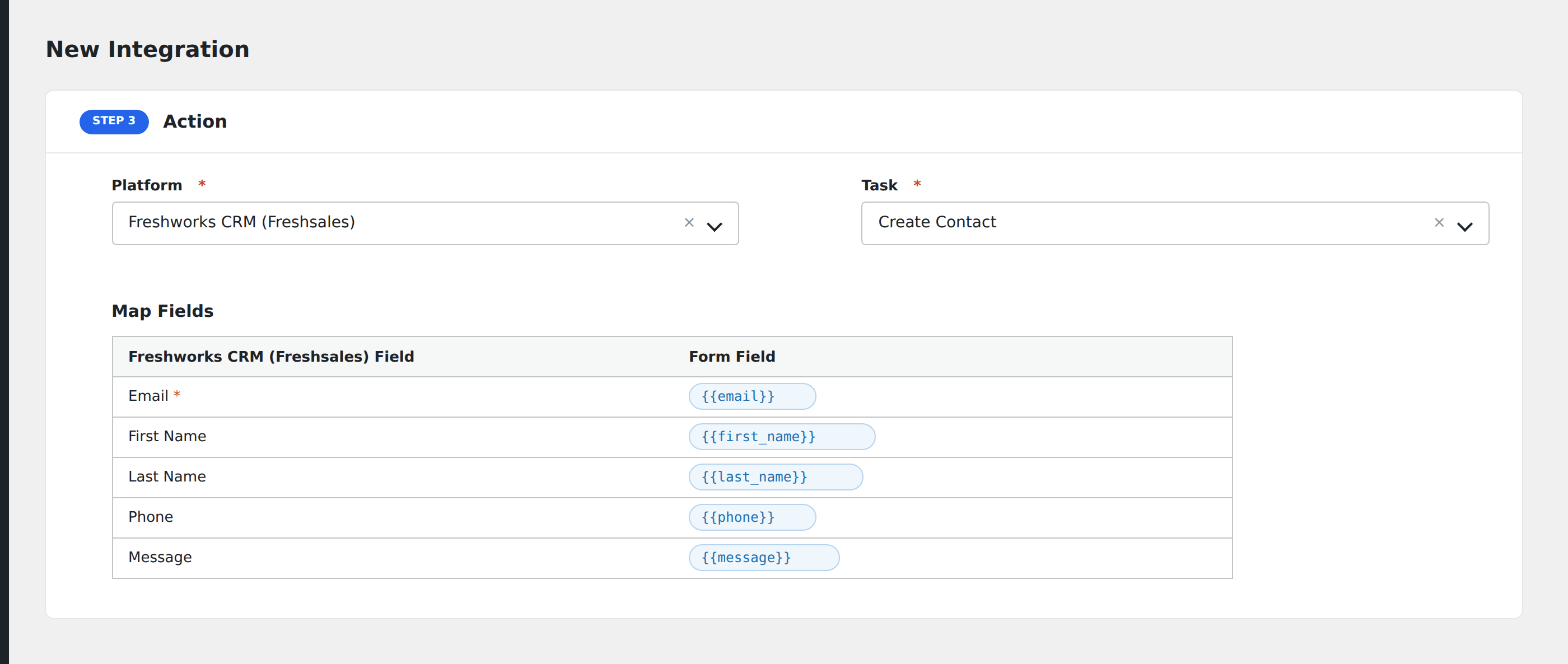
- In Action → Platform, select Freshworks CRM.
- In Task, choose Create Contact, Create Lead, or Create Deal.
- Map the form fields to Freshworks properties.
- Optional: configure Conditional Logic.
- Click Save Integration.