 AFI
AFI
Campaigner
Campaigner is a long-running email-marketing platform from Ziff Davis with strong B2B and SMB tooling. Advanced Form Integration sends form submissions to Campaigner as new subscribers on a chosen mailing list.
What you’ll need
- An active Campaigner account.
- A Campaigner API Key (Create and Manage API Keys).
- The Advanced Form Integration plugin installed and activated.
Get your Campaigner API key
- Log in to your Campaigner account.
- Follow Campaigner’s Create and Manage API Keys guide to generate or locate a key.
- Copy the API Key.
Connect Campaigner to AFI
- In WordPress, go to AFI → Settings.
- Enable Campaigner and click Save Changes.
- Open the Campaigner tab.
- Paste the API Key and click Save Changes.
Create the integration
- Go to AFI → Add New.
- Configure the trigger.
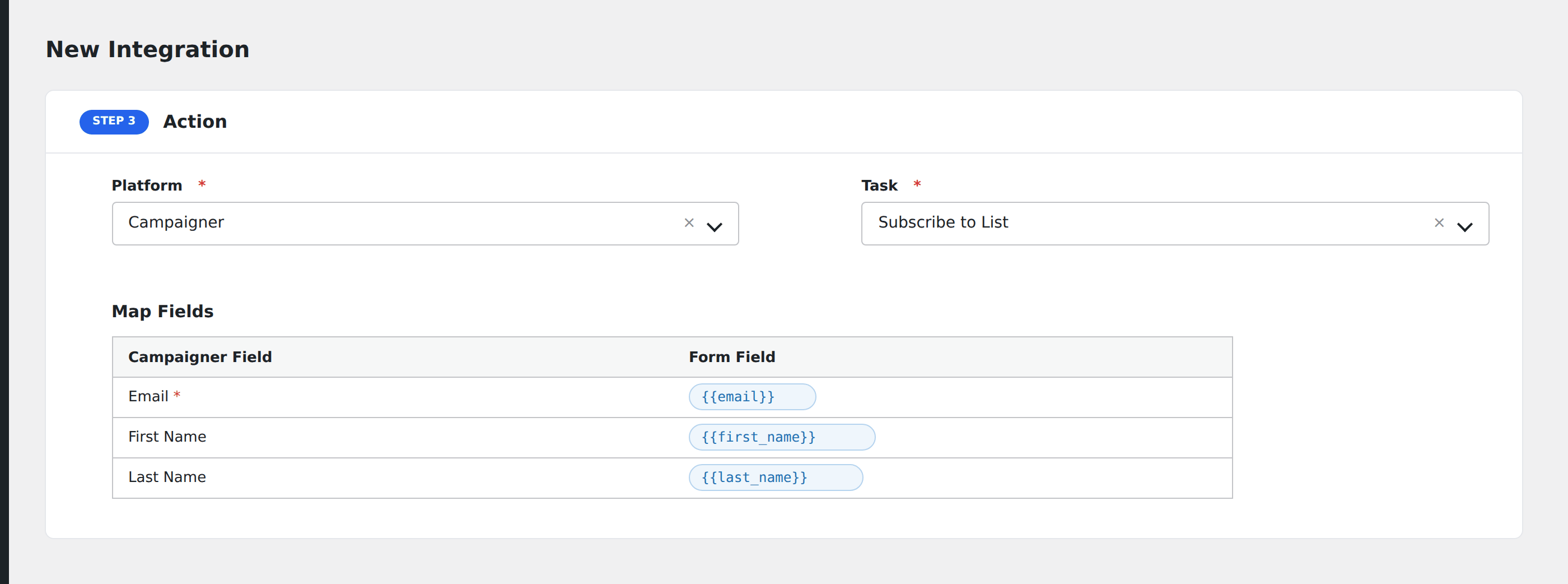
- In Action → Platform, select Campaigner.
- In Task, choose Subscribe to List.
- Pick the target Campaigner List: AFI loads your lists from Campaigner automatically.
- Map the form fields:
- Email (required).
- First Name, Last Name.
- Optional: configure Conditional Logic.
- Click Save Integration.
Tasks supported
Subscribe to List
Adds the form submitter as a subscriber on the chosen mailing list. If the email already exists on the list, Campaigner updates the existing record rather than creating a duplicate.
Conditional logic example
Subscribe to your “VIP customers” list only when the form’s customer_tier field equals “premium”. Standard signups go to the default list via a separate integration.
Troubleshooting
Integration doesn’t fire
Open AFI → Log and find the most recent entry. The log shows the request payload sent to Campaigner and the response received, usually pointing straight at the cause.
“Unauthorized”
Campaigner API keys can be revoked or rotated from the Campaigner account UI. If integrations stop firing, regenerate the key and re-save in AFI.