 AFI
AFI
SAP Sales Cloud
SAP Sales Cloud (formerly C4C / SAP Hybris Cloud for Customer) is SAP’s cloud CRM for enterprise sales teams. Advanced Form Integration sends form submissions to SAP Sales Cloud as new leads or accounts.
What you’ll need
- An active SAP Sales Cloud tenant.
- A communication arrangement set up for the C4C OData service with Basic Auth credentials, or an OAuth client.
- Your SAP Sales Cloud base URL (e.g.,
https://my000000.crm.ondemand.com). - The Advanced Form Integration plugin installed and activated.
Connect SAP Sales Cloud to AFI
- In WordPress, go to AFI → Settings → SAP Sales Cloud.
- Enter the base URL, username, and password (or OAuth client ID/secret).
- Click Save Changes.
Create the integration
- Go to AFI → Add New.
- Configure the trigger.
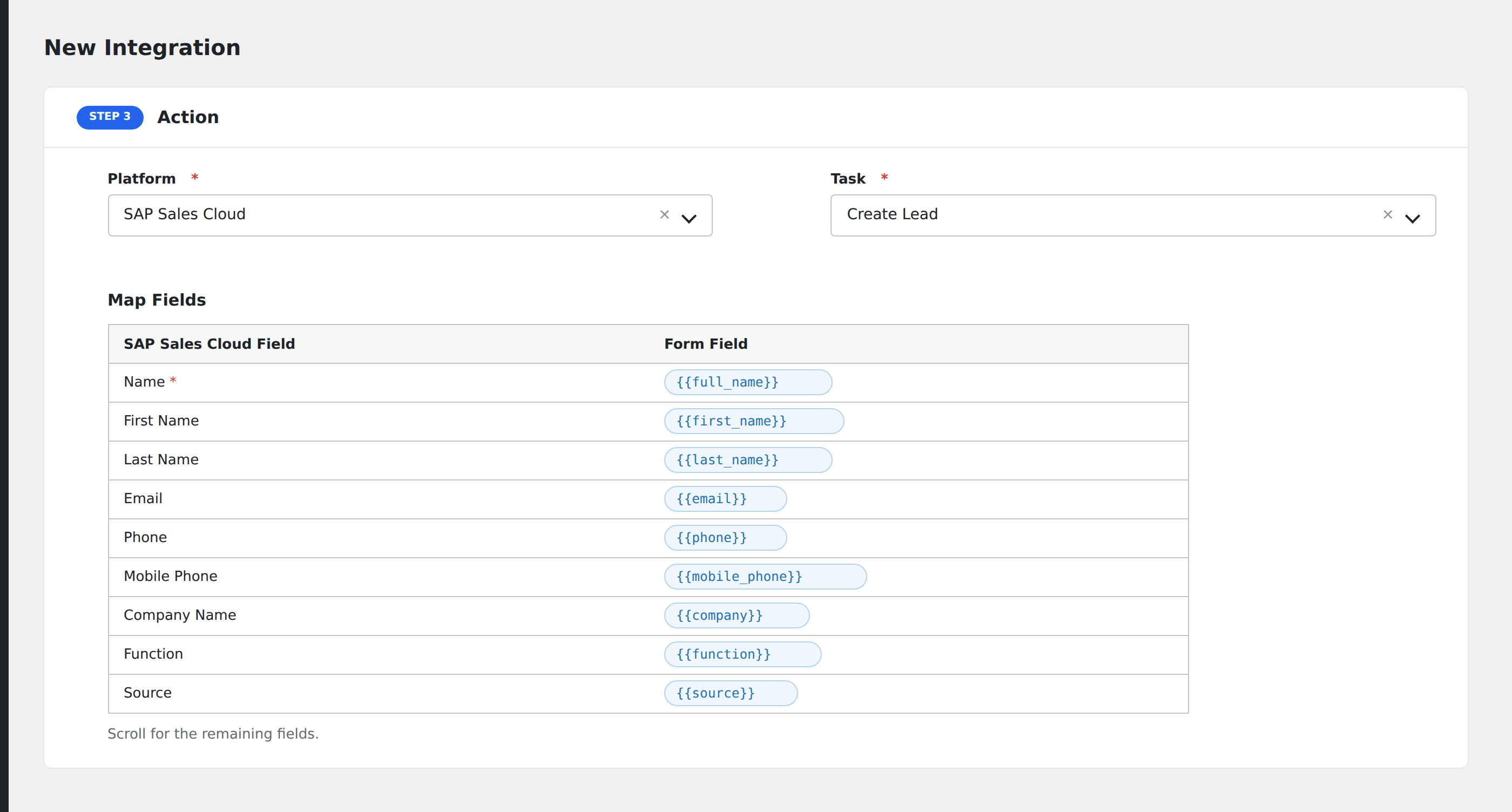
- In Action → Platform, select SAP Sales Cloud.
- In Task, choose Create Lead or Create Account.
- Map the form fields:
- For lead: Name (required), First Name, Last Name, Email, Phone, Mobile Phone, Company Name, Function, Source.
- For account: Name, Address, Country, Phone, Industry.
- Custom extension fields (Z-fields) by SAP technical name.
- Optional: configure Conditional Logic.
- Click Save Integration.
Conditional logic example
Create an SAP Sales Cloud lead only when the form’s lead_score field is greater than 50. Low-scoring submissions stay in your marketing automation system until they qualify.