 AFI
AFI
Groundhogg
Groundhogg is a self-hosted CRM and marketing automation plugin for WordPress. Advanced Form Integration captures Groundhogg events (new contacts, tag additions, funnel completions) and routes the data to any of 200+ destinations. Useful when you want Groundhogg as your hub but also need to mirror data to other tools.
What you’ll need
- The Groundhogg plugin installed and activated.
- The Advanced Form Integration plugin installed and activated.
Event data captured
| Field | Format |
|---|---|
| Event type | contact_created, tag_added, tag_removed, funnel_completed |
| Contact name | First and last separately |
| Contact email | Same as input |
| Contact phone | Same as input |
| Tags | Comma-separated tag names |
| Funnel name | The funnel that fired (if applicable) |
| Optin status | confirmed / unconfirmed / unsubscribed |
| Created at | YYYY-MM-DD HH:MM:SS |
Groundhogg’s custom contact fields also appear in the field-mapping dropdown.
Create the integration
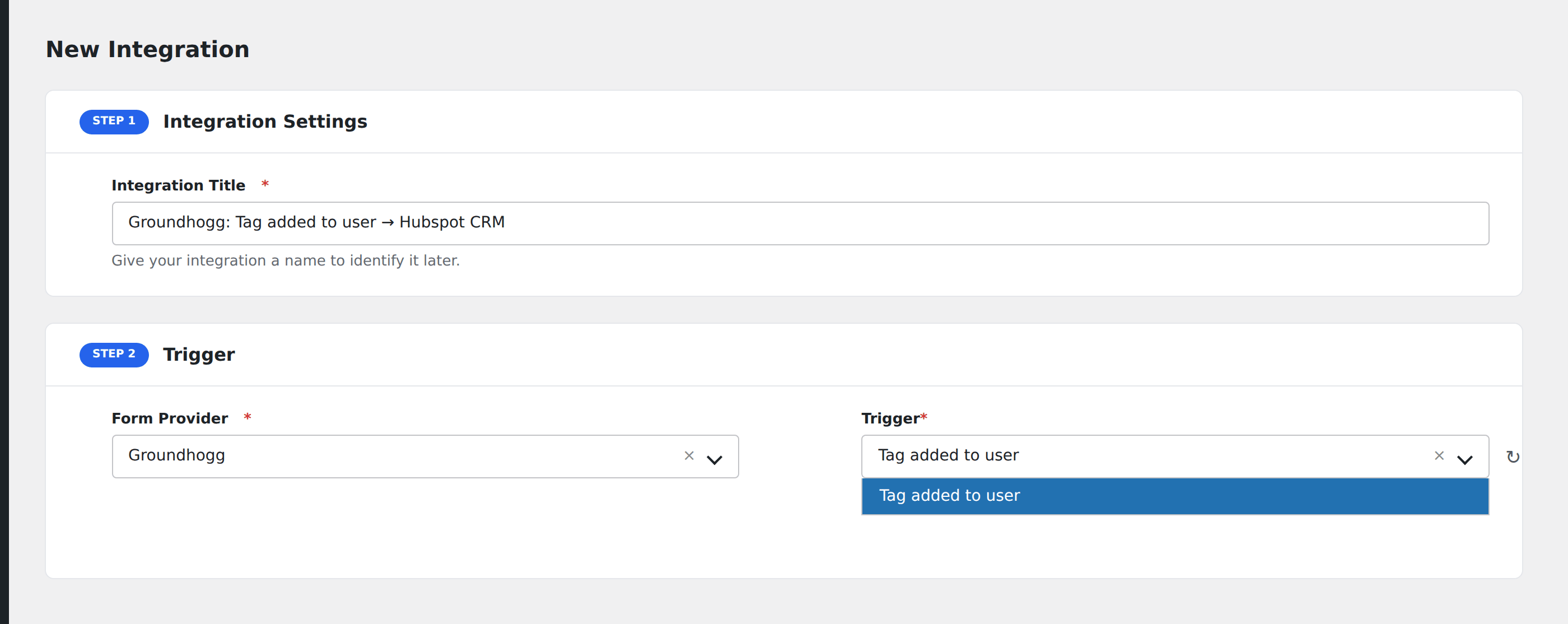
- Go to WP Admin → AFI → Add New.
- Enter an Integration Title, e.g.
Groundhogg contact → Mailchimp mirror. - In Trigger → Form/Data Provider, select Groundhogg.
- In Form/Task Name, choose the event type.
- In Action → Platform, pick the destination and complete the field mapping.
- Optional: configure Conditional Logic.
- Click Save Integration.
Useful patterns
- CRM mirror: every Groundhogg contact also flows into HubSpot or Salesforce for the sales team.
- Webhook out: push contact events to a custom backend or data warehouse.
- Slack alert: ping a
#new-leadschannel when a contact is added with a specific tag.
Conditional logic example
Goal: when a Groundhogg contact gets the Customer tag added, also create a customer record in QuickBooks via a webhook.
Create the integration on the Tag Added event. Open the Conditional Logic panel, add a condition with the tags field, Contains, value Customer.
Troubleshooting
Tag-added event fires once per tag
When multiple tags are added in the same operation, Groundhogg fires one event per tag. AFI runs the integration for each. That’s by design and matches Groundhogg’s data model.
Funnel completion event missing fields
Funnel events expose the funnel name and contact ID by default. Detailed step data isn’t included in the standard payload. To capture per-step events, listen to the more granular Groundhogg actions in the dropdown.