 AFI
AFI
Dokan
Dokan is a popular multi-vendor marketplace plugin for WooCommerce by weDevs. Advanced Form Integration captures Dokan events (new vendor registrations, product submissions, vendor orders) and routes the data to any of 200+ destinations.
What you’ll need
- WooCommerce installed and activated.
- The Dokan plugin (free or Pro) installed and activated.
- The Advanced Form Integration plugin installed and activated.
Vendor and order data captured
For new vendor registrations:
| Field | Format |
|---|---|
| Vendor name | First and last separately |
| Vendor email | Same as input |
| Store name | Same as input |
| Store URL | Same as input |
| Phone | Same as input |
| Address | Each sub-field separately |
For vendor orders:
| Field | Format |
|---|---|
| Vendor name | The vendor receiving the order |
| Vendor email | Same as input |
| Customer name | Buyer’s name |
| Customer email | Buyer’s email |
| Order ID | WooCommerce order ID |
| Order total | Numeric, in your default currency |
| Vendor earnings | Numeric, after Dokan commission |
| Items | Comma-separated product names |
Create the integration
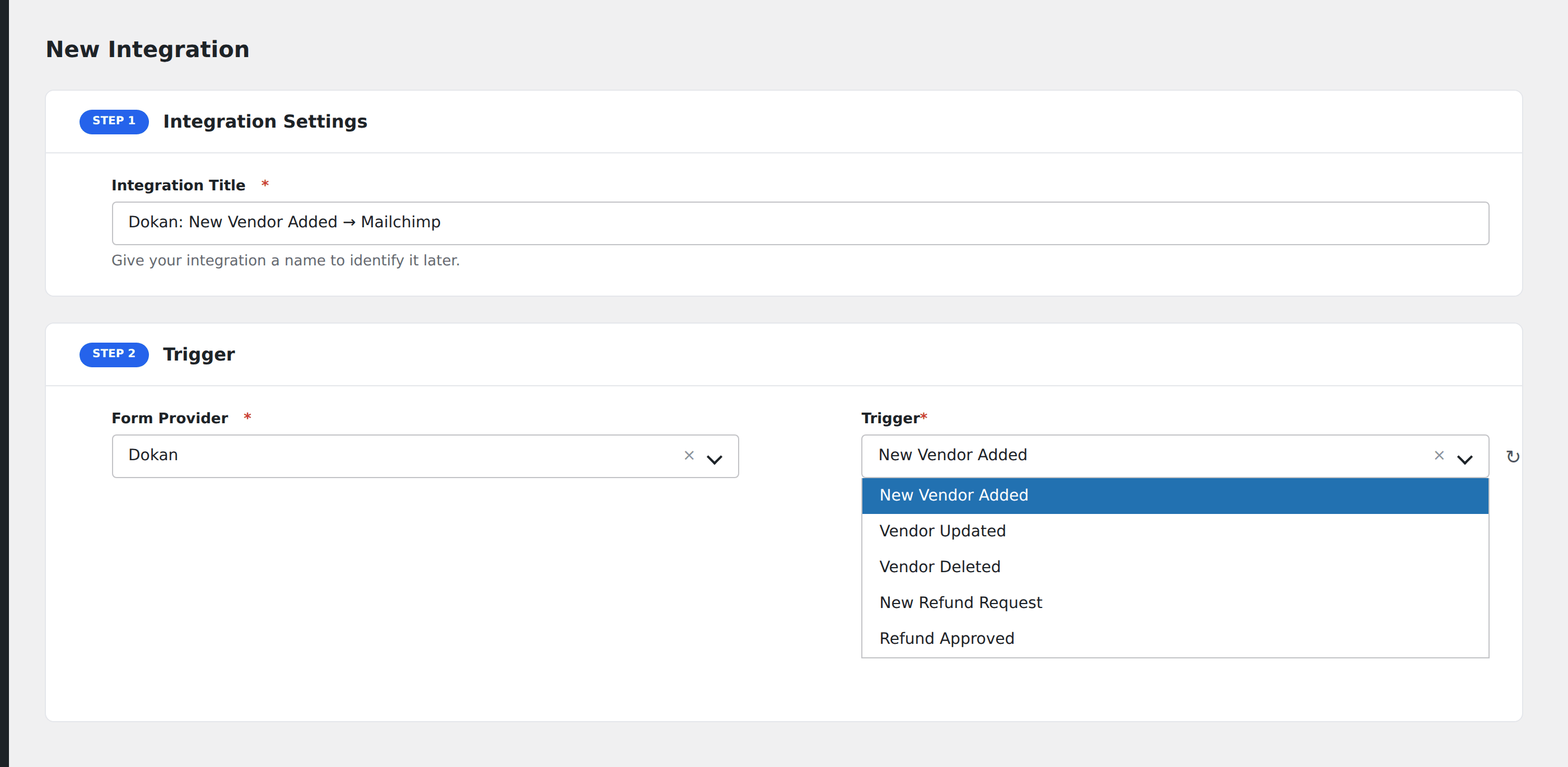
- Go to WP Admin → AFI → Add New.
- Enter an Integration Title, e.g.
New vendor → Mailchimp onboarding sequence. - In Trigger → Form/Data Provider, select Dokan.
- In Form/Task Name, choose the event (New Vendor Registration, New Product, Vendor Order, etc.).
- In Action → Platform, pick the destination and complete the field mapping.
- Optional: configure Conditional Logic.
- Click Save Integration.
Useful patterns
- Vendor onboarding: when a vendor registers, add them to a Mailchimp onboarding sequence and create a CRM contact.
- Product moderation: when a vendor submits a new product (in moderation mode), ping the moderation team’s Slack channel.
- Vendor commission report: log every vendor order and earnings to a Google Sheet for monthly payout calculation.
Conditional logic example
Goal: ping a #big-orders Slack channel only for vendor orders over $200, so smaller orders don’t flood the channel.
Create a Slack integration on the Vendor Order event. Open the Conditional Logic panel, add a condition with the order total field, Greater Than, value 200.
Troubleshooting
Vendor registration event doesn’t fire
Dokan supports two registration flows: standard WooCommerce-style and Dokan-native. AFI listens to Dokan-native registrations. If your site uses the WooCommerce flow, the event won’t fire. Switch to the Dokan registration form in Dokan → Settings.
Product submission event missing custom attributes
Dokan exposes core product fields by default. Custom product attributes set per-vendor only appear after a real product submission with those attributes filled in.