 AFI
AFI
Hustle
Hustle from WPMU DEV builds popups, slide-ins, embeds, and social share bars, with its own local subscriber list. Advanced Form Integration captures optin submissions and routes the data to any of 200+ destinations.
What you’ll need
- The Hustle plugin installed and activated.
- At least one popup, slide-in, or embed module published with an optin form.
- The Advanced Form Integration plugin installed and activated.
When the trigger fires
AFI registers a single Optin/Popup Form Submitted (site-wide) trigger for Hustle. It fires when a visitor submits any Hustle optin and the entry is confirmed saved.
Data captured
| Field | Field key | Format |
|---|---|---|
| Module ID | module_id |
Numeric ID |
email |
Email address | |
| All Submitted Fields | all_fields_json |
JSON object serialised as a string, jSON, for fields not listed above |
Create the integration
- Go to WP Admin → AFI → Add New.
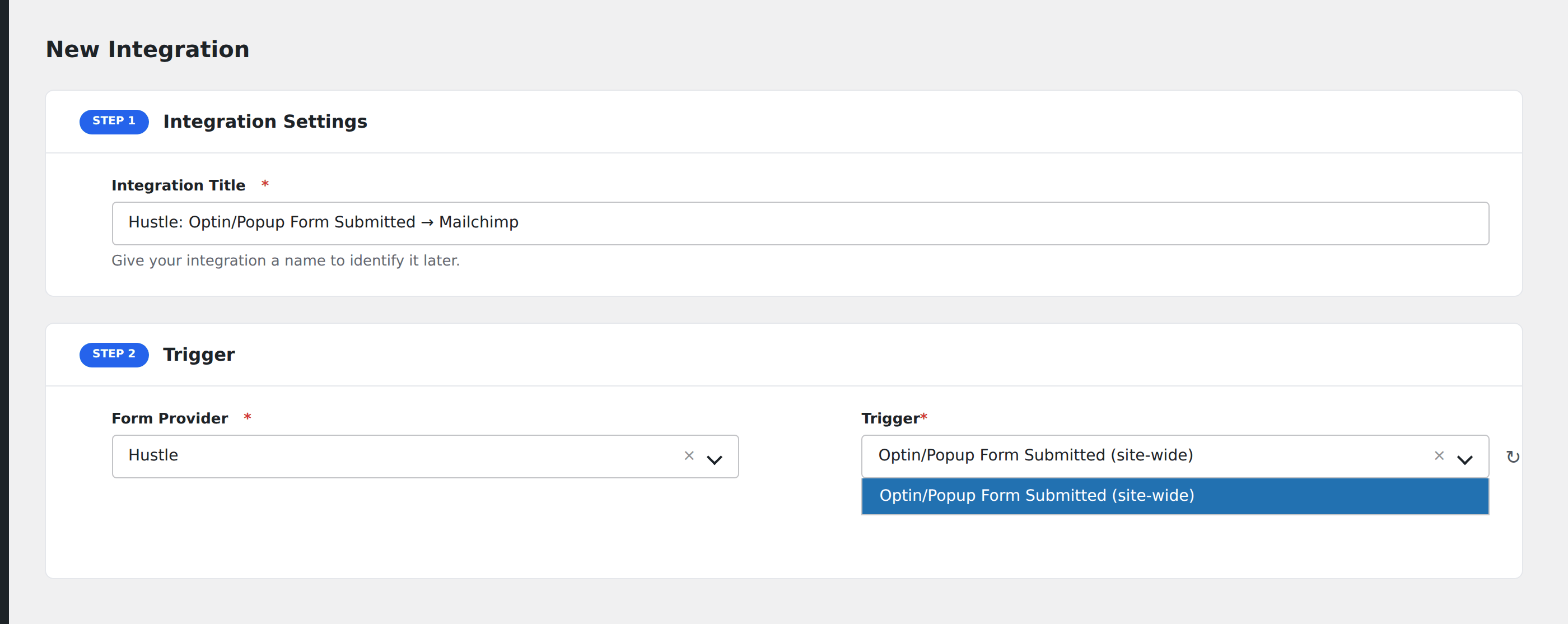
- Enter an Integration Title, e.g.
Hustle: Optin/Popup Form Submitted → Mailchimp. - In Trigger → Form/Data Provider, select Hustle.
- In Form/Task Name, choose Optin/Popup Form Submitted (site-wide).
- In Action → Platform, pick the destination and complete the field mapping.
- Optional: configure Conditional Logic so only matching events are sent.
- Click Save Integration.
How AFI listens for optins
AFI hooks hustle_form_submit_before_set_fields from inc/front/hustle-module-front-ajax.php. It sits inside the if ( $user_exists || $entry->save() ) branch, so it only runs once the entry is confirmed saved to Hustle’s local list. AFI deliberately avoids the sibling hustle_form_after_handle_submit hook, which fires unconditionally before the success check and would dispatch failed submissions too. Registration is guarded by class_exists( 'Hustle_Module_Model' ).
One trigger for the whole site
Hustle modules are not exposed through an enumerable public forms API, so AFI registers a single site-wide trigger rather than a per-module picker. Module ID is a mappable field, so use Conditional Logic on it when you want different popups to reach different destinations.
Mapping custom fields
Beyond the email address, Hustle lets you add arbitrary fields per module. Everything submitted arrives in All Submitted Fields (JSON) as a name-to-value object. Map that whole payload into a text column, or parse it at the destination if it supports JSON.
Troubleshooting
Submissions reach Hustle but not the destination
Confirm the module actually saves to the local list. If Hustle is configured to forward straight to a third-party service without storing locally, the entry save that AFI depends on never happens.
Every popup lands in the same place
That is the default with a single site-wide trigger. Add Conditional Logic on Module ID to split them. The ID is visible in the URL when you edit a module in Hustle → Popups.