 AFI
AFI
Kartra
Kartra is an all-in-one marketing platform combining email, landing pages, membership sites, checkout, and automation. Advanced Form Integration sends form submissions to Kartra as new leads, with list assignment and tag application.
What you’ll need
- An active Kartra account.
- Your Kartra API Key and API Password (My Account → API).
- The Advanced Form Integration plugin installed and activated.
Connect Kartra to AFI
- In WordPress, go to AFI → Settings → Kartra.
- Enter the API Key and API Password.
- Click Save Changes.
Create the integration
- Go to AFI → Add New.
- Configure the trigger.
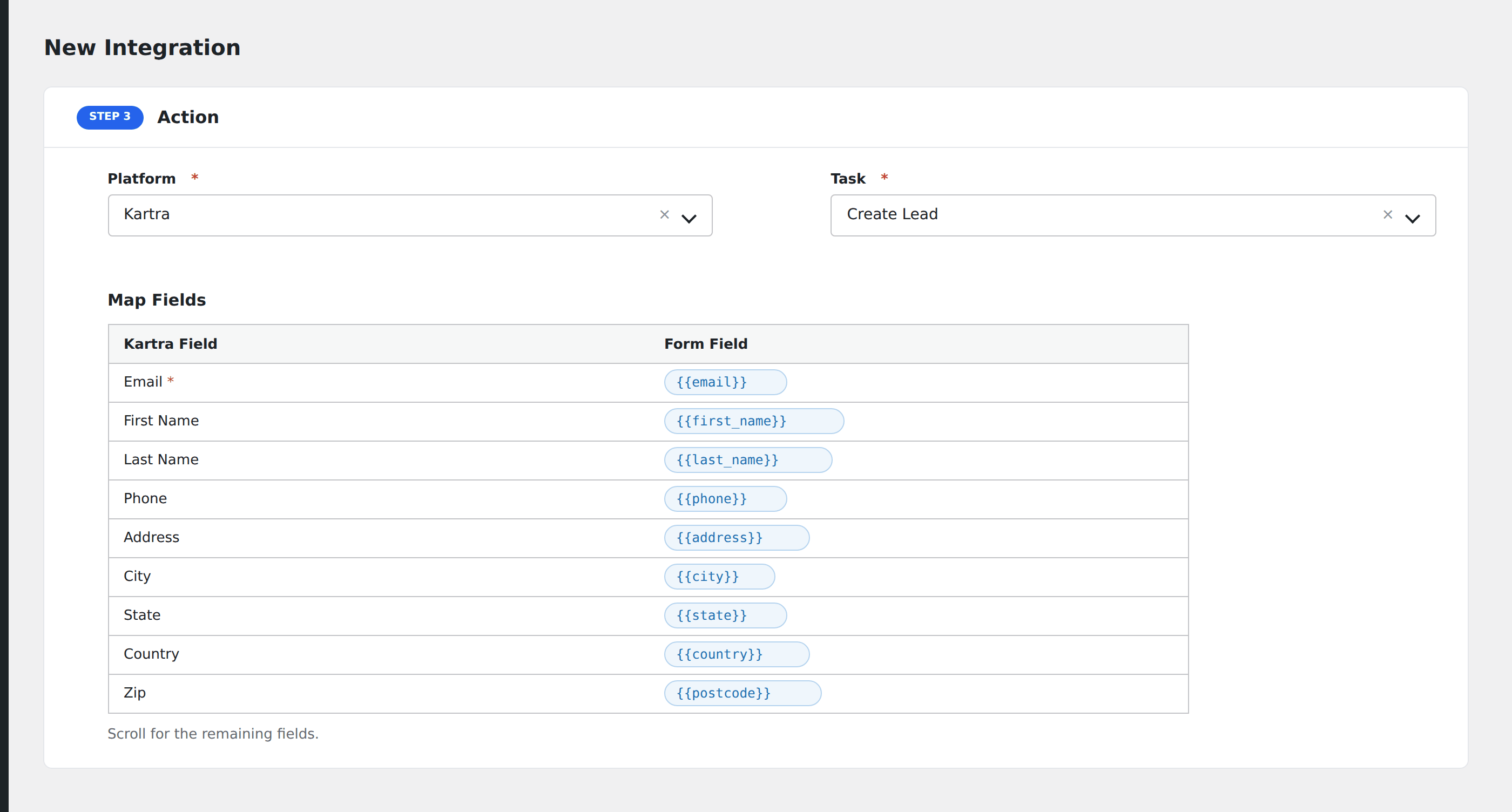
- In Action → Platform, select Kartra.
- In Task, choose Create Lead.
- Map the form fields:
- Email (required), First Name, Last Name.
- Phone, Address, City, State, Country, Zip.
- IP Address.
- Lists to subscribe the lead to (by ID).
- Tags to apply.
- Optional: configure Conditional Logic.
- Click Save Integration.
Conditional logic example
Subscribe to your “Free trial users” list only when the form’s signup_type field equals “trial”. Demo-request submissions go to the “Sales” list via a separate integration.
Troubleshooting
List not assigned
Kartra’s API uses list IDs, not names. Find the ID in Kartra under My Lists. The ID is in the URL when editing a list.