 AFI
AFI
Email Subscribers & Newsletters
Email Subscribers & Newsletters (Icegram Express) collects subscribers through WordPress forms and sends newsletters and post notifications from your own site. Advanced Form Integration captures confirmed subscriptions and routes the data to any of 200+ destinations.
What you’ll need
- The Email Subscribers & Newsletters plugin installed and activated.
- At least one subscription form or list configured under Email Subscribers → Audience.
- The Advanced Form Integration plugin installed and activated.
When the trigger fires
AFI registers a single Contact Subscribed trigger for Email Subscribers. It fires when a contact reaches confirmed subscriber status, under either single or double opt-in.
Data captured
| Field | Field key | Format |
|---|---|---|
| Contact ID | contact_id |
Numeric ID |
email |
Email address | |
| Full Name | name |
Text, first and last joined |
| First Name | first_name |
Text |
| Last Name | last_name |
Text |
| List Name | list_name |
Text, comma separated when the contact joined more than one list |
| List ID | list_ids |
Numeric IDs, comma separated |
Create the integration
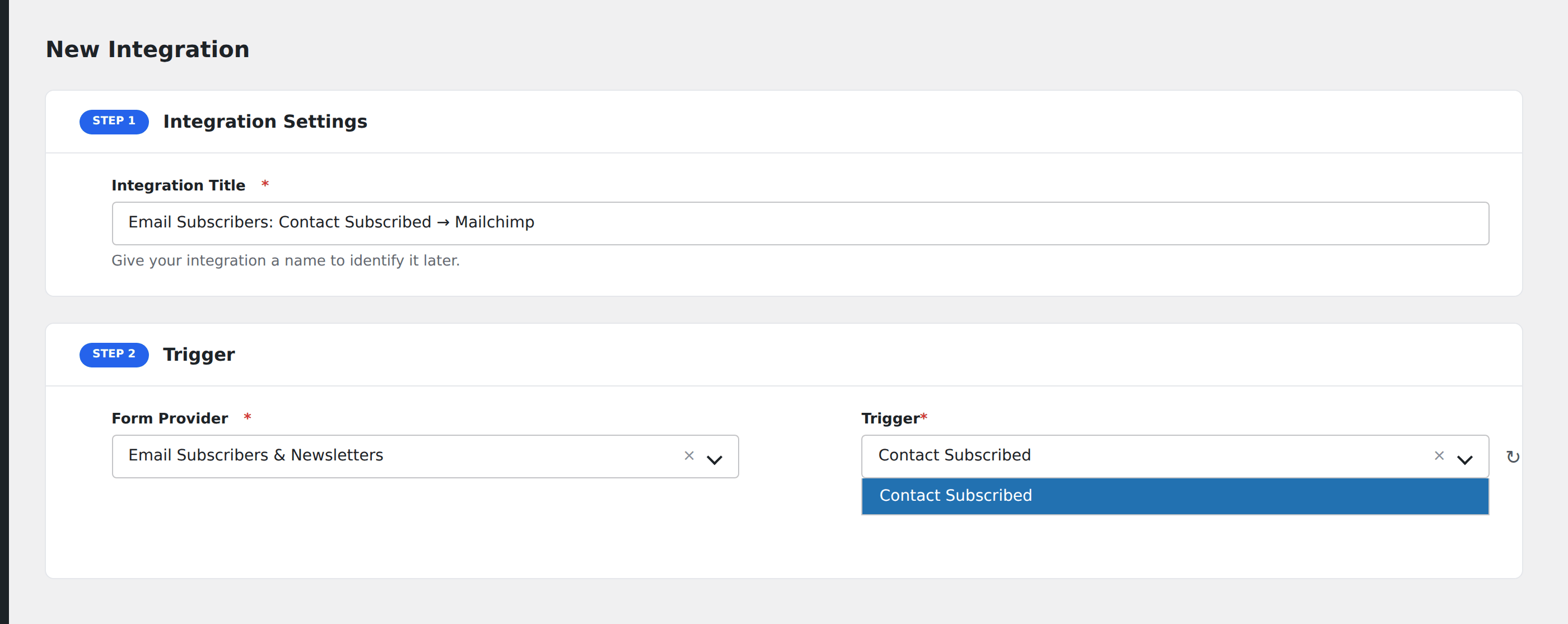
- Go to WP Admin → AFI → Add New.
- Enter an Integration Title, e.g.
Email Subscribers: Contact Subscribed → Mailchimp. - In Trigger → Form/Data Provider, select Email Subscribers & Newsletters.
- In Form/Task Name, choose Contact Subscribed.
- In Action → Platform, pick the destination and complete the field mapping.
- Optional: configure Conditional Logic so only matching events are sent.
- Click Save Integration.
How AFI listens for subscriptions
AFI hooks ig_es_contact_subscribed. The plugin fires it from two places and both mean the same thing, a genuinely confirmed subscriber. Under single opt-in it comes from lite/includes/classes/class-es-handle-subscription.php immediately after the form is submitted. Under double opt-in it comes from lite/public/class-email-subscribers-public.php after the visitor clicks the confirmation link in their inbox. Both call sites build the same payload shape, so one handler covers either mode. A pending double opt-in raises the sibling ig_es_contact_unconfirmed hook instead, which AFI ignores on purpose so unconfirmed addresses never reach your CRM.
List membership
List Name(s) and List ID(s) carry every list the contact was added to in that action, comma-separated when there is more than one. Use Conditional Logic on List ID if you only want one particular list to sync onward.
Troubleshooting
Nothing fires with double opt-in enabled
That is by design until the subscriber confirms. Check Email Subscribers → Audience and look for contacts in the Unconfirmed state. Once they click the confirmation link the integration runs.
Name arrives in one field
The plugin stores a full name as well as first and last name separately. Map whichever suits your destination; all three are available.
Imported contacts do not sync
CSV imports write directly to the contacts table without firing the subscription hook. Only form-driven and confirmation-driven subscriptions dispatch.