 AFI
AFI
Campayn
Campayn is an email-marketing platform from CenturyLink for small business newsletter and lead-capture campaigns. Advanced Form Integration sends form submissions to Campayn as new contacts on a chosen mailing list.
What you’ll need
- An active Campayn account.
- A Campayn API Key (Settings → API).
- The Advanced Form Integration plugin installed and activated.
Get your Campayn API key
- Log in to your Campayn account.
- Go to Settings → API.
- Copy your API Key.
Connect Campayn to AFI
- In WordPress, go to AFI → Settings.
- Enable Campayn and click Save Changes.
- Open the Campayn tab.
- Paste the API Key and click Save Changes.
You can save credentials for multiple Campayn accounts and pick which one each integration uses.
Create the integration
- Go to AFI → Add New.
- Configure the trigger.
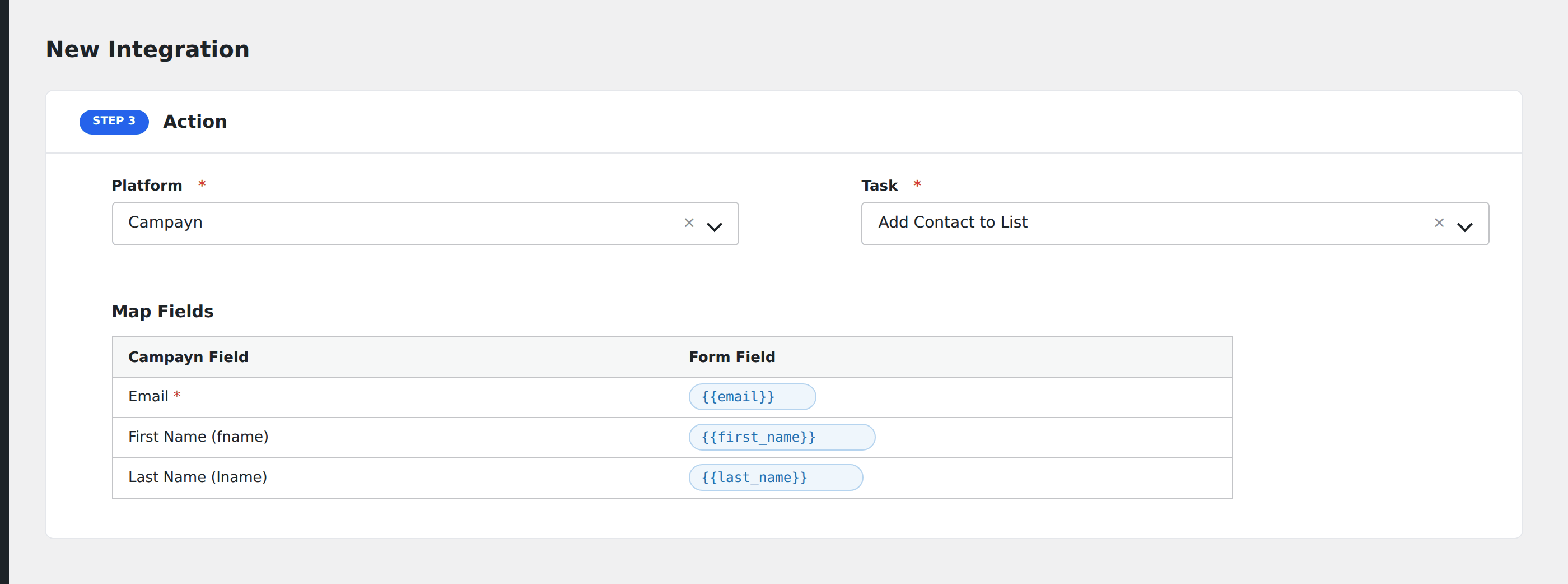
- In Action → Platform, select Campayn.
- In Task, choose Add Contact to List.
- Pick the Campayn Account and the target Mailing List: AFI loads lists from the chosen account.
- Map the form fields:
- Email (required), First Name, Last Name.
- Any custom fields configured on the chosen list.
- Optional: configure Conditional Logic.
- Click Save Integration.
Tasks supported
Add Contact to List
Adds the form submitter as a contact on the chosen Campayn list. If the email already exists, Campayn updates the existing contact rather than creating a duplicate.
Conditional logic example
Use the “EU customers” Campayn list only when the form’s region field equals “EU”. US customers go to a separate list via a different integration.
Troubleshooting
Integration doesn’t fire
Open AFI → Log and find the most recent entry. The log shows the request payload sent to Campayn and the response received, usually pointing straight at the cause.
“Permission denied”
Campayn API keys are user-scoped. If the user who created the key is removed, the key stops working. Generate a new key under an active admin user.