 AFI
AFI
Maropost
Maropost is a multi-channel marketing platform combining email, SMS, and retail automation. Advanced Form Integration sends form submissions to Maropost Marketing Cloud as new contacts.
What you’ll need
- An active Maropost account.
- Your Maropost Auth Token (Settings → Web Services → Get API Information → Auth token).
- Your Maropost Account ID (the numeric ID shown alongside).
- The Advanced Form Integration plugin installed and activated.
Connect Maropost to AFI
- In WordPress, go to AFI → Settings → Maropost.
- Enter the Account ID and Auth Token.
- Click Save Changes.
Create the integration
- Go to AFI → Add New.
- Configure the trigger.
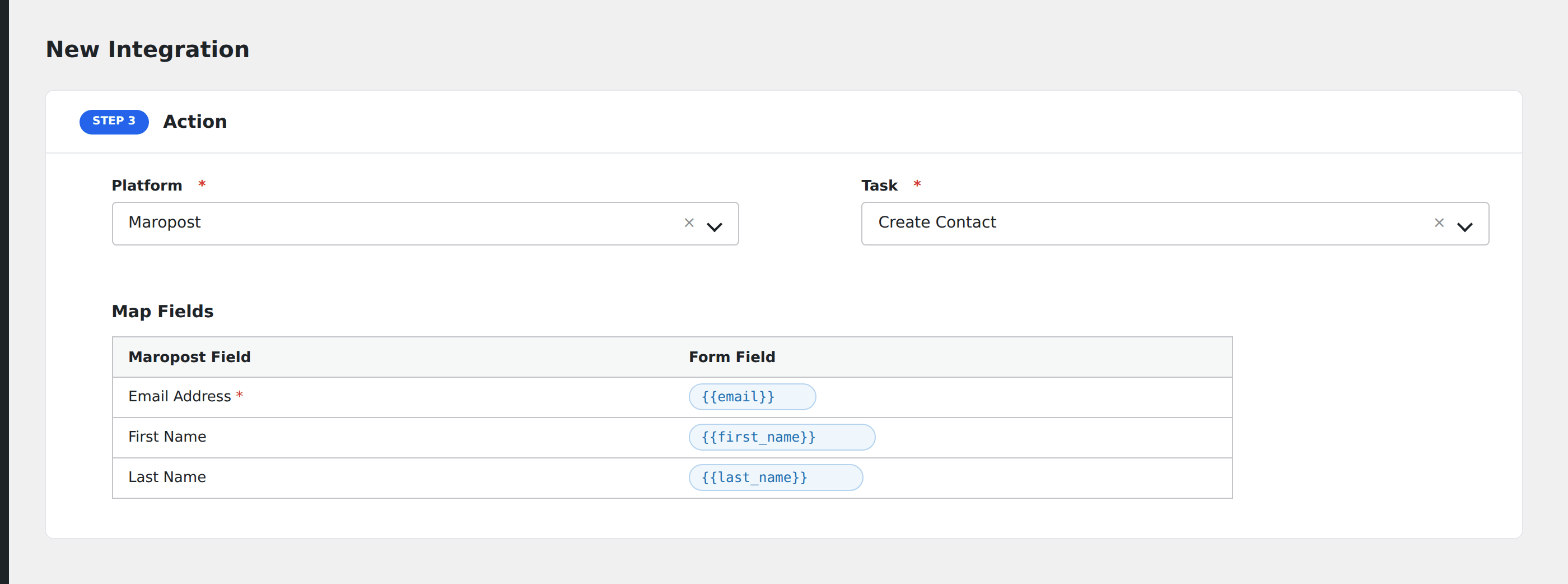
- In Action → Platform, select Maropost.
- In Task, choose Create Contact.
- Pick one or more Lists to add the contact to.
- Map the form fields:
- Email (required), First Name, Last Name.
- Phone, Mobile.
- Address 1, Address 2, City, State, Country, Zip Code.
- Tags (comma-separated).
- Custom fields by name.
- Optional: configure Conditional Logic.
- Click Save Integration.
Pro features
The Pro Maropost integration unlocks tag mapping (multiple tags per submission) and custom field mapping by friendly name.
Conditional logic example
Add a contact to your “Loyalty program” list only when the form’s is_loyalty_member field is “yes”. Non-members go to the standard prospects list.