AFI
AFI
Zoho Meeting
Zoho Meeting is Zoho’s video-conferencing and webinar platform. Advanced Form Integration registers form submitters as attendees of a Zoho Meeting webinar.
What you’ll need
- An active Zoho Meeting account with at least one scheduled webinar.
- A Zoho OAuth Self Client. See Connect via OAuth.
- The Advanced Form Integration plugin installed and activated.
Connect via OAuth
- Visit the Zoho API Console and create a Self Client.
- Note the Client ID and Client Secret.
- In WordPress, go to AFI → Settings → Zoho Meeting.
- Pick the data center matching your Zoho account.
- Click Authorize and grant the
ZohoMeeting.webinar.CREATEscope. - After redirect, the connection is saved.
Create the integration
- Go to AFI → Add New.
- Configure the trigger.
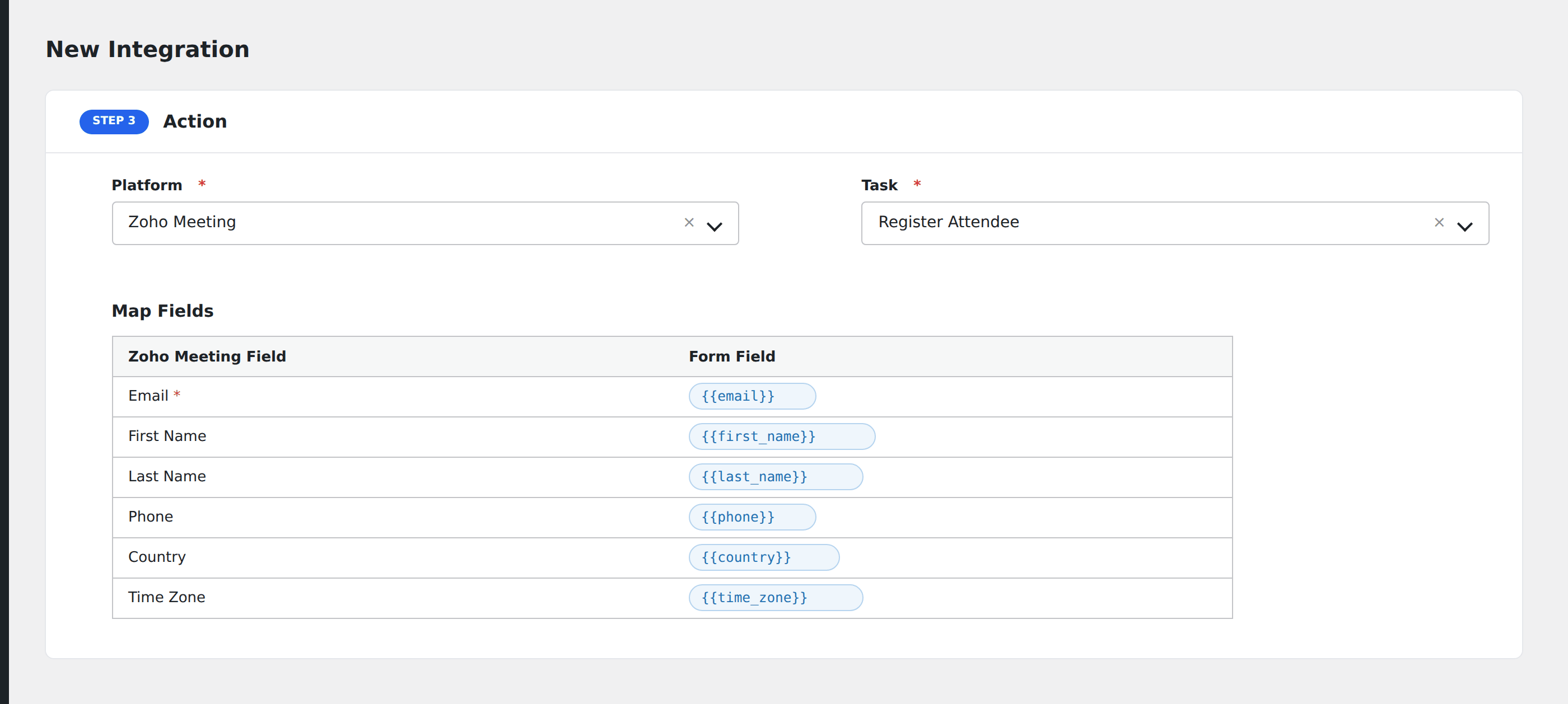
- In Action → Platform, select Zoho Meeting.
- In Task, choose Register Attendee.
- Pick the Webinar (only upcoming webinars on the connected account appear).
- Map the form fields:
- Email (required), First Name, Last Name.
- Phone, Country, Time Zone.
- Webinar-specific custom registration questions.
- Optional: configure Conditional Logic.
- Click Save Integration.