 AFI
AFI
Zoho People
Zoho People is Zoho’s HR management system, used for employee records, onboarding, leave tracking, and performance reviews. Advanced Form Integration sends form submissions to Zoho People as new records in a chosen form (typically Employee, Candidate, or a custom HR form).
What you’ll need
- An active Zoho People account.
- A Zoho OAuth Self Client. See Connect via OAuth.
- The Advanced Form Integration plugin installed and activated.
Connect via OAuth
- Visit the Zoho API Console and create a Self Client.
- Note the Client ID and Client Secret.
- In WordPress, go to AFI → Settings → Zoho People.
- Pick the data center matching your Zoho account.
- Click Authorize and grant the
ZohoPeople.forms.ALLscope. - After redirect, the connection is saved.
Create the integration
- Go to AFI → Add New.
- Configure the trigger.
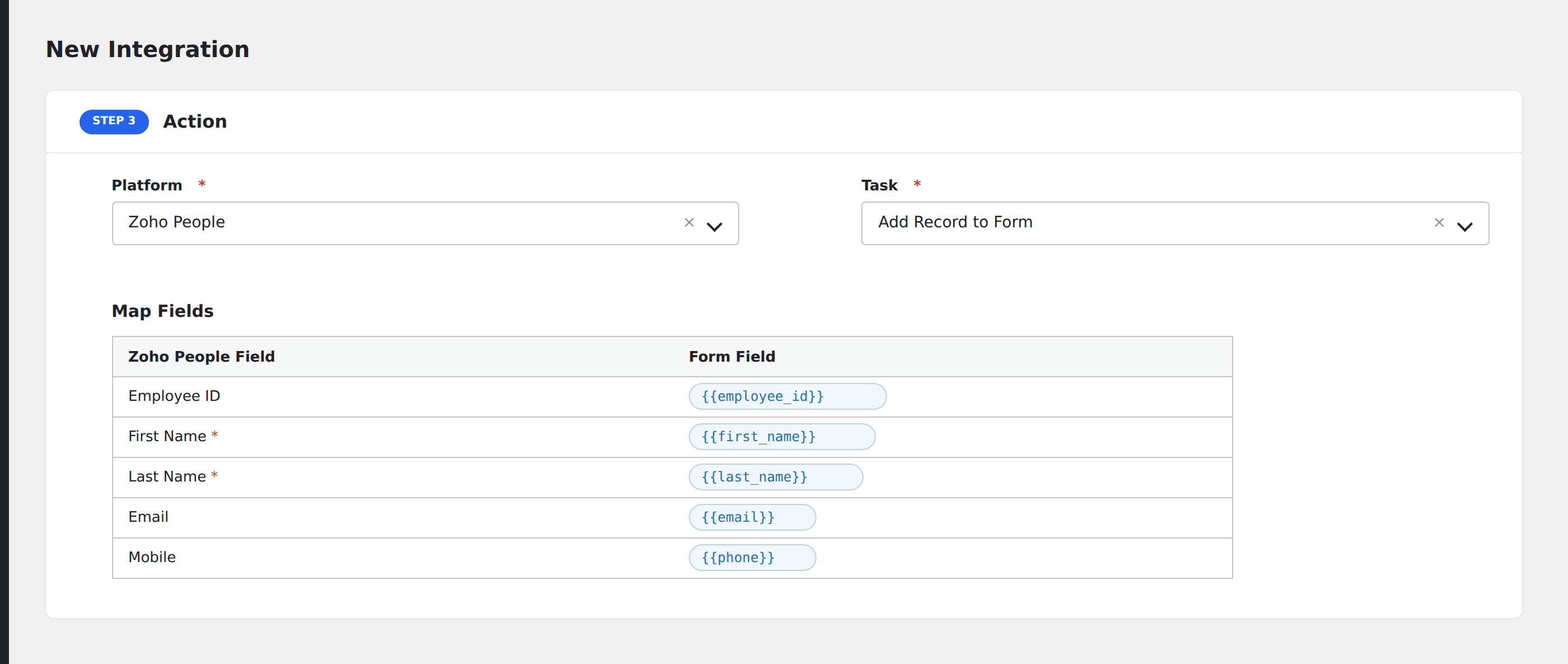
- In Action → Platform, select Zoho People.
- In Task, choose Add Record to Form.
- Pick the target Zoho People Form (e.g., Candidates, Employees, or a custom HR form).
- Map the WordPress form fields to the Zoho People form fields. Field names match the API names defined in Zoho People for that form.
- Optional: configure Conditional Logic.
- Click Save Integration.
Tasks supported
Add Record to Form
Creates a new record in any Zoho People form your authorized user can write to. Common uses: a public “Apply” form on your site that creates a Candidate record, or an internal “New Hire” intake that adds an Employee.
Conditional logic example
Only push a candidate to Zoho People when the form’s country field matches a country you hire in. Out-of-region applications go to a separate “Manual Review” list instead.
Troubleshooting
Forms dropdown empty
Your authorized Zoho user must have access to at least one form in Zoho People. Have an admin grant access from Setup → Forms → Permissions.
Field doesn’t accept the value
Some Zoho People fields are dropdowns with a fixed list of allowed values (e.g., “Country”, “Department”). Map them to a form field whose value is in that list, or use a hidden form field that always supplies a valid choice.