 AFI
AFI
Customer.io
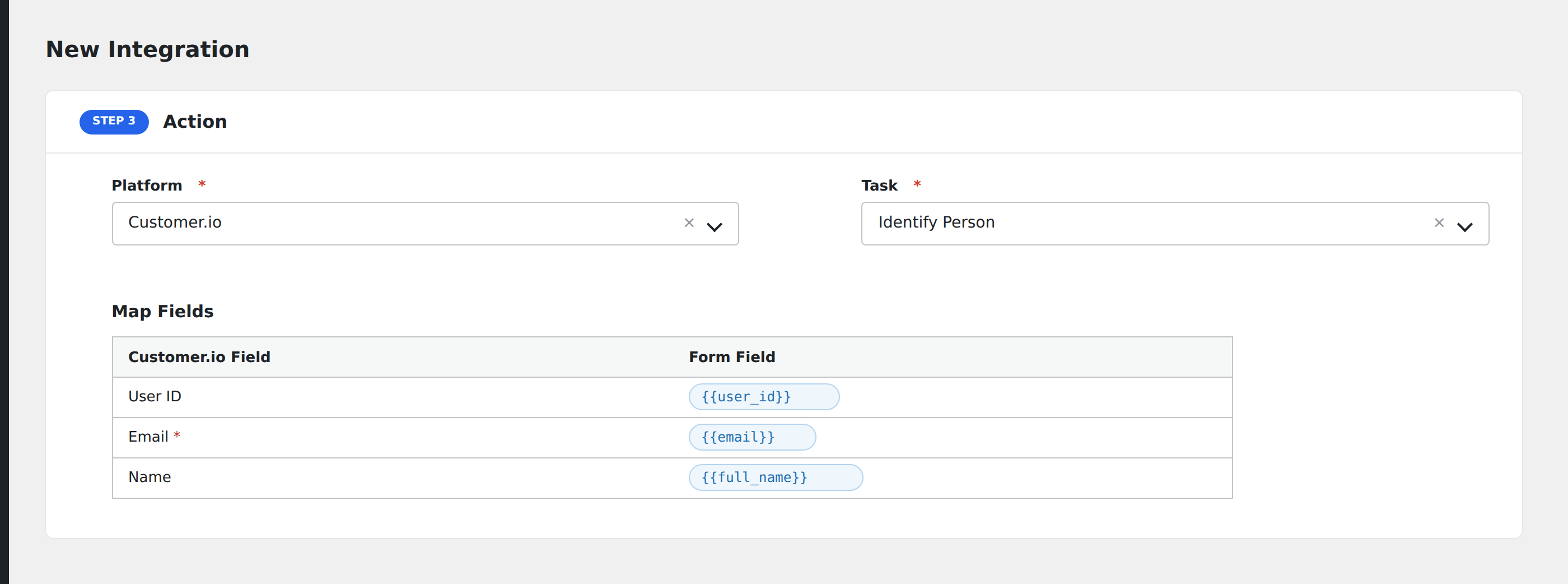
Customer.io is a behavioral messaging platform popular with SaaS for cross-channel email, push, SMS, and in-app messages. Advanced Form Integration sends form submissions to Customer.io as new people via the Identify endpoint.
What you’ll need
- An active Customer.io workspace.
- Customer.io Site ID and Track API Key (Settings → Account Settings → API Credentials → Track API Keys).
- Your Customer.io region (US or EU; they have separate API endpoints).
- The Advanced Form Integration plugin installed and activated.
Connect Customer.io to AFI
- In WordPress, go to AFI → Settings → Customer.io.
- Enter the Site ID, Track API Key, and pick the region.
- Click Save Changes.
Create the integration
- Go to AFI → Add New.
- Configure the trigger.
- In Action → Platform, select Customer.io.
- In Task, choose Identify Person or Track Event.
- Map the form fields:
- ID (your app’s user identifier, required for identify) or Email.
- First Name, Last Name, Created At (Unix timestamp), Phone.
- For Track Event: Event Name plus typed event properties.
- Custom attributes by name.
- Optional: configure Conditional Logic.
- Click Save Integration.
Conditional logic example
Track a webinar_signup event only when the form is the webinar registration form. Newsletter signups instead trigger an subscribed event via a separate integration.
Troubleshooting
“Unauthorized”
Customer.io has multiple API key types. Use the Track API Key (paired with Site ID) for identify/track; the App API Key is for transactional sends and won’t work here.
Email-only person
If you don’t supply id, Customer.io creates an anonymous-style user keyed by email. This can complicate later identification. Prefer using your app’s stable user ID where possible.