 AFI
AFI
Zoom Webinar
Zoom Webinar is Zoom’s webinar product, extending Zoom Meetings with registration, branding, and Q&A features. Advanced Form Integration registers form submitters as Zoom Webinar attendees automatically.
What you’ll need
- An active Zoom account with a Webinar add-on license.
- A Zoom Server-to-Server OAuth app (marketplace.zoom.us → Develop → Build App → Server-to-Server OAuth) with Account ID, Client ID, and Client Secret.
- Required scopes:
webinar:write:admin,webinar:read:admin. - The Advanced Form Integration plugin installed and activated.
Connect Zoom Webinar to AFI
- In WordPress, go to AFI → Settings → Zoom Webinar.
- Enter the Account ID, Client ID, and Client Secret.
- Click Save Changes.
Create the integration
- Go to AFI → Add New.
- Configure the trigger.
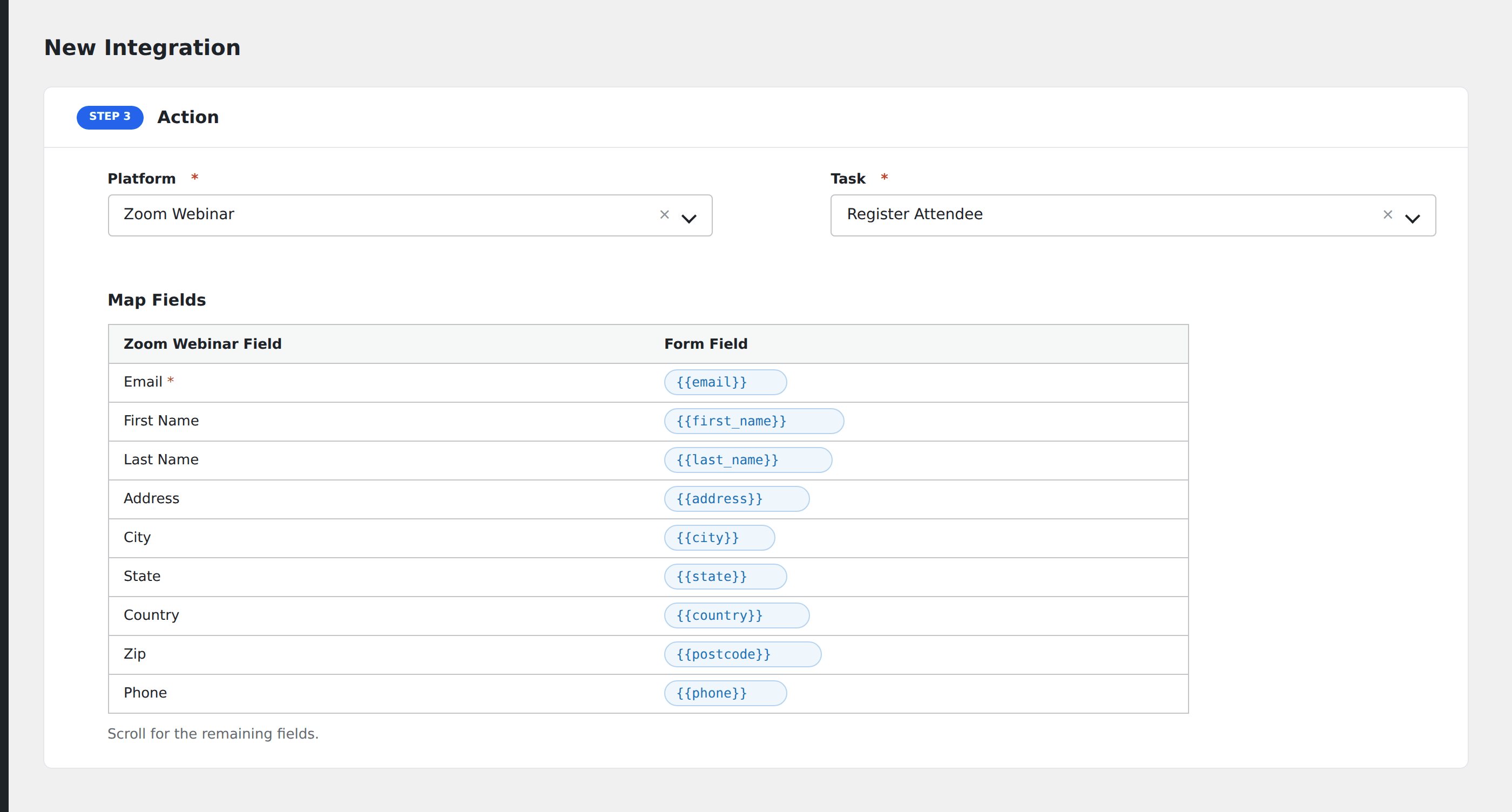
- In Action → Platform, select Zoom Webinar.
- In Task, choose Register Attendee.
- Pick the Webinar (only upcoming webinars on the connected account appear).
- Map the form fields:
- Email (required), First Name, Last Name.
- Address, City, State, Country, Zip.
- Phone, Industry, Organization, Job Title, No. of Employees, Purchasing Time Frame, Role in Purchase Process.
- Webinar-specific custom registration questions.
- Optional: configure Conditional Logic.
- Click Save Integration.
Tasks supported
Register Attendee
Adds the form submitter as a registered attendee on the chosen webinar. They receive the standard Zoom registration confirmation email automatically.
Conditional logic example
Register for the “Premium subscribers” webinar only when the form’s subscription_tier field equals “premium”. Free users get a recording link via email instead.
Troubleshooting
“Webinar requires registration approval”
Zoom Webinar supports manual approval of registrants. If your webinar is set to manual approval, AFI registrations land in pending status. Approve them in Zoom’s webinar dashboard.
Webinar dropdown empty
Server-to-Server OAuth apps can only see webinars hosted by users in the same account. If your webinars are scheduled by a sub-user, make sure the OAuth app’s scopes include account-level webinar read access.