 AFI
AFI
Twilio
Twilio is a messaging platform used to send SMS programmatically. The AFI integration sends a text message every time a connected form is submitted, with the recipient and the message body built from the submitted data.
What this integration can do
| Action | What it does |
|---|---|
| Send SMS | Sends a single SMS from one of your Twilio numbers |
Before you start
You need a Twilio account with:
- an Account SID and an Auth Token, both shown on your Twilio Console dashboard
- at least one phone number provisioned for outbound SMS
Twilio trial accounts can only send to numbers you have verified in the console. If your test messages fail with a permissions error, that restriction is usually why.
Connecting your account
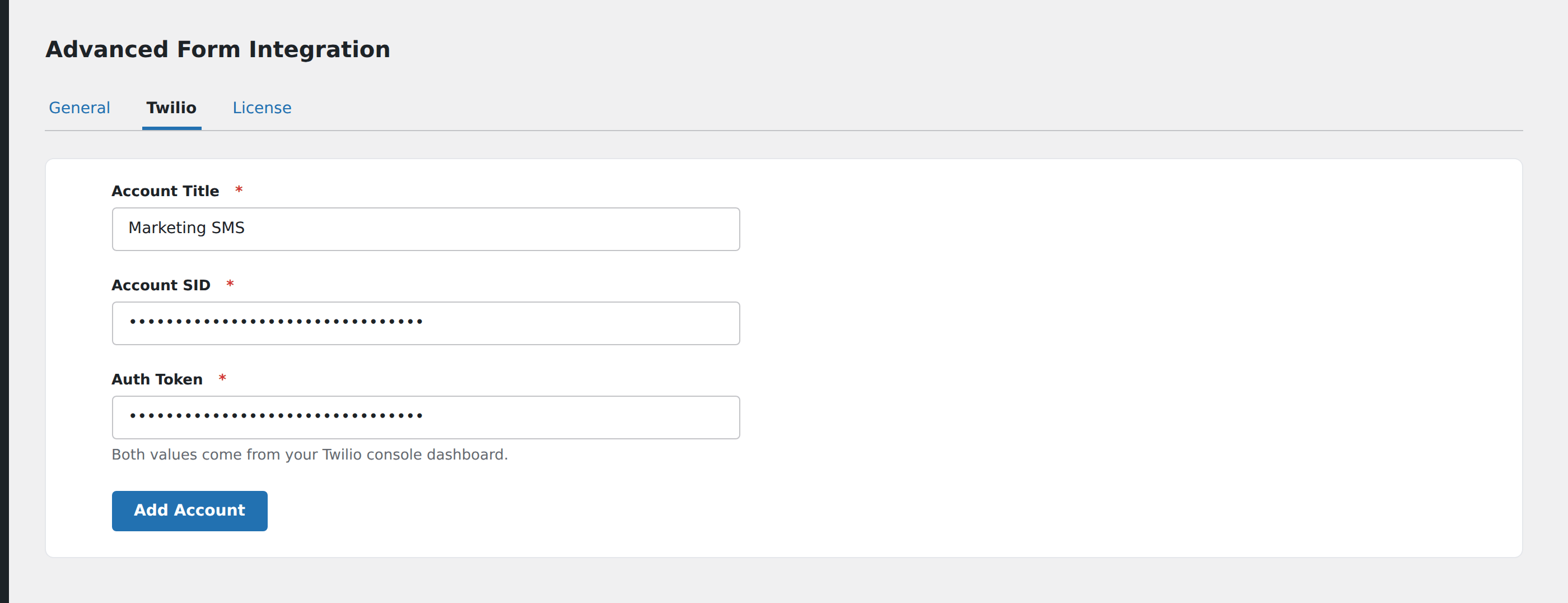
- In WordPress, go to AFI → Settings → Twilio.
- Enter a title for the account so you can recognise it later.
- Paste your Account SID and Auth Token.
- Save.
The Auth Token is masked once saved. Credentials are stored on your own server and are never sent anywhere except to Twilio.
You can add more than one Twilio account here. Each integration chooses which account it uses, which is useful when different brands or regions send from different Twilio projects.
Creating the integration
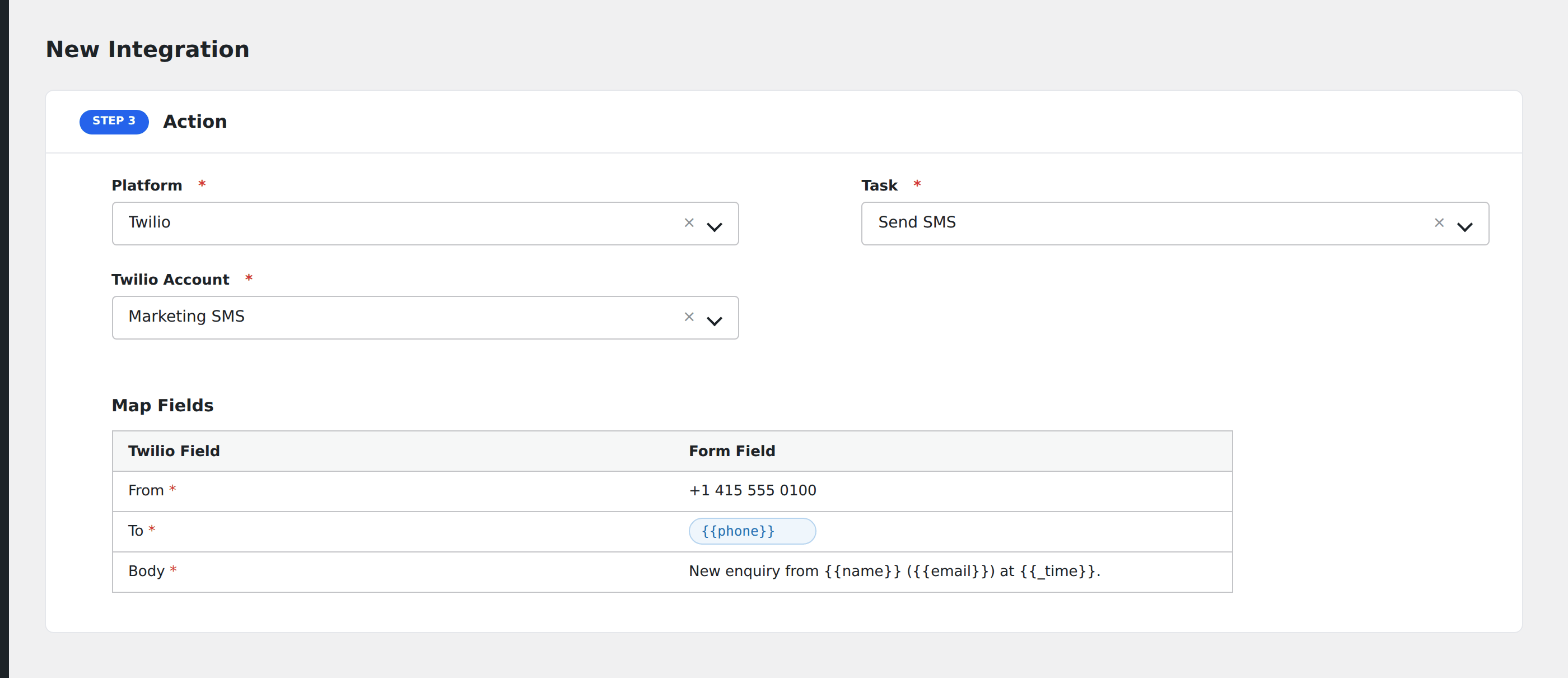
- Go to AFI → New Integration.
- Choose your form plugin and the specific form as the trigger.
- Choose Twilio as the action, and Send SMS as the task.
- Pick the Twilio account. AFI loads your available numbers.
- Complete the three fields below.
- Save the integration and submit a test entry.
From
A dropdown of the phone numbers on the selected Twilio account, loaded live from Twilio when you pick the account. Choose the number the message should appear to come from.
If the dropdown stays empty, the credentials are probably wrong, or the account has no provisioned numbers.
To
The destination number. Map it from a phone field on your form, or type a fixed number if the message always goes to the same place, such as an internal alert.
Twilio expects numbers in E.164 format, meaning a leading + and country code, like +14155550100. Numbers submitted as 0415 555 0100 will be rejected. If your form does not enforce a format, either add a phone field with country-code support or set the expectation in the field’s placeholder text.
Body
The message text. Mix plain text with mapped form fields and special tags freely:
New enquiry from {{name}} ({{email}}) received {{_date}} at {{_time}}.Standard SMS length rules apply, so messages over 160 characters are split into multiple segments and billed accordingly.
Testing
Submit the form yourself and check AFI → Logs. A successful send records Twilio’s response including the message SID. A failure records Twilio’s error message, which is usually explicit about the cause: an unverified recipient on a trial account, a malformed number, or an insufficient balance.
Common issues
Nothing arrives and there is no log entry. The trigger did not fire. Confirm the integration is active and that the form and form plugin match the ones in the trigger.
Log shows a 401. The Account SID or Auth Token is wrong. Regenerate the token in the Twilio Console and re-save it in AFI settings.
Log shows error 21211. Twilio could not parse the destination number. Check that the To value arrives in E.164 format.
Log shows error 21608. You are on a trial account and the recipient is not verified. Verify the number in Twilio, or upgrade the account.
Messages send to the wrong people. Check the To mapping. If you mapped the wrong field, every message goes to whatever that field holds.
Sending selectively
Pair the integration with Conditional Logic so it only fires when it should. A rule of {{phone}} Is not empty prevents wasted requests for submissions with no number at all.