 AFI
AFI
MailPoet
MailPoet is a popular WordPress email-marketing plugin that includes its own subscription forms. Advanced Form Integration captures every MailPoet form submission and routes the data to any of 200+ destinations, useful for syncing MailPoet subscribers to a CRM, archiving signups in a spreadsheet, or pinging Slack on a new lead.
What you’ll need
- The MailPoet plugin installed and activated.
- The Advanced Form Integration plugin installed and activated.
- At least one MailPoet subscription form (MailPoet → Forms) on your site.
Supported form fields
| Field type | Supported | Output format / notes |
|---|---|---|
| Yes | Same as input | |
| First name | Yes | Same as input |
| Last name | Yes | Same as input |
| Custom text | Yes | Same as input |
| Custom date | Yes | YYYY-MM-DD |
| Custom select | Yes | The selected option value |
| Custom radio | Yes | The selected option value |
| Custom checkbox | Yes | Comma-separated selected values |
| Lists | Yes | Comma-separated MailPoet list IDs the subscriber opted into |
Create the integration
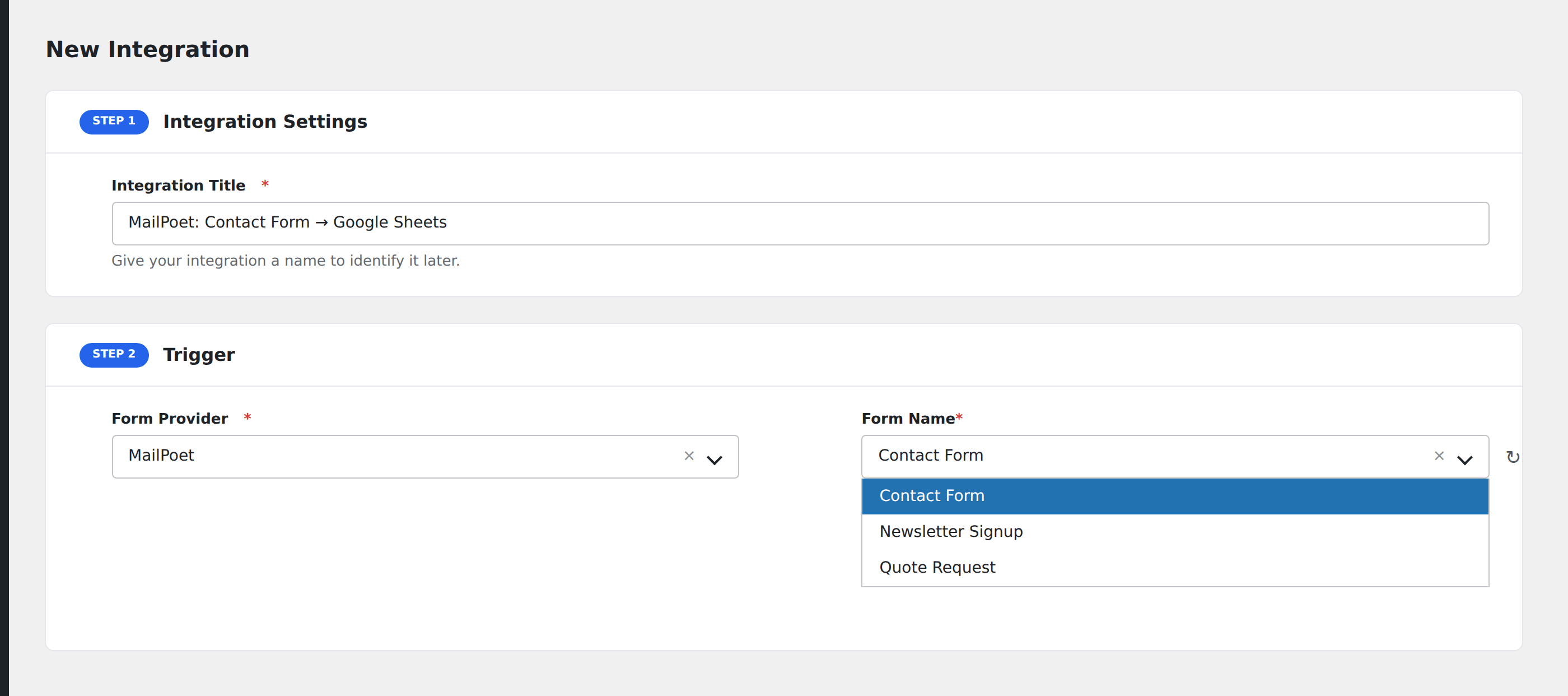
- Go to WP Admin → AFI → Add New.
- Enter an Integration Title that names the form and the destination.
- In Trigger → Form/Data Provider, select MailPoet.
- In Form/Task Name, choose the MailPoet form to listen on.
- In Action → Platform, pick the destination and complete the field mapping.
- Optional: configure Conditional Logic.
- Click Save Integration.
When AFI fires
AFI listens for the mailpoet_subscription_before_subscribe action. It fires after MailPoet validates the submission but before the subscriber is added to the list. This means AFI sees confirmed valid signups, including any custom fields you’ve added to the form.
Conditional logic example
Goal: when a MailPoet signup picks the “Premium Updates” list, also create a contact in HubSpot CRM tagged for the sales team.
Create a HubSpot integration on the MailPoet form. Open the Conditional Logic panel, add a condition with the lists field, Contains, value Premium Updates. Now only premium-list signups also flow into HubSpot; regular newsletter signups stay in MailPoet alone.
Troubleshooting
MailPoet subscriber created but destination doesn’t fire
Check AFI → Log for the most recent entry. If the log shows a 200 OK from the destination but data is missing in the destination, the field mapping needs review. MailPoet’s custom field IDs are numeric, so re-mapping after a field rename is common.
Form not appearing in the Form/Task Name dropdown
MailPoet caches its form list. Save the form again in MailPoet → Forms to refresh the cache, then reload AFI.