 AFI
AFI
UserFeedback
UserFeedback runs on-site surveys and feedback widgets in WordPress, collecting responses from anonymous visitors as well as logged-in users. Advanced Form Integration captures survey responses and routes the data to any of 200+ destinations.
What you’ll need
- The UserFeedback plugin installed and activated.
- At least one survey published under UserFeedback → Surveys.
- The Advanced Form Integration plugin installed and activated.
When the trigger fires
AFI lists every UserFeedback survey separately in Form/Task Name, so each integration listens on one specific survey. It fires when a visitor submits a response to that survey.
Data captured
AFI lists every published survey in Form/Task Name. Once you pick one, the mapping dropdown is built from that survey’s own questions, each keyed q_<question id> and labelled with the question title, resolved the same way the plugin’s own results screen resolves them. Six context fields are appended to every survey:
| Field | Field key | Format |
|---|---|---|
| Response ID | response_id |
Numeric ID |
| Page Submitted On | page_submitted |
Absolute URL of the page the survey was answered on |
| Visitor IP | user_ip |
IP address |
| Visitor Browser | user_browser |
Text, for example Chrome |
| Visitor OS | user_os |
Text, for example Windows |
| Visitor Device Type | user_device |
Text, desktop, mobile, or tablet |
Create the integration
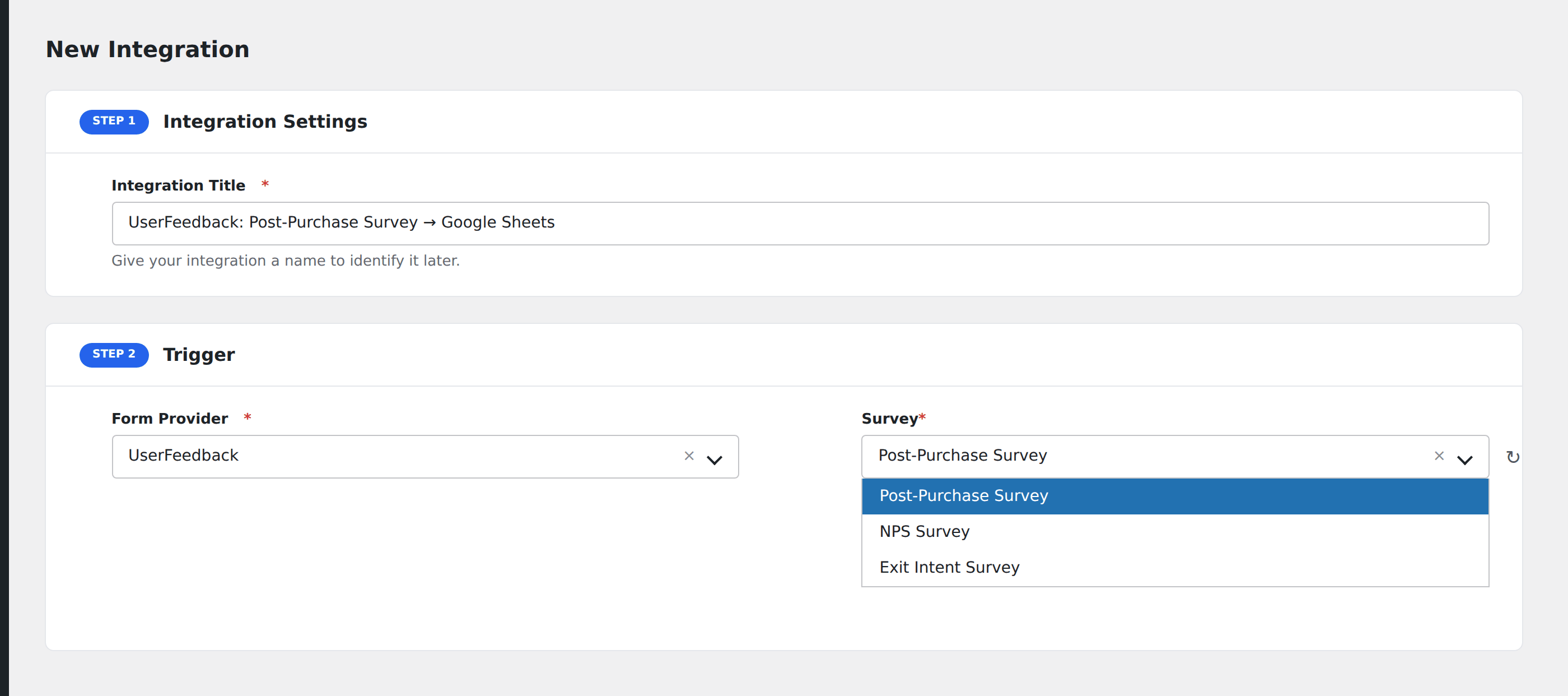
- Go to WP Admin → AFI → Add New.
- Enter an Integration Title, e.g.
UserFeedback: Post-Purchase Survey → Google Sheets. - In Trigger → Form/Data Provider, select UserFeedback.
- In Form/Task Name, choose the survey you want to listen on.
- In Action → Platform, pick the destination and complete the field mapping.
- Optional: configure Conditional Logic so only matching events are sent.
- Click Save Integration.
How AFI listens for responses
AFI hooks userfeedback_survey_response, fired from save_survey_response() in includes/frontend/class-userfeedback-frontend.php right after the response is persisted through UserFeedback_Response::create(). The route it lives on is public (permission_callback => '__return_true'), so anonymous visitors are covered. Registration is guarded by class_exists( 'UserFeedback' ).
Multi-choice answers
When a question accepts several answers, AFI joins them into one comma-separated string so the value drops cleanly into a single spreadsheet cell or CRM field.
Visitor context
IP, browser, operating system, and device type are recomputed through UserFeedback_Device_Detect inside the same request that produced the response, so they match exactly what the plugin stored for that visitor rather than being inferred later.
Troubleshooting
A survey is missing from the dropdown
Only surveys in publish status are listed. Drafts and paused surveys do not appear. Publish it, then use the refresh icon beside the dropdown.
Question fields disappeared after editing the survey
Question IDs change when questions are deleted and recreated. Re-open the integration and re-map any field that now shows as missing.