 AFI
AFI
Simple Membership
Simple Membership adds membership levels, content protection, and front-end member registration to WordPress. Advanced Form Integration captures new member registrations and routes the data to any of 200+ destinations.
What you’ll need
- The Simple Membership plugin installed and activated.
- At least one membership level configured under WP Membership → Membership Levels.
- A registration page published with the registration shortcode.
- The Advanced Form Integration plugin installed and activated.
When the trigger fires
AFI registers a single New Member Registered trigger for Simple Membership. It fires when a visitor completes front-end registration and the member record, the linked WordPress user, and the welcome email have all succeeded.
Data captured
| Field | Field key | Format |
|---|---|---|
| Username | user_name |
Text |
email |
Email address | |
| First Name | first_name |
Text |
| Last Name | last_name |
Text |
| Membership Level Name | membership_level |
Text, the level name rather than its numeric id |
| Account State | account_state |
Text, for example active or pending |
| Member Since | member_since |
YYYY-MM-DD |
Create the integration
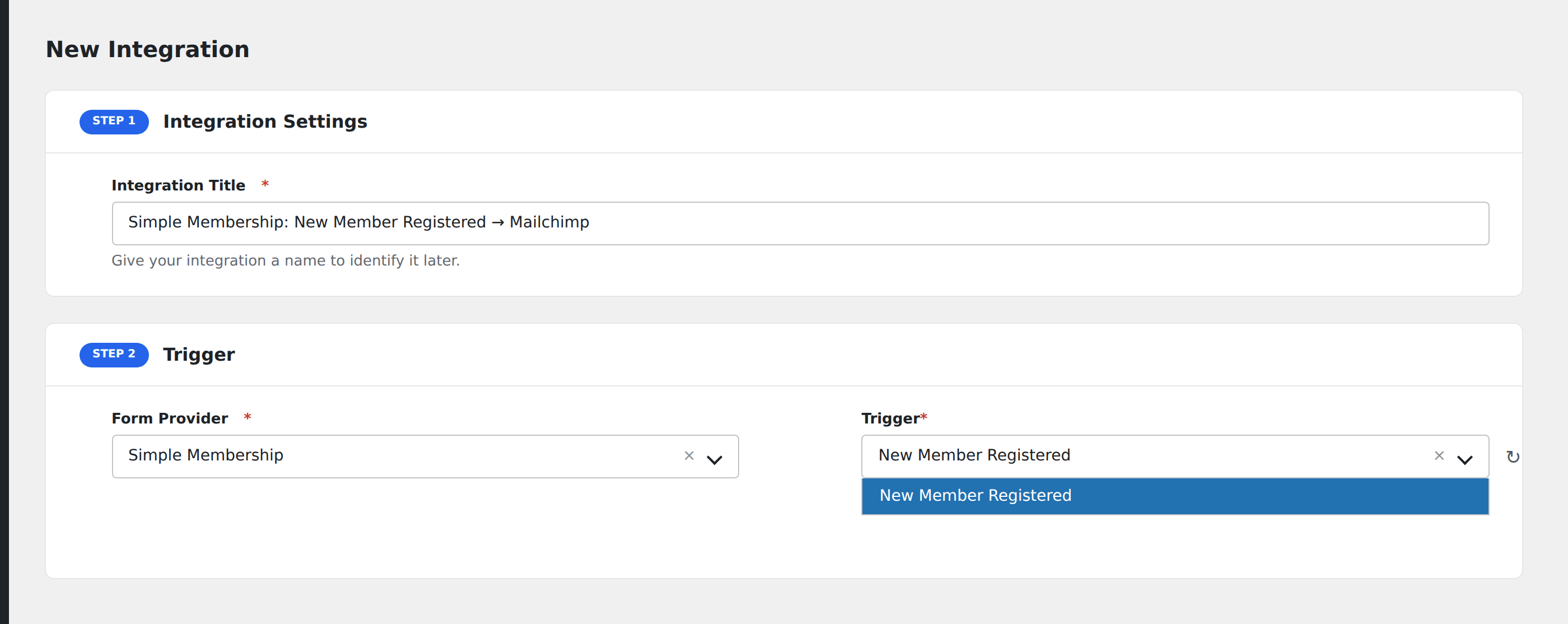
- Go to WP Admin → AFI → Add New.
- Enter an Integration Title, e.g.
Simple Membership: New Member Registered → Mailchimp. - In Trigger → Form/Data Provider, select Simple Membership.
- In Form/Task Name, choose New Member Registered.
- In Action → Platform, pick the destination and complete the field mapping.
- Optional: configure Conditional Logic so only matching events are sent.
- Click Save Integration.
How AFI listens for registrations
AFI hooks swpm_front_end_registration_complete_user_data from classes/class.swpm-front-registration.php. It fires only after create_swpm_user(), prepare_and_create_wp_user_front_end(), and send_reg_email() have all completed, so a validation failure never dispatches. Registration is guarded by defined( 'SIMPLE_WP_MEMBERSHIP_VER' ).
Membership level arrives as a name, not an ID
The hook passes the numeric level ID. AFI resolves it to the human-readable level name through SwpmPermission::get_instance( $level )->get( 'alias' ), the same accessor the plugin’s own registration code uses, so your destination receives something like Gold rather than 3.
Troubleshooting
Members added from the admin do not fire
This trigger is scoped to front-end registration. Members created manually under WP Membership → Members take a different code path.
Account State is always pending
That reflects your registration settings. If you require email activation or manual approval, the member starts in a pending state and the value dispatched reflects that moment in time.