 AFI
AFI
LearnDash
LearnDash is the leading WordPress LMS plugin used by universities, training organizations, and online educators. Advanced Form Integration captures LearnDash events (course enrollments, lesson and topic completions, quiz attempts, certificates earned) and routes the data to any of 200+ destinations.
What you’ll need
- The LearnDash plugin installed and activated.
- At least one course with content published.
- The Advanced Form Integration plugin installed and activated.
Event data captured
| Field | Format |
|---|---|
| Event type | course_enrolled, course_completed, lesson_completed, topic_completed, quiz_attempted, quiz_passed, certificate_earned |
| Student name | First and last separately |
| Student email | Same as input |
| Student ID | Numeric WordPress user ID |
| Course title | The course name |
| Course ID | Numeric LearnDash course ID |
| Lesson / Topic | If applicable |
| Quiz title | If applicable |
| Quiz score | Numeric, percentage |
| Quiz passed | 1 or empty |
| Completion date | YYYY-MM-DD HH:MM:SS |
Create the integration
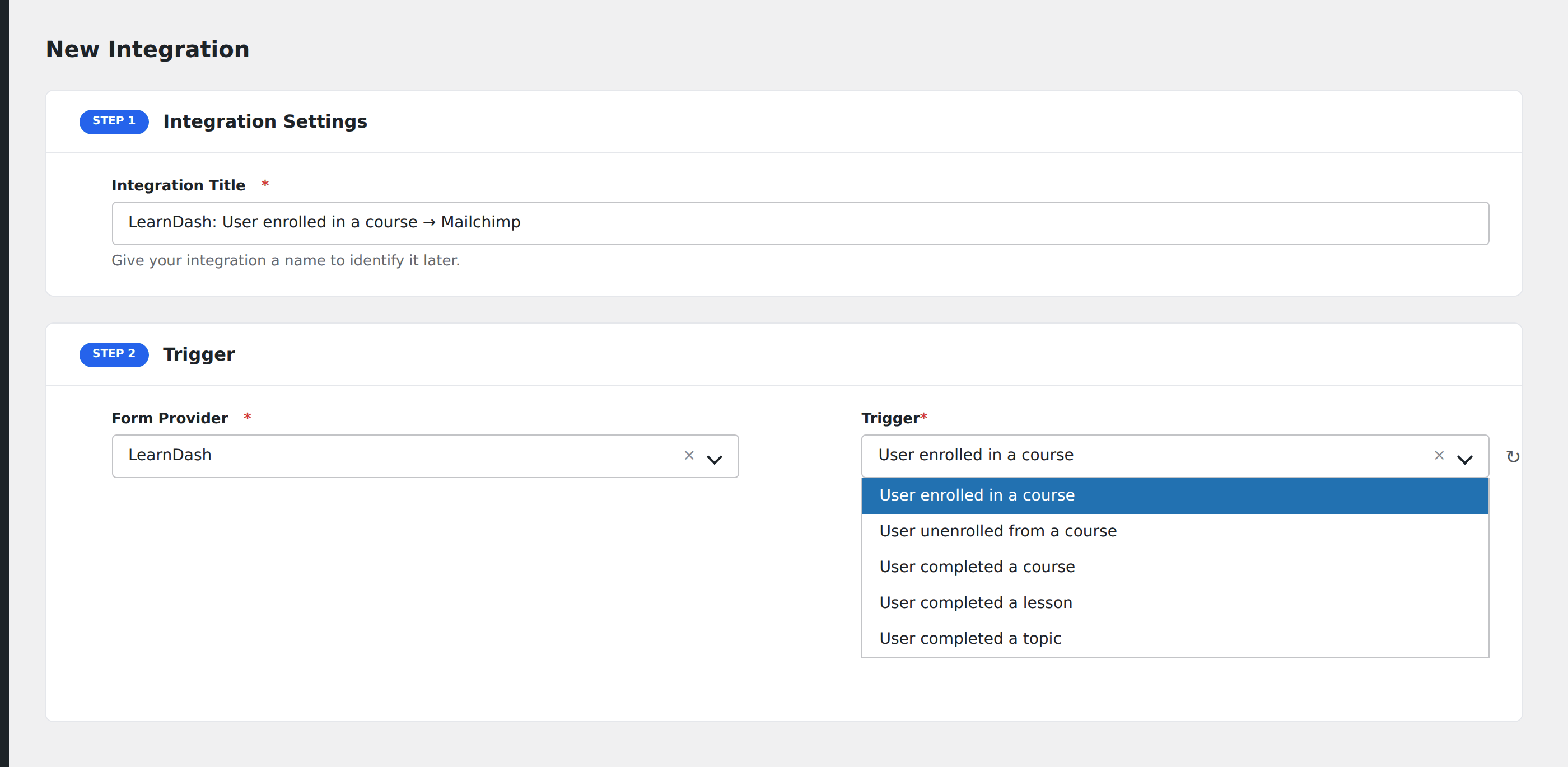
- Go to WP Admin → AFI → Add New.
- Enter an Integration Title, e.g.
Course completed → Mailchimp graduate segment. - In Trigger → Form/Data Provider, select LearnDash.
- In Form/Task Name, choose the event (Course Enrolled, Course Completed, Quiz Passed, etc.).
- In Action → Platform, pick the destination and complete the field mapping.
- Optional: configure Conditional Logic.
- Click Save Integration.
Useful patterns
- Course-completion drip campaign: students who complete a course get added to a Mailchimp segment for an “alumni” follow-up sequence.
- Quiz-fail alert: when a student fails the same quiz multiple times, ping the instructor’s Slack DM for outreach.
- Certificate sync: when a certificate is earned, push to a CRM with a tag like
certified-graduate.
Conditional logic example
Goal: when a student completes the Premium Masterclass course, also add them to a “Top-tier graduates” segment in Mailchimp for a special offer campaign.
Create the Mailchimp integration on the Course Completed event. Open the Conditional Logic panel, add a condition with the course title field, Equal To, value Premium Masterclass.
Troubleshooting
Course-completion event doesn’t fire
LearnDash fires the course-completed event when all lessons and quizzes in the course are marked complete. If a student misses the final quiz, completion never fires. Check the student’s progress in LearnDash → Reports.
Quiz score appears as 0 for completed quizzes
If your quiz uses the “answer key” pass mark (yes/no rather than score-based), the score may be reported as 0 even on a pass. Check quiz_passed instead of quiz_score in your conditional logic.