 AFI
AFI
My Sticky Elements
My Sticky Elements adds a floating contact widget to your site, complete with a built-in sticky contact form. With Advanced Form Integration (AFI), every submission from that sticky form can be sent somewhere useful automatically. Add each lead to a Google Sheets row, subscribe the visitor to a Mailchimp list, or create a new contact in your CRM the moment they hit Send.
What You’ll Need
- The My Sticky Elements plugin installed and active, with the contact form enabled in the widget.
- Advanced Form Integration (free version) installed and active. This trigger works without AFI Pro.
- An account on the receiving platform, for example Google Sheets or Mailchimp.
How to Create the Integration
- In your WordPress dashboard, go to AFI > Add New.
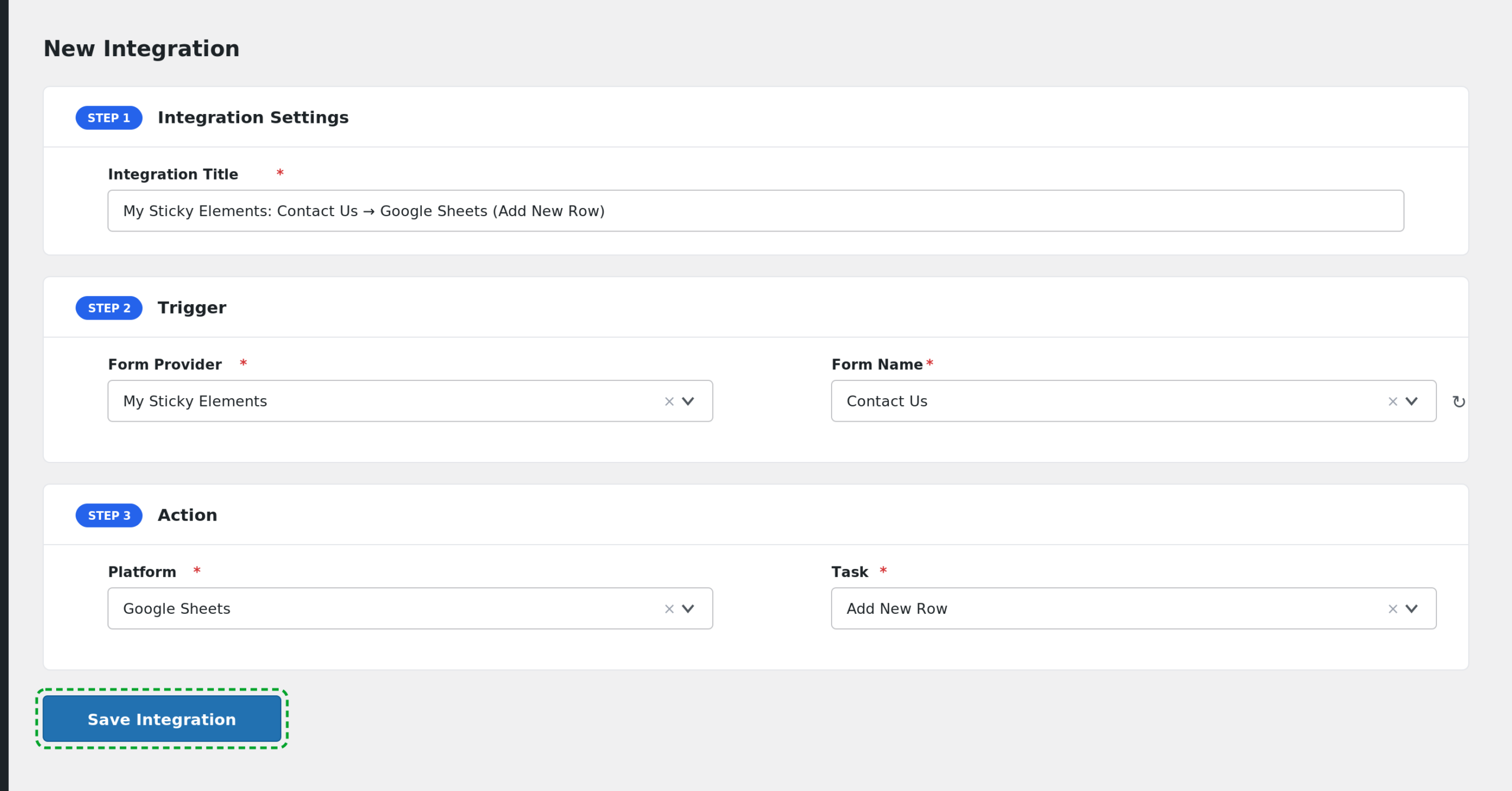
- AFI fills in a default Integration Title for you. Rename it to something you will recognize later, like “Sticky Form to Google Sheets”.
- In the Trigger section, open the Form Provider dropdown and select My Sticky Elements. If you do not see it, make sure the My Sticky Elements plugin is active.
- In the Form/Task Name dropdown, select Sticky Contact Form. This is the only option because My Sticky Elements has one global contact form.
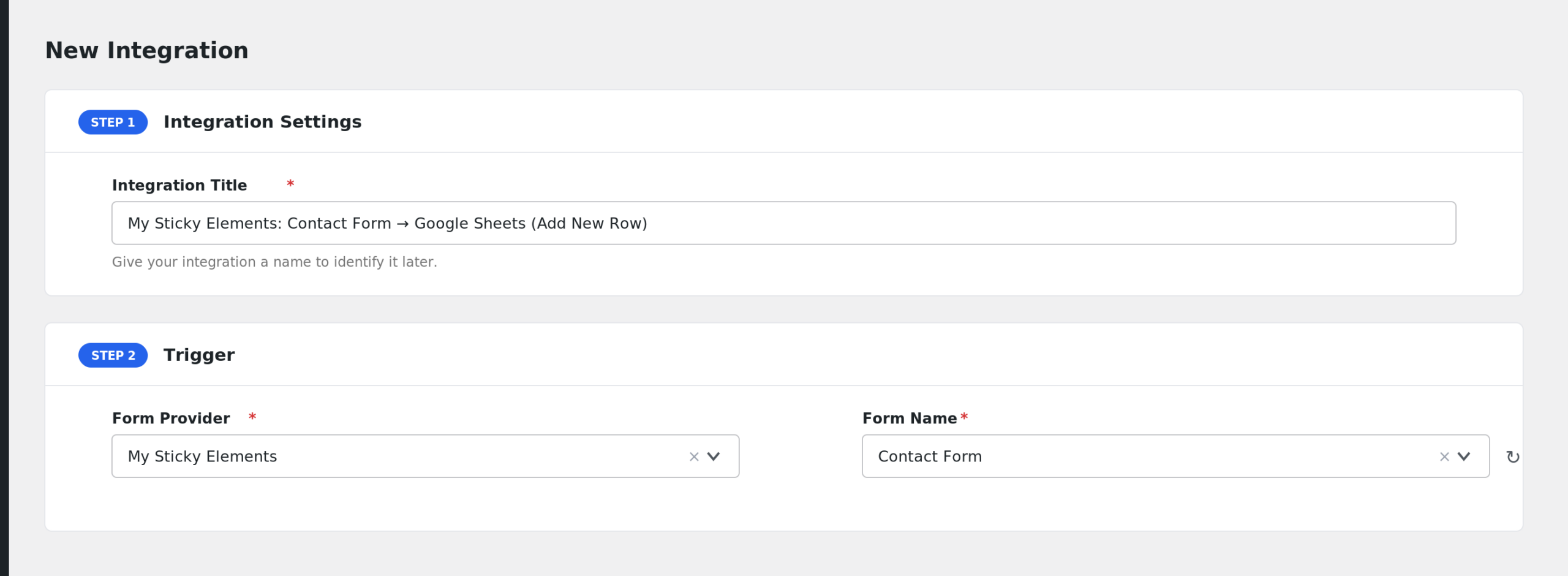
- In the Action section, choose your receiving platform, for example Google Sheets, and pick the specific task such as Add Row.
- Map the My Sticky Elements fields to the fields on the receiving side. Click into each box to pick fields like Contact Name, Contact Email, and Message.
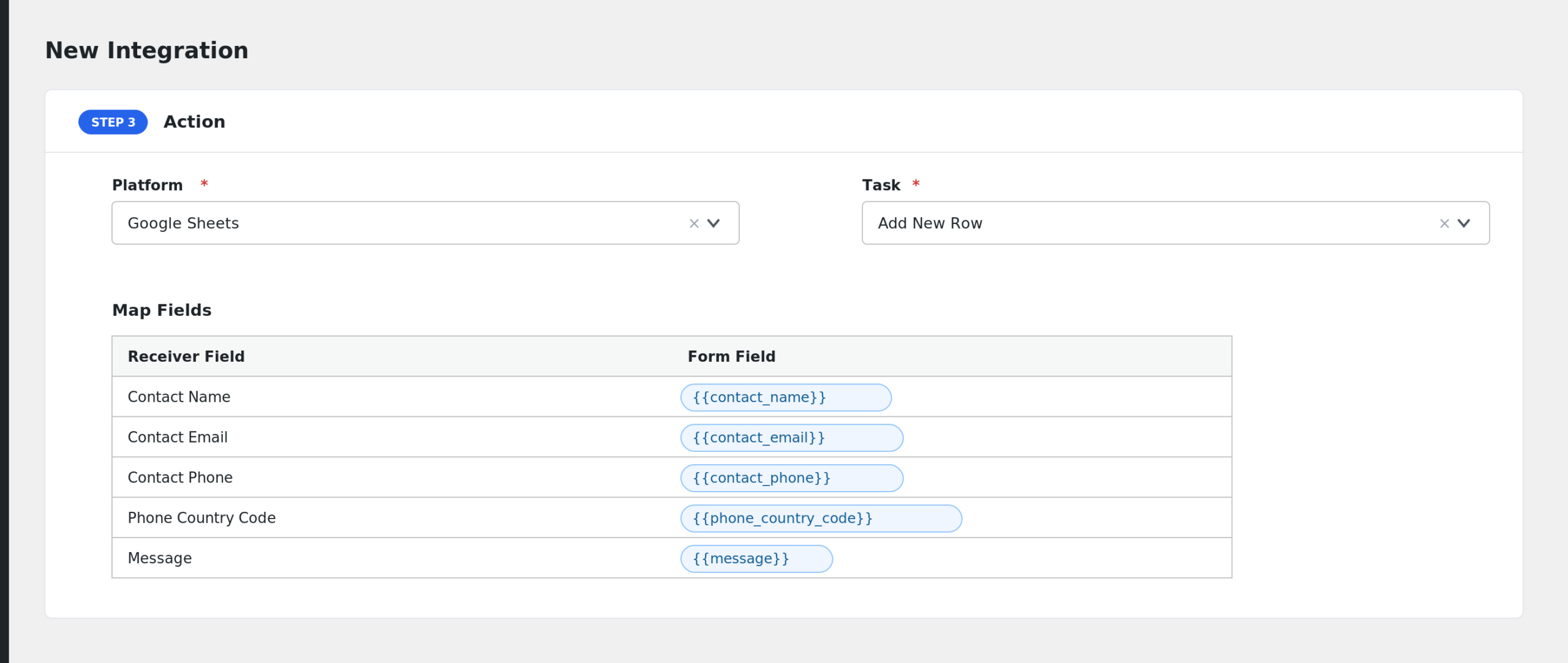
- Click Save Integration.
Now open your site in a new tab, submit the sticky contact form, and confirm the data arrives on the receiving platform.
Fields You Can Send
| Field | Description |
|---|---|
| Contact Name | The name typed into the sticky form. |
| Contact Email | The visitor’s email address. |
| Contact Phone | The phone number. If a country code was chosen, AFI prepends it, for example +1 5551234567. |
| Phone Country Code | The country calling code selected in the form. |
| Message | The message text. |
| Dropdown Selection | The option chosen in the form’s dropdown field, if you use one. |
| Page URL | The URL of the page where the sticky form was submitted. |
| Form Title | The contact tab title set in My Sticky Elements, or “Contact Form” if none is set. |
| Form ID | Always “contactForm”, the internal identifier for this trigger. |
| Submission Date | Date and time of the submission in your site’s timezone. |
| User IP | The visitor’s IP address. |
AFI also adds its general Special Tags (such as _Date, _Time, _User_IP, and site details) to the field list. See the Smart Tags and Field Mapping guide.
Conditional Logic Example
Say your sticky form has a dropdown where visitors pick a topic. You can add a condition so the integration only runs when the topic is “Sales”:
- Enable Conditional Logic on the integration.
- Set the rule to: Dropdown Selection equals Sales.
Support questions stay in your inbox, and only sales leads land in your CRM.
Troubleshooting
My Sticky Elements is not in the Form Provider dropdown
AFI only lists providers whose plugin is active. Go to Plugins and confirm My Sticky Elements is installed and activated, then reload the AFI Add New screen.
The integration is not firing
AFI listens to the sticky form’s AJAX submission and only dispatches after My Sticky Elements reports a successful send. First check AFI > Log to see whether the submission was captured. If nothing appears, confirm the sticky form itself works and sends its own notification. Also make sure the integration status is set to active.
Fields arrive blank on the receiver
AFI skips submissions where all primary fields (name, email, phone, message, dropdown) are empty. Check that the fields you mapped are actually enabled in the My Sticky Elements contact form settings. Then open AFI > Log and inspect the captured data for a recent entry to see exactly which values AFI received.
The Page URL field is empty
The Page URL comes from the page where the widget was submitted. If your caching or security plugin strips referrer data, this value can be missing. Test with caching disabled to confirm.