 AFI
AFI
Planhat
Planhat is a customer-success platform widely used by B2B SaaS teams to track product adoption, health scores, and customer outcomes. Advanced Form Integration sends form submissions to Planhat as new end-users.
What you’ll need
- An active Planhat account.
- A Planhat API token (Settings → API → Generate token).
- Your Planhat tenant ID (the prefix in your Planhat URL).
- The Advanced Form Integration plugin installed and activated.
Connect Planhat to AFI
- In WordPress, go to AFI → Settings → Planhat.
- Enter the API token and tenant ID.
- Click Save Changes.
Create the integration
- Go to AFI → Add New.
- Configure the trigger.
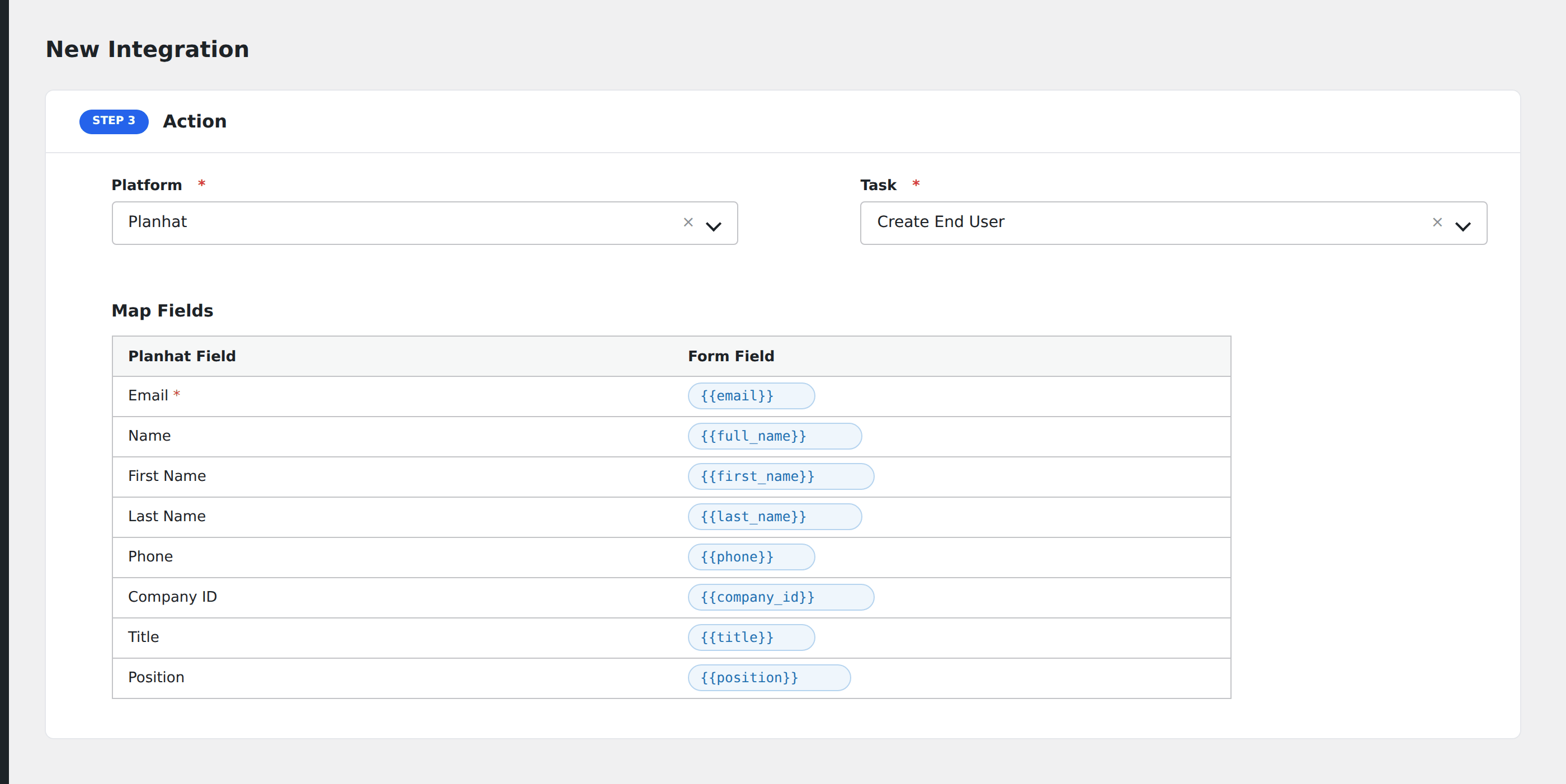
- In Action → Platform, select Planhat.
- In Task, choose Create End User.
- Map the form fields:
- Email (required), Name, First Name, Last Name.
- Phone.
- Company ID (required, the Planhat company the end-user belongs to).
- Title, Position.
- Custom end-user attributes by name.
- Optional: configure Conditional Logic.
- Click Save Integration.
Conditional logic example
Create a Planhat end-user record only when the form’s account_type field equals “paying-customer”. Trial users skip Planhat until they convert.