 AFI
AFI
WooCommerce Memberships
Advanced Form Integration (AFI) can react to WooCommerce Memberships events in real time. When a membership is created, changes status, is transferred, or is deleted, AFI sends the member and plan data to your favorite tools. Add new members to a Mailchimp audience, log every membership in Google Sheets, or update a contact in your CRM when a membership expires.
What You’ll Need
- WooCommerce installed and active
- The WooCommerce Memberships extension installed and active
- Advanced Form Integration (free version works, AFI Pro also supported)
- An account on the receiving platform, such as Mailchimp, Google Sheets, or a CRM
How to Create the Integration
- Go to AFI > Add New.
- A default Integration Title is auto-filled. Rename it to something clear, like “New Members to Mailchimp”.
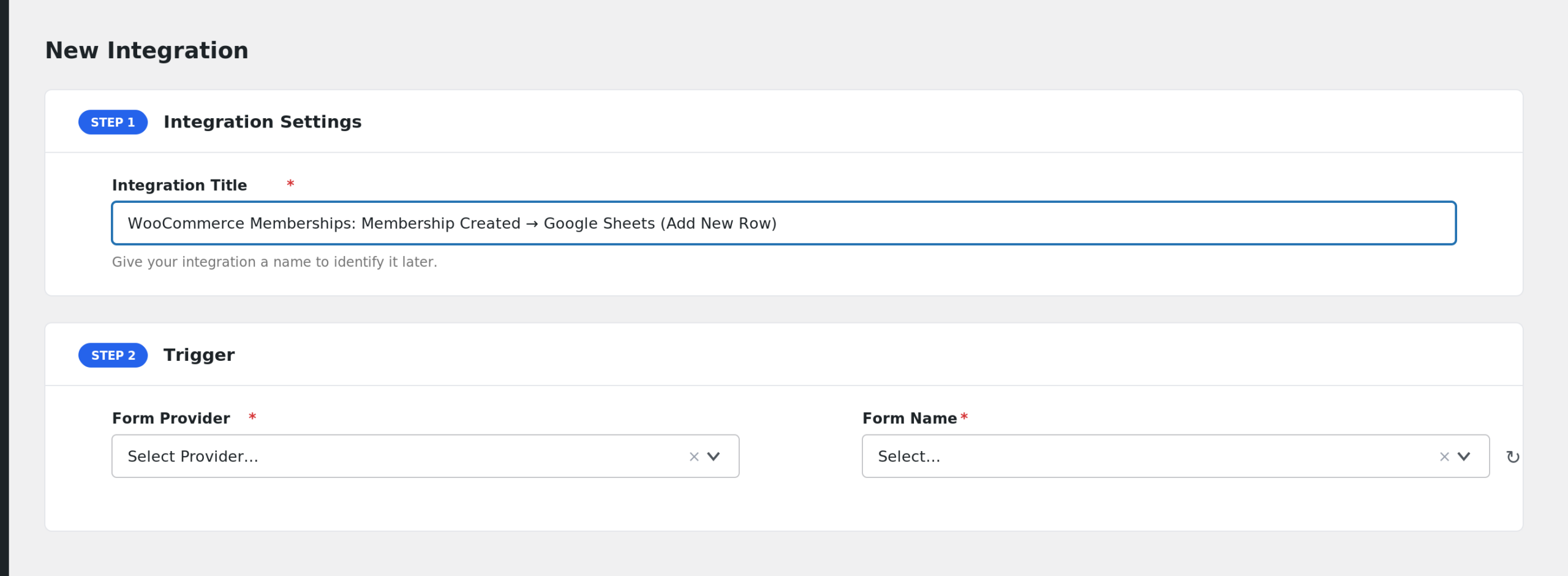
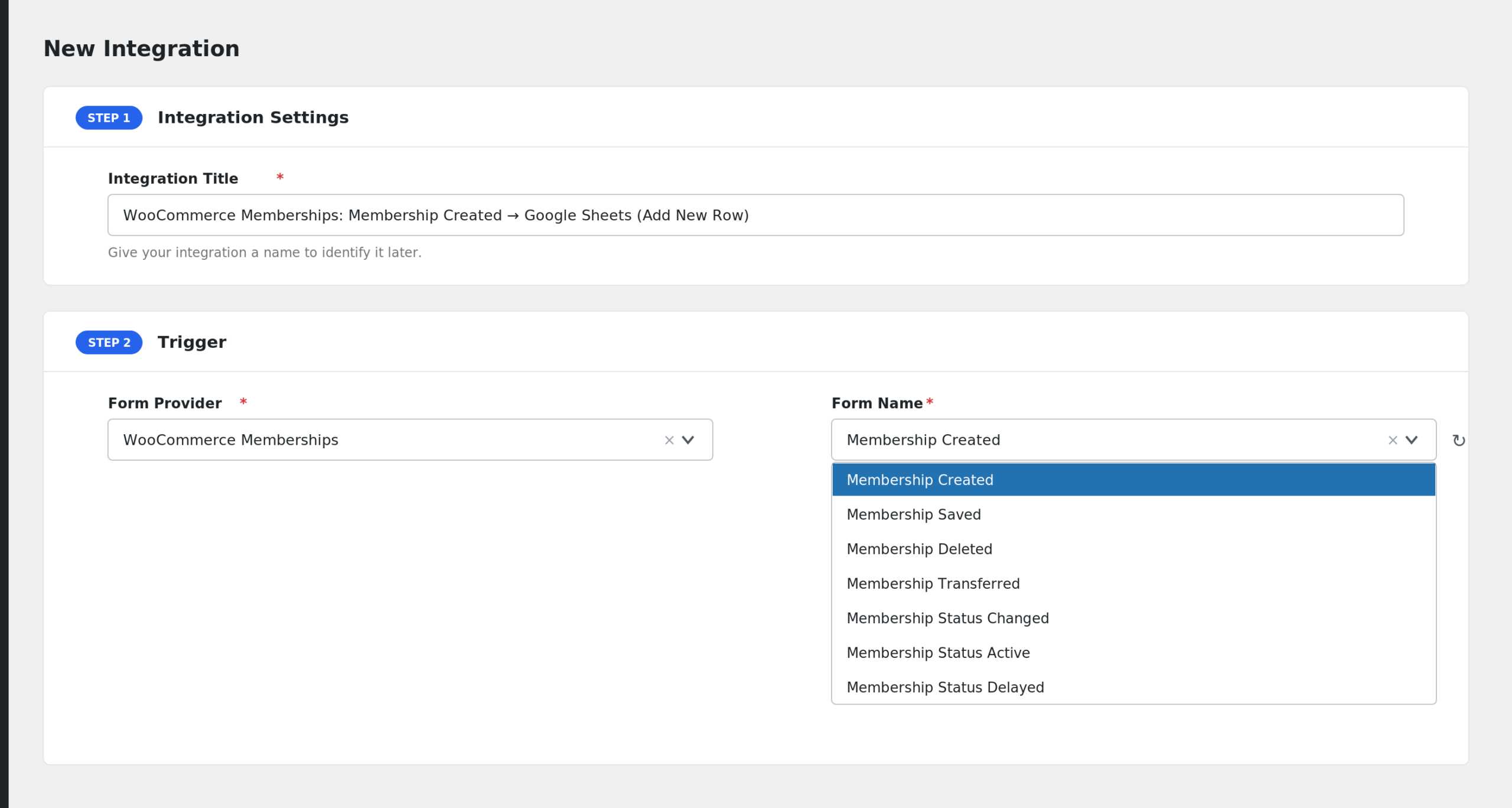
- In the Trigger section, select WooCommerce Memberships from the Form Provider dropdown. If it is missing, the WooCommerce Memberships plugin is not active.
- In Form/Task Name, choose the membership event, for example Membership Created or Membership Status Cancelled.
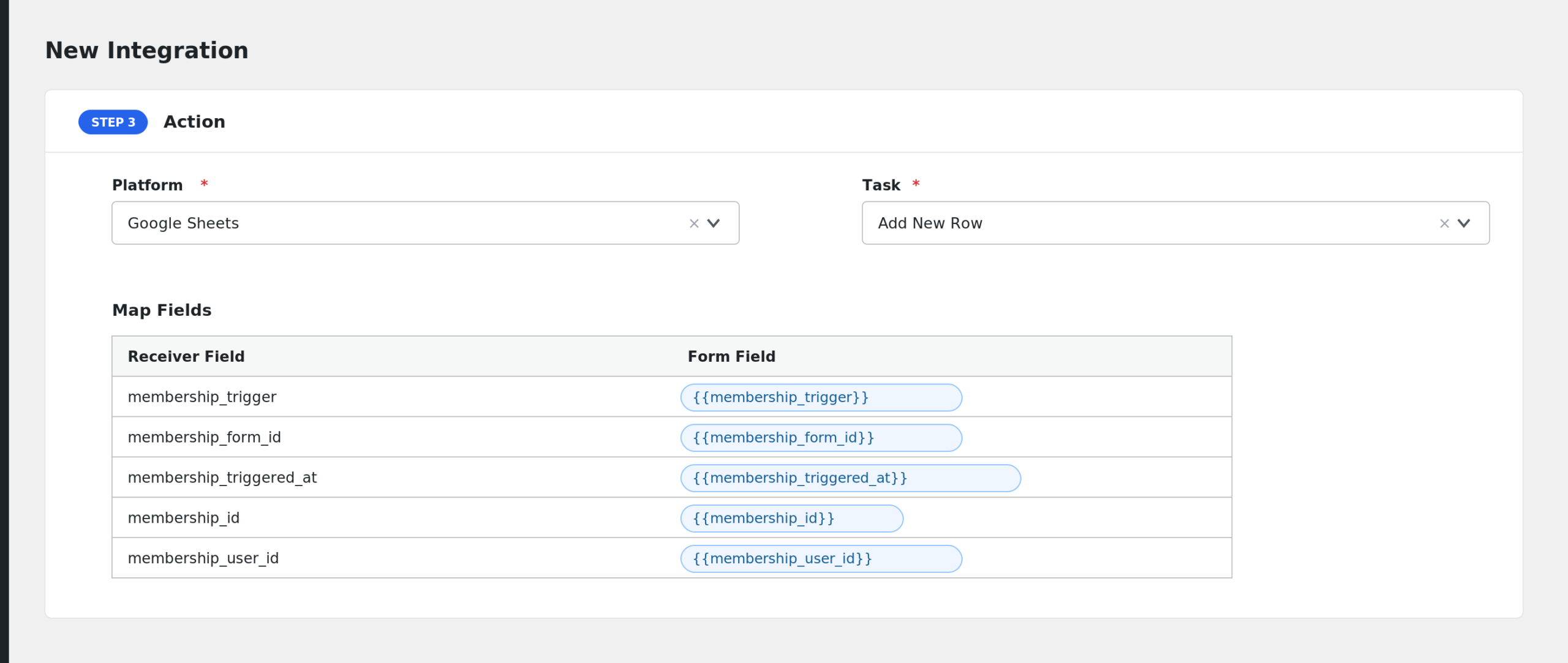
- Under Action, pick your receiver platform and connect the account.
- Map the membership fields to the receiver’s fields. Member email, plan name, and status are common picks.
- Click Save Integration.
Available Events
- Membership Created: fires when a brand new membership is created.
- Membership Saved: fires when a membership is created or updated.
- Membership Deleted: fires when a membership is deleted.
- Membership Transferred: fires when a membership moves to a different user.
- Membership Status Changed: fires on every status change, with old and new status.
- Membership Status Active: fires when the status becomes active.
- Membership Status Delayed: fires when the status becomes delayed.
- Membership Status Complimentary: fires when the status becomes complimentary.
- Membership Status Pending Cancellation: fires when the status becomes pending cancellation.
- Membership Status Paused: fires when the status becomes paused.
- Membership Status Expired: fires when the status becomes expired.
- Membership Status Cancelled: fires when the status becomes cancelled.
Fields You Can Send
All events share one field list covering the member, the plan, the linked product, and the order.
| Field | Description |
|---|---|
| membership_trigger | Readable name of the event |
| membership_form_id | Internal event key |
| membership_triggered_at | Date and time the event fired |
| membership_id | Membership ID |
| membership_user_id | Member’s user ID |
| membership_user_email | Member’s email |
| membership_user_first_name | Member’s first name |
| membership_user_last_name | Member’s last name |
| membership_user_display_name | Member’s display name |
| membership_user_roles | Member’s WordPress roles, comma separated |
| membership_view_url | Front end membership view URL |
| membership_cancel_url | Membership cancel URL |
| membership_renew_url | Membership renew URL |
| membership_transfer_new_user_id | New owner’s user ID (transfer event) |
| membership_transfer_new_user_email | New owner’s email (transfer event) |
| membership_transfer_new_user_display | New owner’s display name (transfer event) |
| membership_transfer_previous_user_id | Previous owner’s user ID (transfer event) |
| membership_transfer_previous_user_email | Previous owner’s email (transfer event) |
| membership_transfer_previous_user_display | Previous owner’s display name (transfer event) |
| membership_status | Status without the wcm- prefix |
| membership_status_prefixed | Status with the wcm- prefix |
| membership_status_label | Readable status label |
| membership_previous_status | Previous status (status change events) |
| membership_previous_status_label | Readable previous status |
| membership_new_status | New status (status change events) |
| membership_new_status_label | Readable new status |
| membership_is_active | yes or no |
| membership_is_update | yes when the save was an update |
| membership_deleted_flag | yes on the deleted event |
| membership_start_date | Start date in UTC |
| membership_start_date_local | Start date in local time |
| membership_end_date | End date in UTC |
| membership_end_date_local | End date in local time |
| membership_cancelled_date | Cancelled date in UTC |
| membership_cancelled_date_local | Cancelled date in local time |
| membership_paused_date | Paused date in UTC |
| membership_paused_date_local | Paused date in local time |
| membership_total_active_time | Total active time in seconds |
| membership_total_inactive_time | Total inactive time in seconds |
| membership_last_active_date | Last active date |
| membership_last_active_since | Time since last active |
| membership_type | Membership type |
| membership_previous_owners | Previous owners as JSON |
| membership_renewal_login_token | Renewal login token |
| membership_plan_id | Plan ID |
| membership_plan_name | Plan name |
| membership_plan_slug | Plan slug |
| membership_plan_access_method | How access is granted |
| membership_plan_access_length | Plan access length |
| membership_plan_access_length_amount | Access length amount |
| membership_plan_access_length_period | Access length period |
| membership_plan_access_length_type | Access length type |
| membership_plan_access_length_human | Access length in readable form |
| membership_plan_has_access_length | yes or no |
| membership_plan_access_start | Plan access start in UTC |
| membership_plan_access_start_local | Plan access start in local time |
| membership_plan_access_end | Plan access end in UTC |
| membership_plan_access_end_local | Plan access end in local time |
| membership_plan_expiration_date | Plan expiration date |
| membership_product_id | Linked product ID |
| membership_product_name | Linked product name |
| membership_product_sku | Linked product SKU |
| membership_product_type | Linked product type |
| membership_product_url | Linked product URL |
| membership_order_id | Related order ID |
| membership_order_number | Related order number |
| membership_order_status | Related order status |
| membership_order_total | Related order total |
| membership_order_currency | Related order currency |
| membership_order_payment_method | Payment method key |
| membership_order_payment_method_title | Payment method title |
| membership_order_transaction_id | Transaction ID |
| membership_order_created | Order created date |
| membership_order_url | Order admin URL |
You can also fetch custom meta with smart tag prefixes: membershipmeta_, planmeta_, usermeta_, productmeta_, and ordermeta_.
Only Send Members of One Plan
If you run several membership plans but only one should sync to your email list, add a conditional logic rule: run the integration only when membership_plan_slug equals your plan’s slug, for example gold-plan. Combine it with the Membership Status Active event and only active gold members get subscribed.
Troubleshooting
WooCommerce Memberships is not in the Form Provider dropdown
AFI hides the provider unless the WooCommerce Memberships plugin is active. Activate it under Plugins and reload the AFI editor.
The integration is not firing
Open AFI > Log. If nothing is logged, verify the event choice. Membership Created fires only for brand new memberships, not updates. When in doubt, test with Membership Saved or Membership Status Changed, which fire more often.
Transfer or status fields arrive blank
The transfer fields are only filled on the Membership Transferred event, and the previous and new status fields only on status change events. On other events those fields are empty by design.