 AFI
AFI
Snow Monkey Forms
Snow Monkey Forms is a block-based form plugin, popular with Japanese WordPress sites, that lets you build forms in the block editor. Connect it to Advanced Form Integration (AFI) and every completed submission can trigger an automation. You can save entries to Google Sheets, subscribe senders to Mailchimp, or push leads into a CRM without writing any code.
What You’ll Need
- The Snow Monkey Forms plugin installed and active, with at least one published form
- Advanced Form Integration, free or AFI Pro
- An account on the receiving platform, such as Google Sheets or Mailchimp
How to Create the Integration
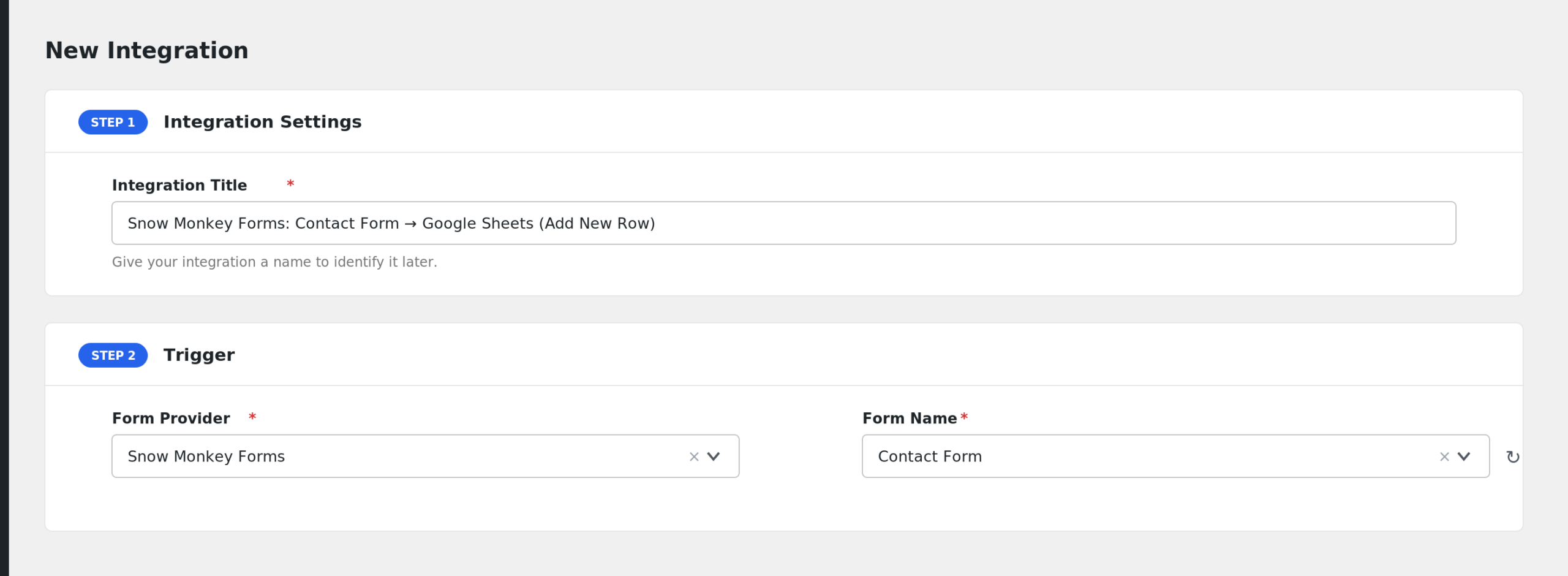
- Go to Advanced Form Integration > Add New.
- A default Integration Title is auto-filled. Rename it to something recognizable, like “Contact Form to Google Sheets”.
- In the Trigger section, open the Form Provider dropdown and select Snow Monkey Forms. If it does not appear, the Snow Monkey Forms plugin is not active.
- In the Form/Task Name dropdown, pick the form you want to connect. AFI lists every published Snow Monkey form by its title.
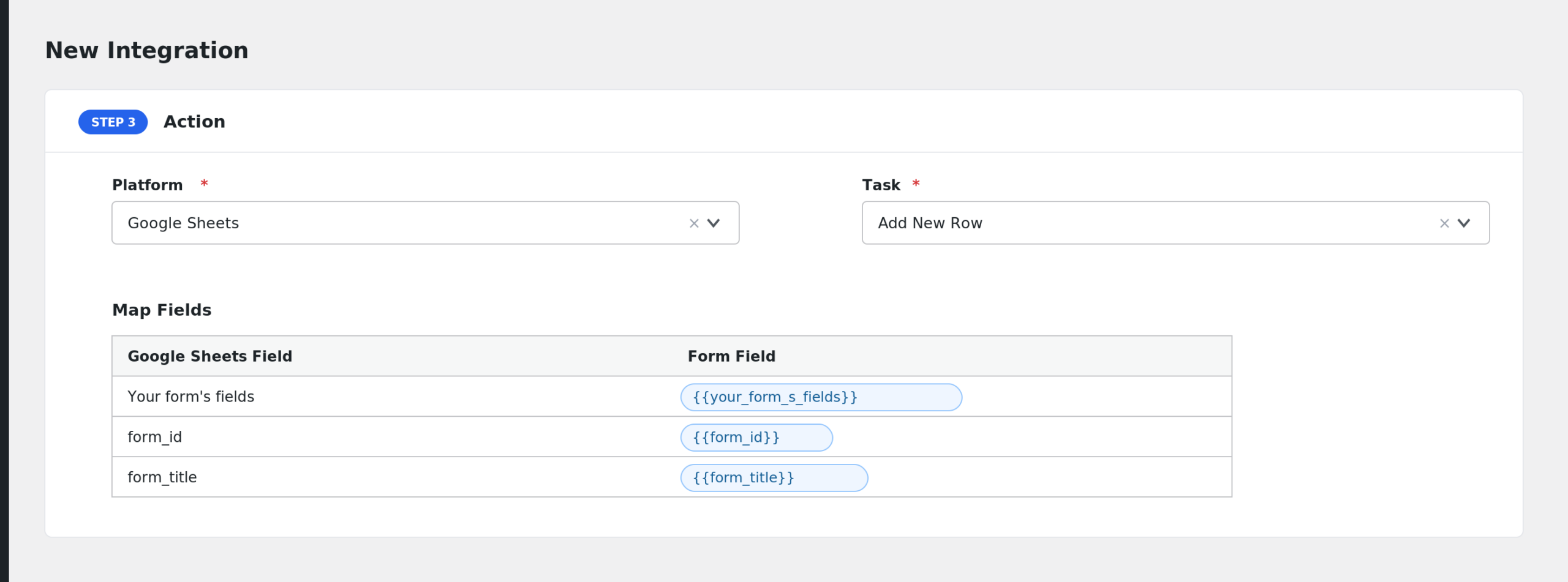
- Under Action, choose your receiver platform and connect your account.
- Map the form fields to the receiver’s fields. AFI reads your form’s blocks and lists each field by its label.
- Click Save Integration and submit a test entry through the form.
Fields You Can Send
Snow Monkey Forms fields are dynamic. AFI parses the form’s blocks and lists every input control by its field name, with the label shown next to it. A typical contact form exposes fields like these:
| Field | Description |
|---|---|
| Your form’s fields | Each Snow Monkey form control appears under its own name, for example fullname, email, or message |
| form_id | The ID of the Snow Monkey form |
| form_title | The title of the form, included in the payload |
Checkbox and multi-select values are sent as a single joined string. AFI also adds its standard special tags, such as user and post details, to the field list.
Only Send Entries That Choose a Specific Option
Conditional logic is an AFI Pro feature. If your form has a dropdown like “Inquiry Type”, you can run one integration only when that field equals “Sales” and route it to your CRM, while support inquiries go to a different sheet. Set the condition on the dropdown’s field name in the Conditional Logic panel.
Troubleshooting
Snow Monkey Forms is missing from the Form Provider dropdown
AFI only lists providers whose plugins are active. Confirm Snow Monkey Forms is installed and activated, then reload the AFI page.
My form is not in the Form/Task Name dropdown
AFI lists published forms only. Open the form in the editor and make sure it is published, not a draft, then reload the AFI screen.
The integration is not firing
AFI hooks into Snow Monkey Forms after the administrator notification email is processed successfully. If the form’s admin email fails to send, the trigger will not fire. Test the form, confirm the admin email works, and check AFI > Log for entries.
Fields arrive blank
Field names come from each block’s Name setting in the editor. If you rename a field in the form after creating the integration, re-open the integration and remap the field so the tag matches the new name.