 AFI
AFI
MW WP Form
MW WP Form is a shortcode based form builder that is especially popular on Japanese WordPress sites. Connect it to Advanced Form Integration (AFI) and each completed submission is passed on automatically. You can record entries in Google Sheets, add contacts to Mailchimp, or send inquiries into a CRM without touching code.
What You’ll Need
- The MW WP Form plugin installed and active, with at least one form created.
- Advanced Form Integration, free or Pro. This trigger works fully in the free version.
- An account on the receiving platform, such as Google Sheets or Mailchimp.
How to Create the Integration
- Go to AFI > Add New in your WordPress dashboard.
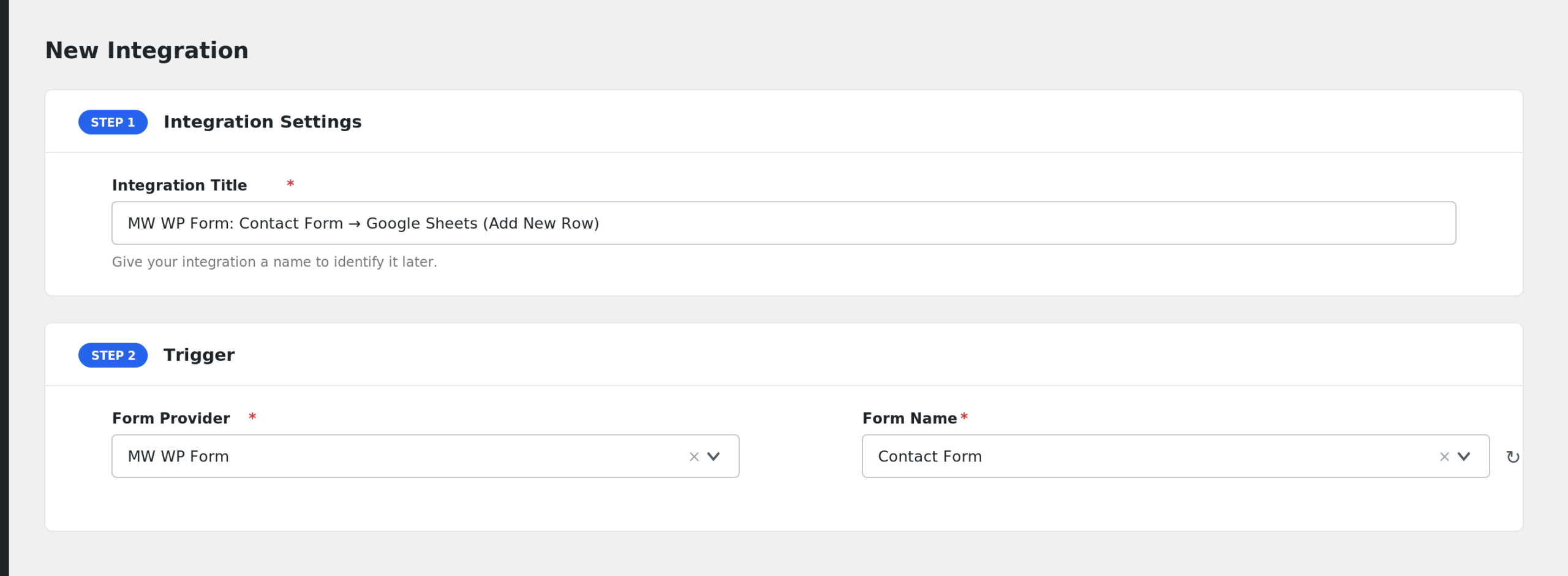
- AFI fills in a default Integration Title. Rename it to something recognizable, like “MW WP Form Inquiry to Google Sheets”.
- In the Trigger section, choose MW WP Form from the Form Provider dropdown. If the option is missing, make sure the MW WP Form plugin is active.
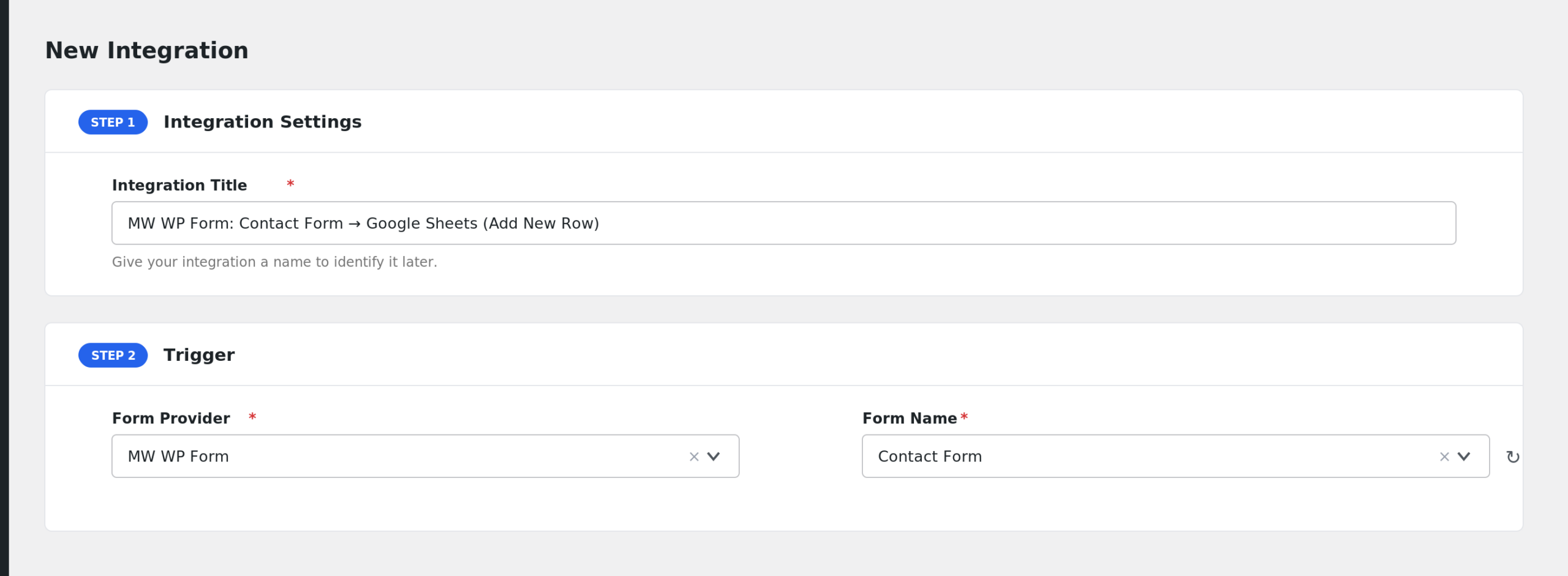
- Select your form in the Form/Task Name dropdown. AFI lists MW WP Form forms by title, including drafts and pending forms.
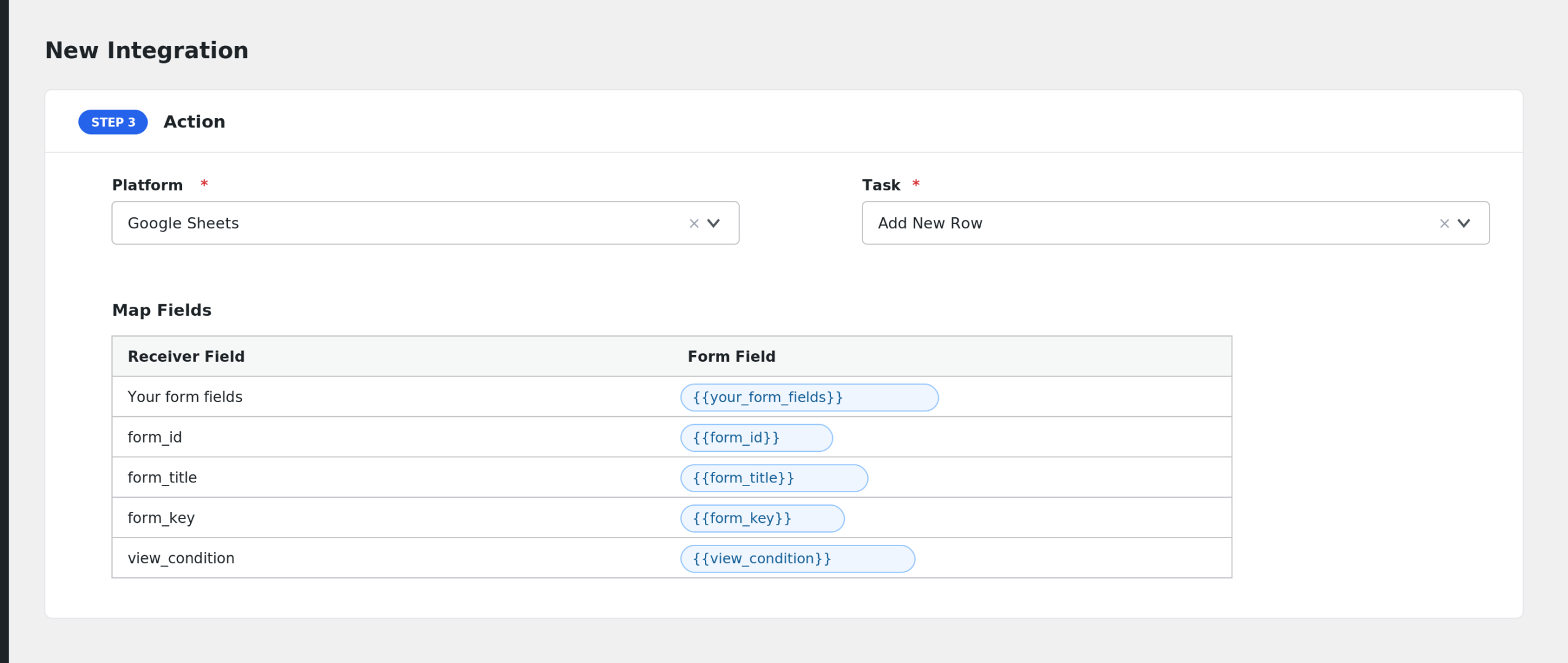
- Under Action, choose the receiver platform and connect your account.
- Map the form fields to the receiver fields with the tag picker next to each receiver field.
- Click Save Integration. Complete a test submission, including the confirmation step, to verify the data arrives.
Fields You Can Send
AFI scans the form markup for name attributes and lists each one as a mappable field. Names are normalized: brackets and special characters become underscores. Fields starting with an underscore are skipped. These extra fields are added:
| Field | Description |
|---|---|
| Your form fields | Every named input in the form markup, shown as “Field: name”. |
| form_id | The ID of the form post. |
| form_title | The title of the form. |
| form_key | The MW WP Form key for the form. |
| view_condition | The current view state of the form flow. |
| post_condition | The post condition of the submission. |
Array values, such as checkbox groups, are sent as a JSON string. General special tags such as user and post data also appear in the dropdown.
Conditional Logic Example
If your form has a radio group named inquiry_type, add a condition so the integration runs only when inquiry_type equals Quote. Quote requests reach your sales sheet, while general questions stay in email. Conditional logic requires AFI Pro.
Troubleshooting
MW WP Form is not in the Form Provider list
The MW WP Form plugin must be active on the same site. Activate it and reload the AFI screen.
My form is missing from the dropdown
AFI lists forms with publish, draft, pending, and future status. If your form was trashed, restore it first, then reload the page.
The integration is not firing
AFI runs after MW WP Form sends its email, on the complete step of the form flow. If the visitor stops at the confirmation screen, nothing is sent. Complete a full test submission, then check AFI > Log for the trigger record and the receiver response.
Fields arrive blank
Field keys are the normalized versions of the name attributes in your form markup. If you edited the markup and renamed inputs, remap the fields by picking them fresh from the dropdown. Also note that fields with names starting with an underscore are intentionally excluded.