 AFI
AFI
HTML Forms
HTML Forms by ibericode lets you write form markup directly, which makes it a favorite for developers. Connect it to Advanced Form Integration (AFI) and every successful submission is forwarded wherever you need it. Store entries in Google Sheets, add subscribers to Mailchimp, or open a ticket in your helpdesk automatically.
What You’ll Need
- The HTML Forms plugin installed and active, with at least one form created.
- Advanced Form Integration, free or Pro. This trigger works fully in the free version.
- An account on the receiving platform, such as Google Sheets or Mailchimp.
How to Create the Integration
- Go to AFI > Add New in your WordPress dashboard.
- AFI fills in a default Integration Title. Rename it to something recognizable, like “HTML Forms Contact to Google Sheets”.
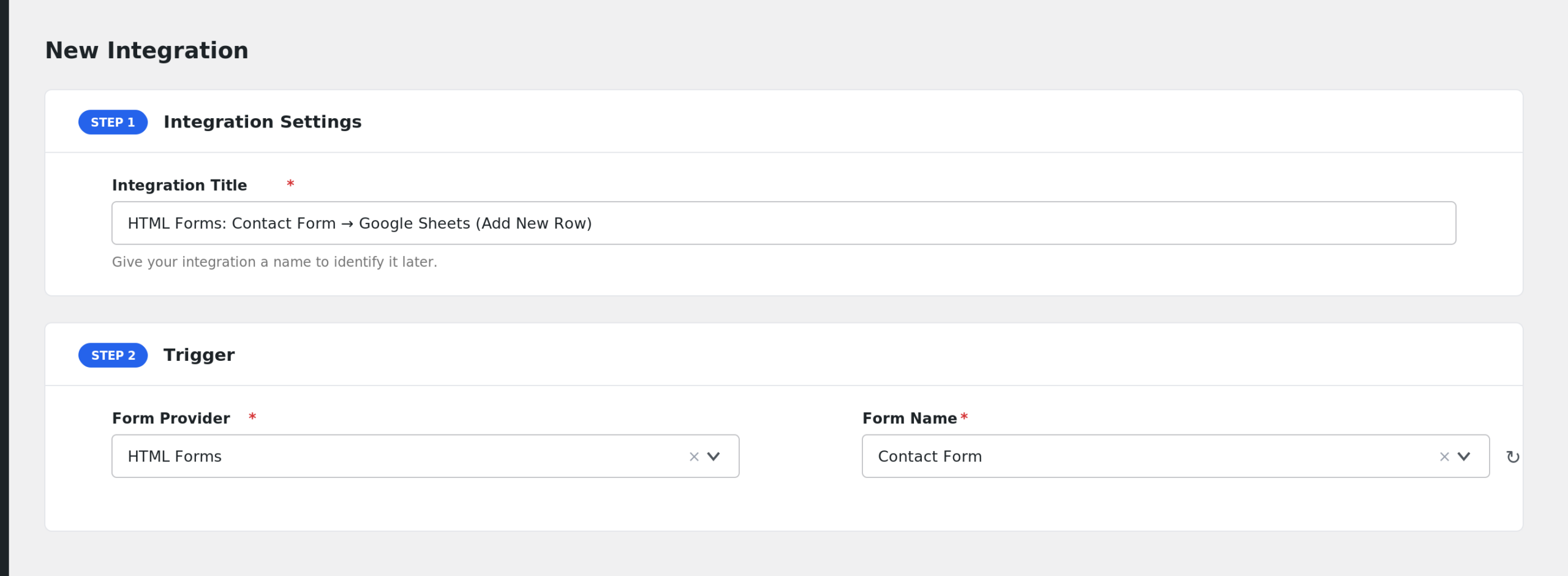
- Under Trigger, select HTML Forms in the Form Provider dropdown. The HTML Forms plugin must be active for the option to appear.
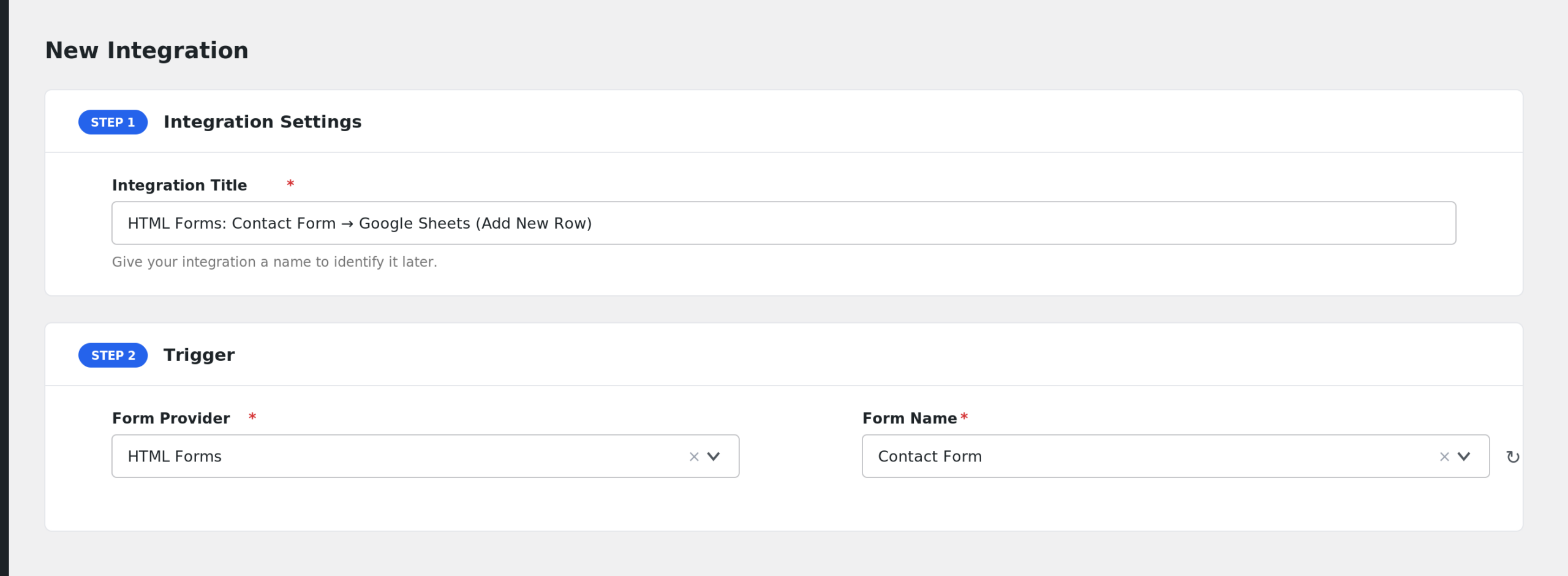
- Pick the form in the Form/Task Name dropdown. AFI lists your HTML Forms by title.
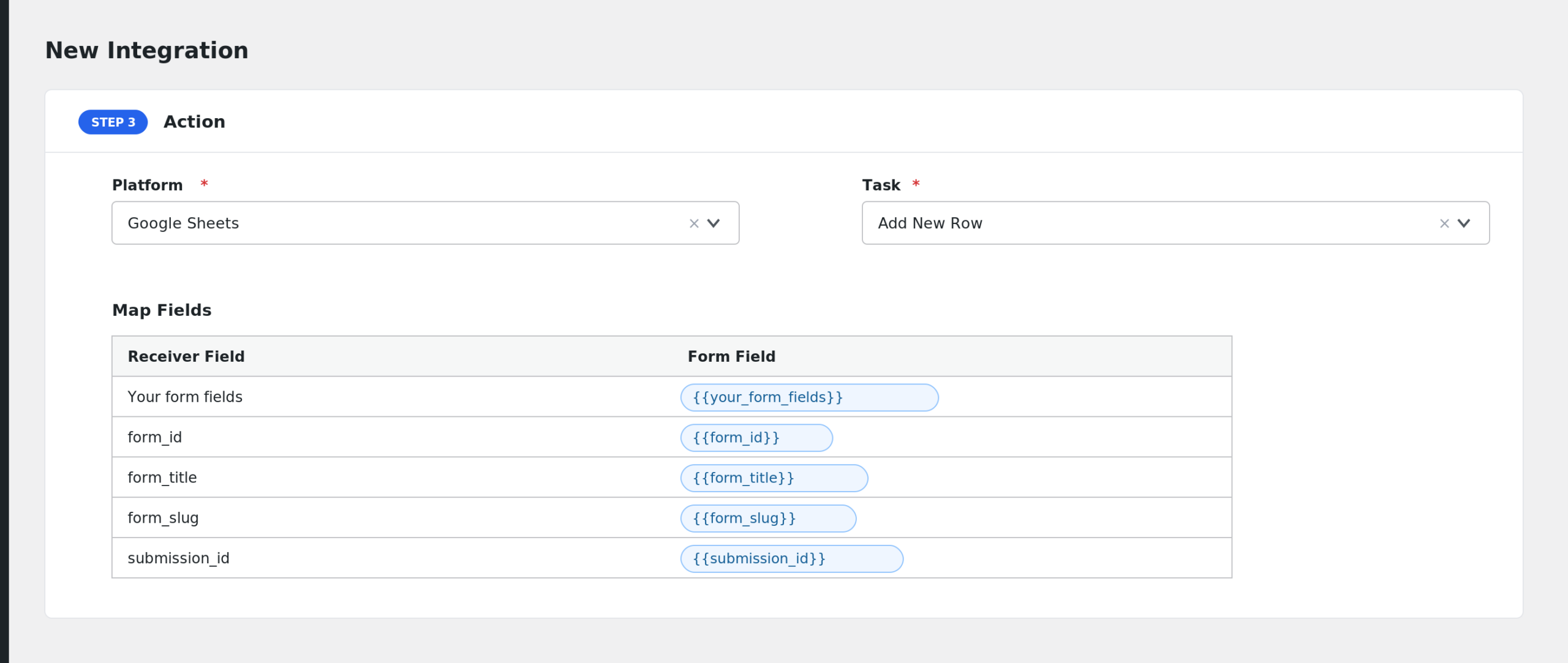
- Under Action, choose the receiver platform and connect your account.
- Map the form fields to the receiver fields with the tag picker next to each receiver field.
- Click Save Integration and submit a test entry.
Fields You Can Send
AFI scans your form markup for name attributes and turns each one into a mappable field. Names are normalized: brackets and special characters become underscores, so EMAIL[work] becomes EMAIL_work. Fields whose name starts with an underscore are skipped. AFI adds these extra fields:
| Field | Description |
|---|---|
| Your form fields | Every input with a name attribute in your form markup. |
| form_id | The ID of the form. |
| form_title | The title of the form. |
| form_slug | The form slug. |
| submission_id | The HTML Forms submission ID. |
| submission_timestamp | When the entry was submitted. |
| ip_address | The IP address of the visitor. |
| user_agent | The browser user agent string. |
| referer_url | The URL the visitor submitted from. |
Array values, such as checkbox groups, are sent as a JSON string. General special tags such as user and post data also appear in the dropdown.
Conditional Logic Example
If your markup includes a <select name="department">, you can add a condition so the integration runs only when department equals sales. Sales inquiries reach your CRM and everything else stays local. Conditional logic is an AFI Pro feature.
Troubleshooting
HTML Forms is not in the Form Provider list
The HTML Forms plugin must be active on the same site. Activate it and reload the AFI screen.
My form is missing from the dropdown
AFI uses the HTML Forms API to list forms. If a form was just created, reload the AFI page. Trashed forms will not appear.
The integration is not firing
AFI runs on the HTML Forms success event, so a submission blocked by validation never reaches AFI. Confirm the form shows its success message on the front end, then check AFI > Log for the trigger record and the receiver response.
Fields arrive blank
Check that the mapped key matches the normalized field name. If your input name contains brackets or dashes, the key in AFI uses underscores instead. Re-open the mapping dropdown and pick the field from the list rather than typing it.