 AFI
AFI
GoToWebinar
GoToWebinar is a long-running enterprise webinar platform from GoTo (formerly LogMeIn). Advanced Form Integration registers form submitters as attendees of a GoToWebinar event.
What you’ll need
- An active GoToWebinar account.
- A registered OAuth app on the GoTo Developer Portal with Client ID and Client Secret.
- The Advanced Form Integration plugin installed and activated.
Connect GoToWebinar to AFI
- In WordPress, go to AFI → Settings → GoToWebinar.
- Enter your Client ID and Client Secret.
- Click Authorize and complete the OAuth flow.
Create the integration
- Go to AFI → Add New.
- Configure the trigger.
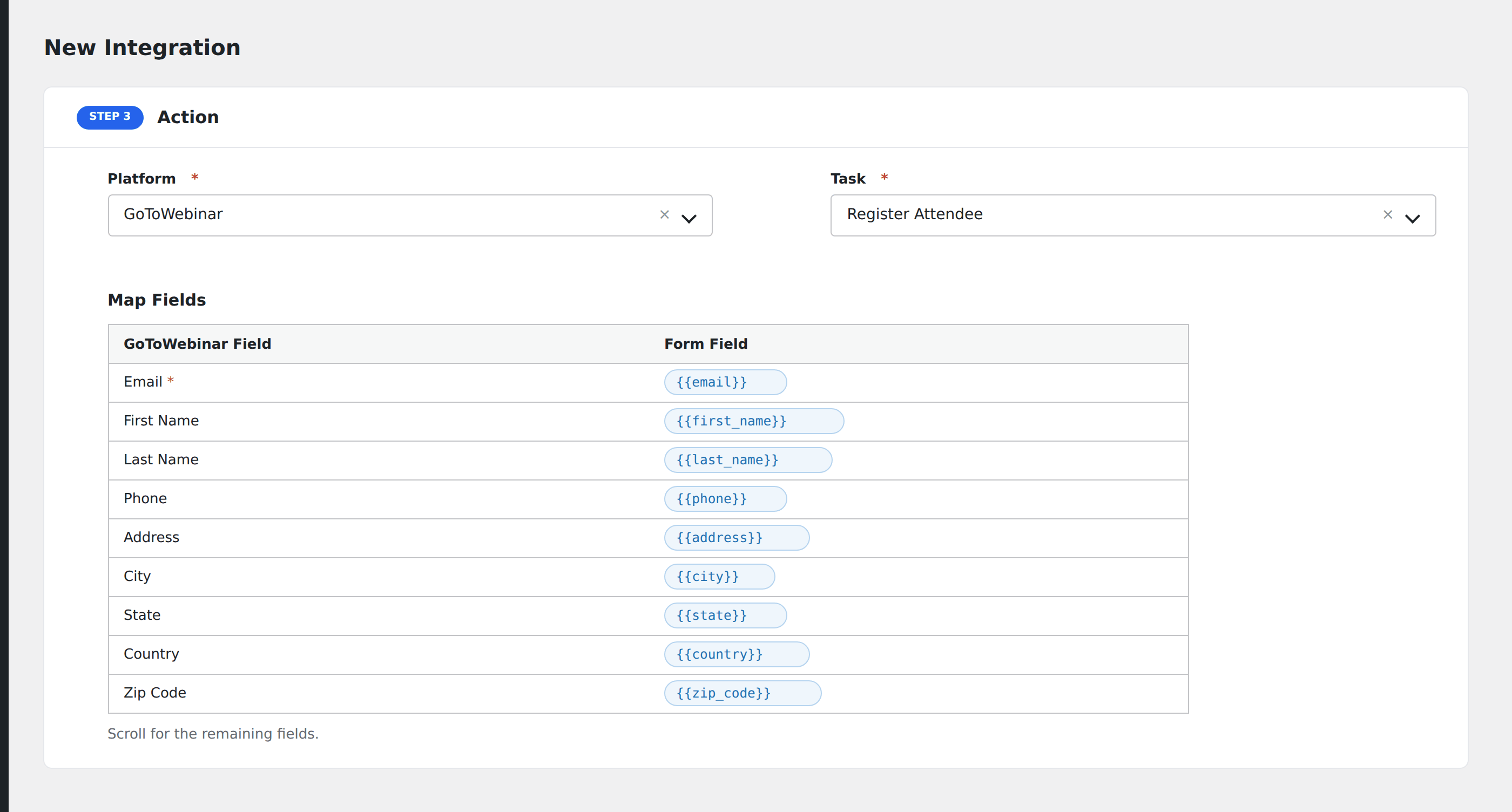
- In Action → Platform, select GoToWebinar.
- In Task, choose Register Attendee.
- Pick the Webinar.
- Map the form fields:
- Email (required), First Name, Last Name.
- Phone, Address, City, State, Country, Zip Code.
- Organization, Job Title, Industry, Number of Employees, Purchasing Time Frame, Purchasing Role, Questions and Comments.
- Webinar-specific custom registration questions.
- Optional: configure Conditional Logic.
- Click Save Integration.
Conditional logic example
Register for the webinar only when the form’s attending_live field is “yes”. Replay-only requesters get a separate confirmation email but skip the live registration.
Troubleshooting
“Webinar in the past”
GoToWebinar refuses registrations for past webinars. The integration will fail until you swap the webinar selection to an upcoming session.
Re-authorization needed
GoTo OAuth tokens have a refresh window. If integrations stop firing with a 401, re-authorize from AFI → Settings → GoToWebinar.