 AFI
AFI
JetFormBuilder
JetFormBuilder is a free Gutenberg-native form builder by Crocoblock with advanced form-logic features. Advanced Form Integration captures every JetFormBuilder submission and routes the data to any of 200+ destinations.
What you’ll need
- The JetFormBuilder plugin installed and activated.
- The Advanced Form Integration plugin installed and activated.
- A JetFormBuilder form built and inserted into a page.
Supported form fields
| Field type | Supported | Output format / notes |
|---|---|---|
| Text | Yes | Same as input |
| Yes | Same as input | |
| Number | Yes | Same as input |
| Textarea | Yes | Same as input |
| Date / Time | Yes | YYYY-MM-DD, HH:MM |
| Select | Yes | The selected option value |
| Radio | Yes | The selected option value |
| Checkbox | Yes | Comma-separated selected values |
| Hidden | Yes | Same as the hidden value |
| Media | Yes | Comma-separated attachment IDs / URLs |
| Range slider | Yes | Numeric value |
| Repeater | Yes | JSON-encoded array of repeated rows |
| Conditional | Conditional fields fire based on visibility |
Create the integration
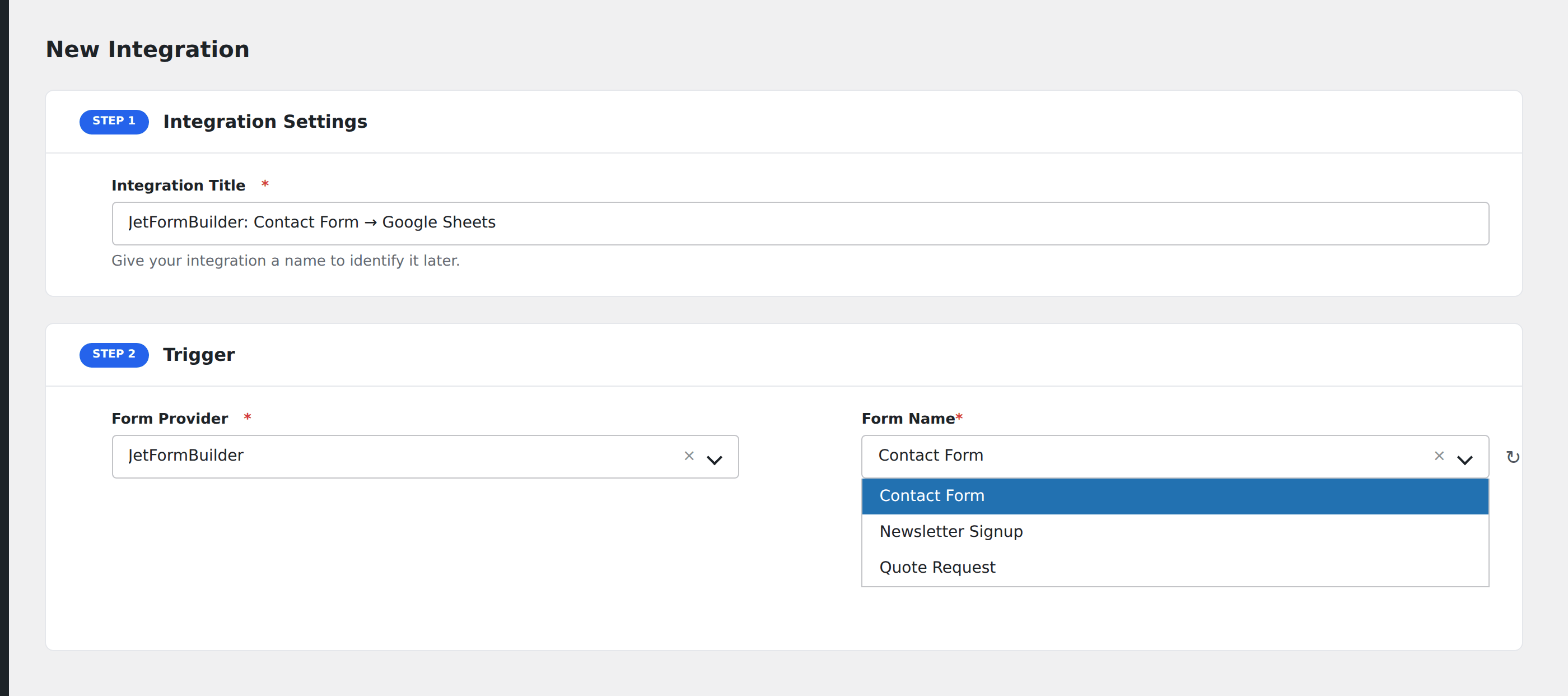
- Go to WP Admin → AFI → Add New.
- Enter an Integration Title.
- In Trigger → Form/Data Provider, select JetFormBuilder.
- In Form/Task Name, choose the form to listen on.
- In Action → Platform, pick the destination and complete the field mapping.
- Optional: configure Conditional Logic.
- Click Save Integration.
Conditional logic example
Goal: when a quote-request form’s Project Type is set to Enterprise, route to a special enterprise sales CRM pipeline.
Create the enterprise CRM integration. Open the Conditional Logic panel, add a condition with the project type field, Equal To, value Enterprise.
Troubleshooting
Repeater data is hard to map
Repeater fields arrive as JSON-encoded arrays. Most destinations don’t natively understand this format. Either flatten before sending (use a webhook/Zapier intermediary) or pick destinations that handle JSON natively.
Form not appearing in the Form/Task Name dropdown
JetFormBuilder forms are saved as a custom post type. Re-save the form, then reload the AFI integration screen.