HighLevel
HighLevel Integration
The Advanced Form Integration plugin supports integration with HighLevel CRM. You can automatically send contact data and create opportunities in your HighLevel account when a form is submitted.
Supported Actions
-
Create Contact – Adds or updates a contact and optionally creates an opportunity in your selected pipeline.
Setup Instructions
1. Get Your HighLevel API Key
-
Log in to your HighLevel dashboard.
-
Navigate to Settings > Business Profile.
-
Scroll down to find your API Key.
-
Copy the API Key for use in the plugin.
2. Connect HighLevel in the Plugin
-
Go to AFI > Settings > HighLevel.
-
Click Add New Account.
-
Paste the copied API Key into the field.
-
Save your credentials.
3. Create Integration
-
Go to AFI > New Integration.
-
Choose your form plugin (e.g., WPForms, Gravity Forms).
-
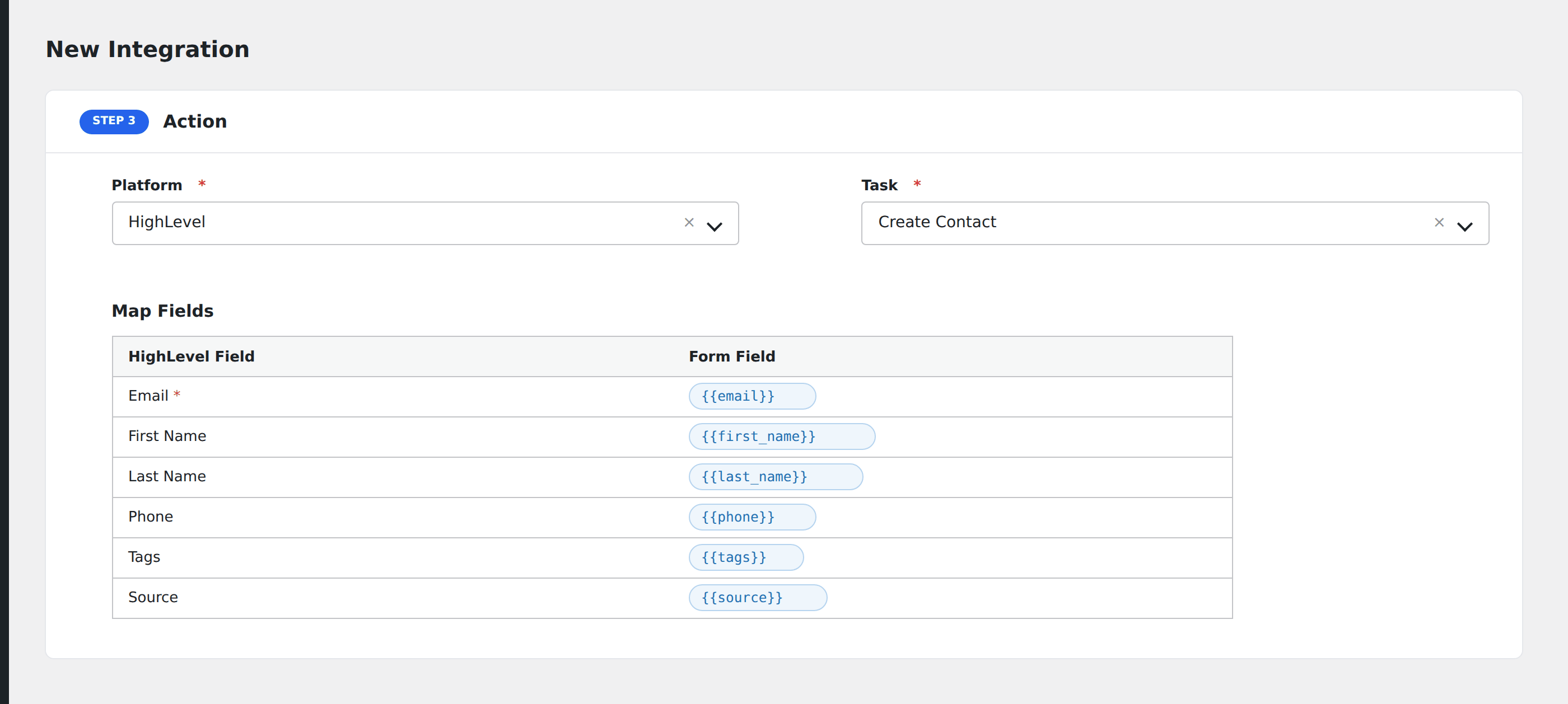
Select HighLevel as the action platform.
-
Choose Create Contact as the action.
4. Map Fields
After selecting your HighLevel account and action, map the following fields as needed:
Contact Fields
| Field Name | Description |
|---|---|
| First Name | Contact’s first name |
| Last Name | Contact’s last name |
| Required – used to search/update contact | |
| Phone | Contact’s phone number |
| Address1, City, State, Postal Code | Address fields |
| Website | Website URL |
| Timezone | Contact’s time zone |
| Company Name | Name of the company |
| Source | Contact source (custom) |
| Owner ID | HighLevel user ID to assign contact |
| Type | lead or customer (default: lead) |
| Date of Birth | yyyy-mm-dd format |
Opportunity Fields (Optional)
| Field Name | Description |
|---|---|
| Title | Required to create an opportunity |
| Pipeline ID | Select from available pipelines |
| Stage ID | Select from available stages |
| Value | Opportunity value |
| Status | open, won, lost, abandoned |
| Assigned To | HighLevel user ID (optional) |
Opportunities will be created only if the required fields are filled.
Troubleshooting
-
Invalid API Key: Make sure your API key is copied correctly from the Business Profile.
-
Empty Pipelines or Users: The plugin fetches pipelines and users dynamically. If none appear, check if your API key has sufficient permissions.
-
Contact Not Created: Ensure the email is valid and not already used with an invalid format.